GG Plot

Author

CEU, AIIMS Bhopal

Published

November 01, 2025

Know your Data

set.seed(1234)
df <- data.frame(
  Previous_status=factor(rep(c("Diabetes", "Non-Diabetes"), each=200)),
  FBS=round(c(rnorm(200, mean=160, sd=20),
                 rnorm(200, mean=100, sd=20))),
  BMI=round(c(rnorm(200,mean=32,sd=8),
              rnorm(200,mean=30.5,sd=7)),1),
  HbA1c=round(c(rnorm(200, mean=10.60, sd=1.5),
rnorm(200, mean=6.1, sd=0.5)) ,1),
Smoking=rbinom(n=400,size=1,prob=0.30),
Gender=rbinom(n=400,size = 1,prob=0.45)
)
df$Gender<-as.factor(df$Gender)
levels(df$Gender)<-c("Female","Male")

df$Smoking<-as.factor(df$Smoking)
levels(df$Smoking)<-c("Non-Smoker","Smoker")
df %>% mutate(BMI_Cat=factor(case_when(BMI>30~"obese",
                                BMI<22~"Not-obese",
                                TRUE~"Pre-obese")))->df
str(df)
'data.frame':   400 obs. of  7 variables:
 $ Previous_status: Factor w/ 2 levels "Diabetes","Non-Diabetes": 1 1 1 1 1 1 1 1 1 1 ...
 $ FBS            : num  136 166 182 113 169 170 149 149 149 142 ...
 $ BMI            : num  22.2 32.3 28.6 24.8 35.3 33.2 43.7 23 27.9 31.4 ...
 $ HbA1c          : num  9.1 8.5 10.5 13.3 10.5 11.8 8.9 10.3 11.4 10.1 ...
 $ Smoking        : Factor w/ 2 levels "Non-Smoker","Smoker": 1 1 2 1 2 2 1 2 2 2 ...
 $ Gender         : Factor w/ 2 levels "Female","Male": 1 1 1 1 2 2 1 1 2 2 ...
 $ BMI_Cat        : Factor w/ 3 levels "Not-obese","obese",..: 3 2 3 3 2 2 2 3 3 2 ...
summary(df)
     Previous_status      FBS             BMI            HbA1c      
 Diabetes    :200    Min.   : 32.0   Min.   : 9.10   Min.   : 4.60  
 Non-Diabetes:200    1st Qu.:103.0   1st Qu.:25.75   1st Qu.: 6.10  
                     Median :132.0   Median :30.70   Median : 7.00  
                     Mean   :130.1   Mean   :30.78   Mean   : 8.32  
                     3rd Qu.:157.0   3rd Qu.:35.52   3rd Qu.:10.50  
                     Max.   :221.0   Max.   :57.60   Max.   :14.30  
       Smoking       Gender         BMI_Cat   
 Non-Smoker:272   Female:222   Not-obese: 41  
 Smoker    :128   Male  :178   obese    :210  
                               Pre-obese:149  


head(df)
  Previous_status FBS  BMI HbA1c    Smoking Gender   BMI_Cat
1        Diabetes 136 22.2   9.1 Non-Smoker Female Pre-obese
2        Diabetes 166 32.3   8.5 Non-Smoker Female     obese
3        Diabetes 182 28.6  10.5     Smoker Female Pre-obese
4        Diabetes 113 24.8  13.3 Non-Smoker Female Pre-obese
5        Diabetes 169 35.3  10.5     Smoker   Male     obese
6        Diabetes 170 33.2  11.8     Smoker   Male     obese
glimpse(df)
Rows: 400
Columns: 7
$ Previous_status <fct> Diabetes, Diabetes, Diabetes, Diabetes, Diabetes, Diab…
$ FBS             <dbl> 136, 166, 182, 113, 169, 170, 149, 149, 149, 142, 150,…
$ BMI             <dbl> 22.2, 32.3, 28.6, 24.8, 35.3, 33.2, 43.7, 23.0, 27.9, …
$ HbA1c           <dbl> 9.1, 8.5, 10.5, 13.3, 10.5, 11.8, 8.9, 10.3, 11.4, 10.…
$ Smoking         <fct> Non-Smoker, Non-Smoker, Smoker, Non-Smoker, Smoker, Sm…
$ Gender          <fct> Female, Female, Female, Female, Male, Male, Female, Fe…
$ BMI_Cat         <fct> Pre-obese, obese, Pre-obese, Pre-obese, obese, obese, …
library(gtsummary)
df$Previous_status<-as.factor(df$Previous_status)
df %>% mutate_at(c(1,5,6,7),as.factor)->df
str(df)
'data.frame':   400 obs. of  7 variables:
 $ Previous_status: Factor w/ 2 levels "Diabetes","Non-Diabetes": 1 1 1 1 1 1 1 1 1 1 ...
 $ FBS            : num  136 166 182 113 169 170 149 149 149 142 ...
 $ BMI            : num  22.2 32.3 28.6 24.8 35.3 33.2 43.7 23 27.9 31.4 ...
 $ HbA1c          : num  9.1 8.5 10.5 13.3 10.5 11.8 8.9 10.3 11.4 10.1 ...
 $ Smoking        : Factor w/ 2 levels "Non-Smoker","Smoker": 1 1 2 1 2 2 1 2 2 2 ...
 $ Gender         : Factor w/ 2 levels "Female","Male": 1 1 1 1 2 2 1 1 2 2 ...
 $ BMI_Cat        : Factor w/ 3 levels "Not-obese","obese",..: 3 2 3 3 2 2 2 3 3 2 ...
df %>%tbl_summary(by=Gender) %>% add_p() %>% bold_labels()
Characteristic Female
N = 2221
Male
N = 1781
p-value2
Previous_status

0.3
    Diabetes 106 (48%) 94 (53%)
    Non-Diabetes 116 (52%) 84 (47%)
FBS 130 (101, 154) 137 (105, 160) 0.2
BMI 31 (26, 36) 31 (26, 35) 0.7
HbA1c 6.80 (6.10, 10.50) 8.60 (6.10, 10.50) 0.5
Smoking

>0.9
    Non-Smoker 151 (68%) 121 (68%)
    Smoker 71 (32%) 57 (32%)
BMI_Cat

>0.9
    Not-obese 22 (9.9%) 19 (11%)
    obese 118 (53%) 92 (52%)
    Pre-obese 82 (37%) 67 (38%)
1 n (%); Median (Q1, Q3)
2 Pearson’s Chi-squared test; Wilcoxon rank sum test
df %>% select(2:4,7) %>% tbl_summary(by=BMI_Cat,statistic = list(all_continuous() ~ "{mean} ({sd})") )%>%add_p() %>% add_ci()
Characteristic Not-obese
N = 41
1
95% CI obese
N = 210
1
95% CI Pre-obese
N = 149
1
95% CI p-value2
FBS 131 (37) 119, 143 132 (34) 127, 137 127 (36) 122, 133 0.5
BMI 18 (4) 17, 19 36 (5) 36, 37 26 (2) 26, 27 <0.001
HbA1c 8.33 (2.54) 7.5, 9.1 8.49 (2.51) 8.2, 8.8 8.08 (2.47) 7.7, 8.5 0.2
Abbreviation: CI = Confidence Interval
1 Mean (SD)
2 Kruskal-Wallis rank sum test

Data Wrangling before ggplot

df$BMI_Cat<-as.factor(df$BMI_Cat)
df %>% select(BMI,Gender,Smoking,Previous_status)->df2
df %>% filter(Gender=="Male")->df3
df %>% select(BMI,Gender,Smoking,Previous_status) %>% filter(Gender=="Male")->df.m
df %>%  filter(BMI>=25) %>% select(BMI,Gender,Smoking,Previous_status) ->df.m1
df %>% select(Gender,BMI,Smoking) %>% group_by(Gender,Smoking) %>% summarise(avg=mean(BMI),sd=sd(BMI),count=n())->df4
`summarise()` has grouped output by 'Gender'. You can override using the
`.groups` argument.
df4
# A tibble: 4 × 5
# Groups:   Gender [2]
  Gender Smoking      avg    sd count
  <fct>  <fct>      <dbl> <dbl> <int>
1 Female Non-Smoker  30.9  7.61   151
2 Female Smoker      30.9  7.07    71
3 Male   Non-Smoker  30.6  7.58   121
4 Male   Smoker      30.8  7.66    57
df %>% select(BMI)->b
b %>% mutate(bmi_cat1=ifelse(BMI>24,"obese","Normal"))->b1

df2 %>% group_by(Gender,Smoking,Previous_status) %>%  summarise(avg=mean(BMI),std_dev=sd(BMI),count=n(), q1=quantile(BMI,probs=0.25),q1=quantile(BMI,probs=0.75))->df3
`summarise()` has grouped output by 'Gender', 'Smoking'. You can override using
the `.groups` argument.

Basic ggplot2 Plots

gg plot- reduces the gap between mind and plot

ggplot-maaping from data to asthetics (color,shape,size) of geometrical objects(point,bar,line) drawn on a specific coordinate systetm with or without some statistical transformation

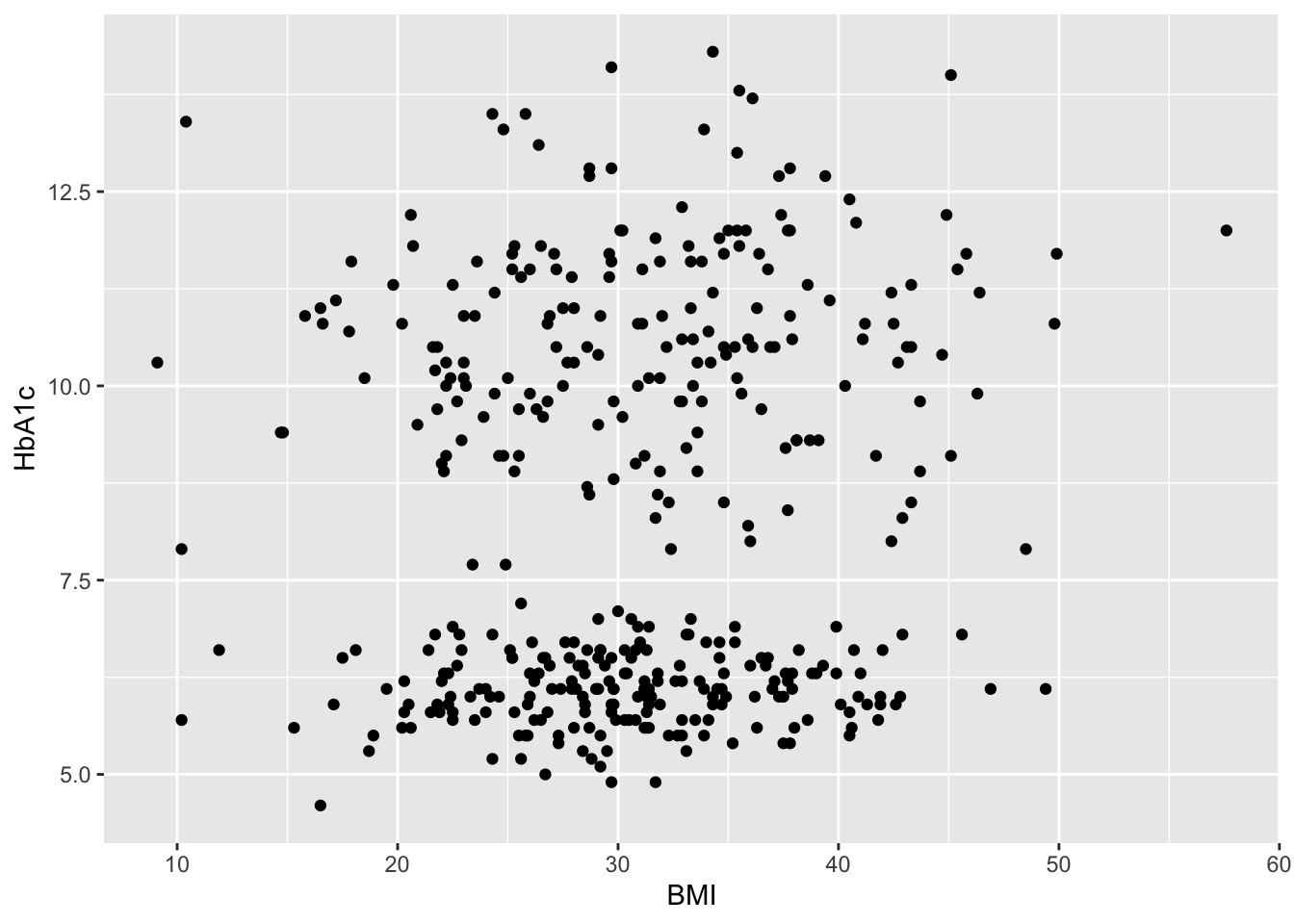
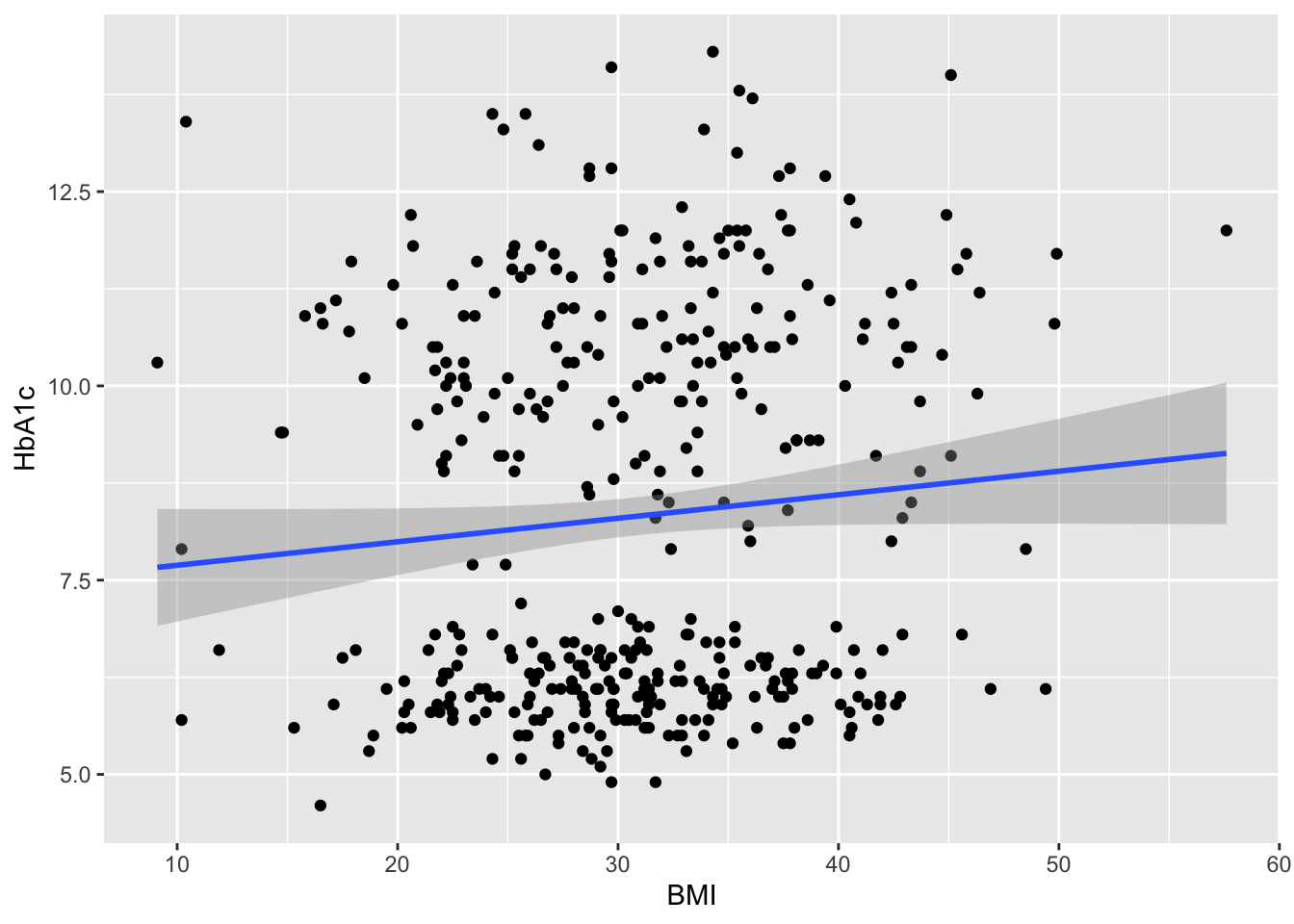
Is there any relationship between bmi and HbA1c values.?

library(ggplot2)
ggplot () 

ggplot(data=df)

ggplot(data=df,aes(x=BMI,y=HbA1c))

ggplot(data=df,aes(x=BMI,y=HbA1c))->g1
str(g1)
<ggplot2::ggplot>
 @ data       :'data.frame':    400 obs. of  7 variables:
 .. $ Previous_status: Factor w/ 2 levels "Diabetes","Non-Diabetes": 1 1 1 1 1 1 1 1 1 1 ...
 .. $ FBS            : num  136 166 182 113 169 170 149 149 149 142 ...
 .. $ BMI            : num  22.2 32.3 28.6 24.8 35.3 33.2 43.7 23 27.9 31.4 ...
 .. $ HbA1c          : num  9.1 8.5 10.5 13.3 10.5 11.8 8.9 10.3 11.4 10.1 ...
 .. $ Smoking        : Factor w/ 2 levels "Non-Smoker","Smoker": 1 1 2 1 2 2 1 2 2 2 ...
 .. $ Gender         : Factor w/ 2 levels "Female","Male": 1 1 1 1 2 2 1 1 2 2 ...
 .. $ BMI_Cat        : Factor w/ 3 levels "Not-obese","obese",..: 3 2 3 3 2 2 2 3 3 2 ...
 @ layers     : list()
 @ scales     :Classes 'ScalesList', 'ggproto', 'gg' <ggproto object: Class ScalesList, gg>
    add: function
    add_defaults: function
    add_missing: function
    backtransform_df: function
    clone: function
    find: function
    get_scales: function
    has_scale: function
    input: function
    map_df: function
    n: function
    non_position_scales: function
    scales: NULL
    set_palettes: function
    train_df: function
    transform_df: function
    super:  <ggproto object: Class ScalesList, gg> 
 @ guides     :Classes 'Guides', 'ggproto', 'gg' <ggproto object: Class Guides, gg>
    add: function
    assemble: function
    build: function
    draw: function
    get_custom: function
    get_guide: function
    get_params: function
    get_position: function
    guides: NULL
    merge: function
    missing: <ggproto object: Class GuideNone, Guide, gg>
        add_title: function
        arrange_layout: function
        assemble_drawing: function
        available_aes: any
        build_decor: function
        build_labels: function
        build_ticks: function
        build_title: function
        draw: function
        draw_early_exit: function
        elements: list
        extract_decor: function
        extract_key: function
        extract_params: function
        get_layer_key: function
        hashables: list
        measure_grobs: function
        merge: function
        override_elements: function
        params: list
        process_layers: function
        setup_elements: function
        setup_params: function
        train: function
        transform: function
        super:  <ggproto object: Class GuideNone, Guide, gg>
    package_box: function
    print: function
    process_layers: function
    setup: function
    subset_guides: function
    train: function
    update_params: function
    super:  <ggproto object: Class Guides, gg> 
 @ mapping    : <ggplot2::mapping> List of 2
 .. $ x: language ~BMI
 ..  ..- attr(*, ".Environment")=<environment: R_GlobalEnv> 
 .. $ y: language ~HbA1c
 ..  ..- attr(*, ".Environment")=<environment: R_GlobalEnv> 
 @ theme      : <theme>  Named list()
 .. @ complete: logi FALSE
 .. @ validate: logi TRUE
 @ coordinates:Classes 'CoordCartesian', 'Coord', 'ggproto', 'gg' <ggproto object: Class CoordCartesian, Coord, gg>
    aspect: function
    backtransform_range: function
    clip: on
    default: TRUE
    distance: function
    draw_panel: function
    expand: TRUE
    is_free: function
    is_linear: function
    labels: function
    limits: list
    modify_scales: function
    range: function
    ratio: NULL
    render_axis_h: function
    render_axis_v: function
    render_bg: function
    render_fg: function
    reverse: none
    setup_data: function
    setup_layout: function
    setup_panel_guides: function
    setup_panel_params: function
    setup_params: function
    train_panel_guides: function
    transform: function
    super:  <ggproto object: Class CoordCartesian, Coord, gg> 
 @ facet      :Classes 'FacetNull', 'Facet', 'ggproto', 'gg' <ggproto object: Class FacetNull, Facet, gg>
    attach_axes: function
    attach_strips: function
    compute_layout: function
    draw_back: function
    draw_front: function
    draw_labels: function
    draw_panel_content: function
    draw_panels: function
    finish_data: function
    format_strip_labels: function
    init_gtable: function
    init_scales: function
    map_data: function
    params: list
    set_panel_size: function
    setup_data: function
    setup_panel_params: function
    setup_params: function
    shrink: TRUE
    train_scales: function
    vars: function
    super:  <ggproto object: Class FacetNull, Facet, gg> 
 @ layout     :Classes 'Layout', 'ggproto', 'gg' <ggproto object: Class Layout, gg>
    coord: NULL
    coord_params: list
    facet: NULL
    facet_params: list
    finish_data: function
    get_scales: function
    layout: NULL
    map_position: function
    panel_params: NULL
    panel_scales_x: NULL
    panel_scales_y: NULL
    render: function
    render_labels: function
    reset_scales: function
    resolve_label: function
    setup: function
    setup_panel_guides: function
    setup_panel_params: function
    train_position: function
    super:  <ggproto object: Class Layout, gg> 
 @ labels     : <ggplot2::labels>  Named list()
 @ meta       : list()
 @ plot_env   :<environment: R_GlobalEnv> 
g1+ geom_point()->g2
g2

g2+geom_smooth(method = "lm")->g3
g3
`geom_smooth()` using formula = 'y ~ x'

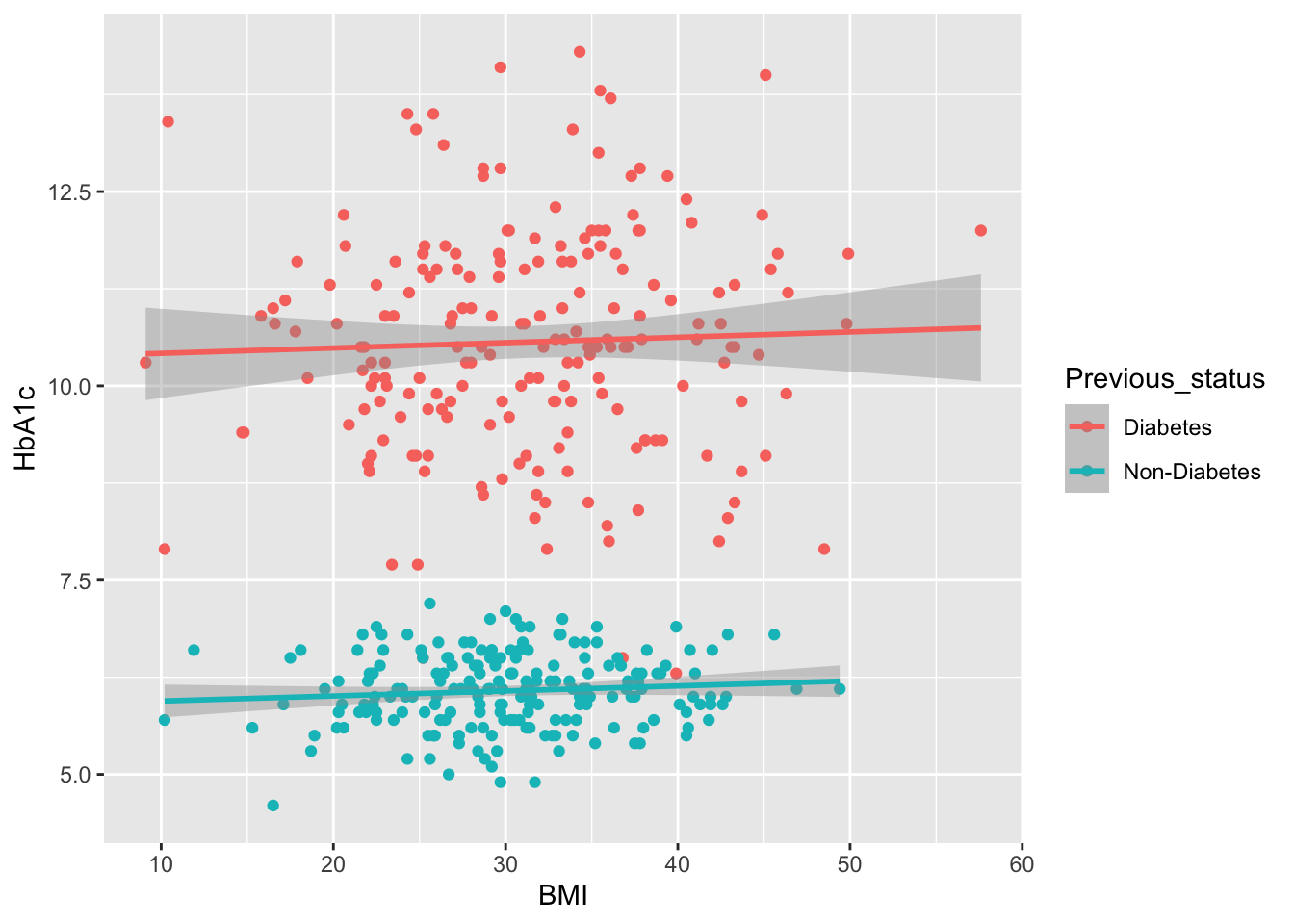
 ## Whether these BMI values are influenced by previous Disease status ?
## Whether the distribution of BMI is different in previous disbetes and previous non diabetes?
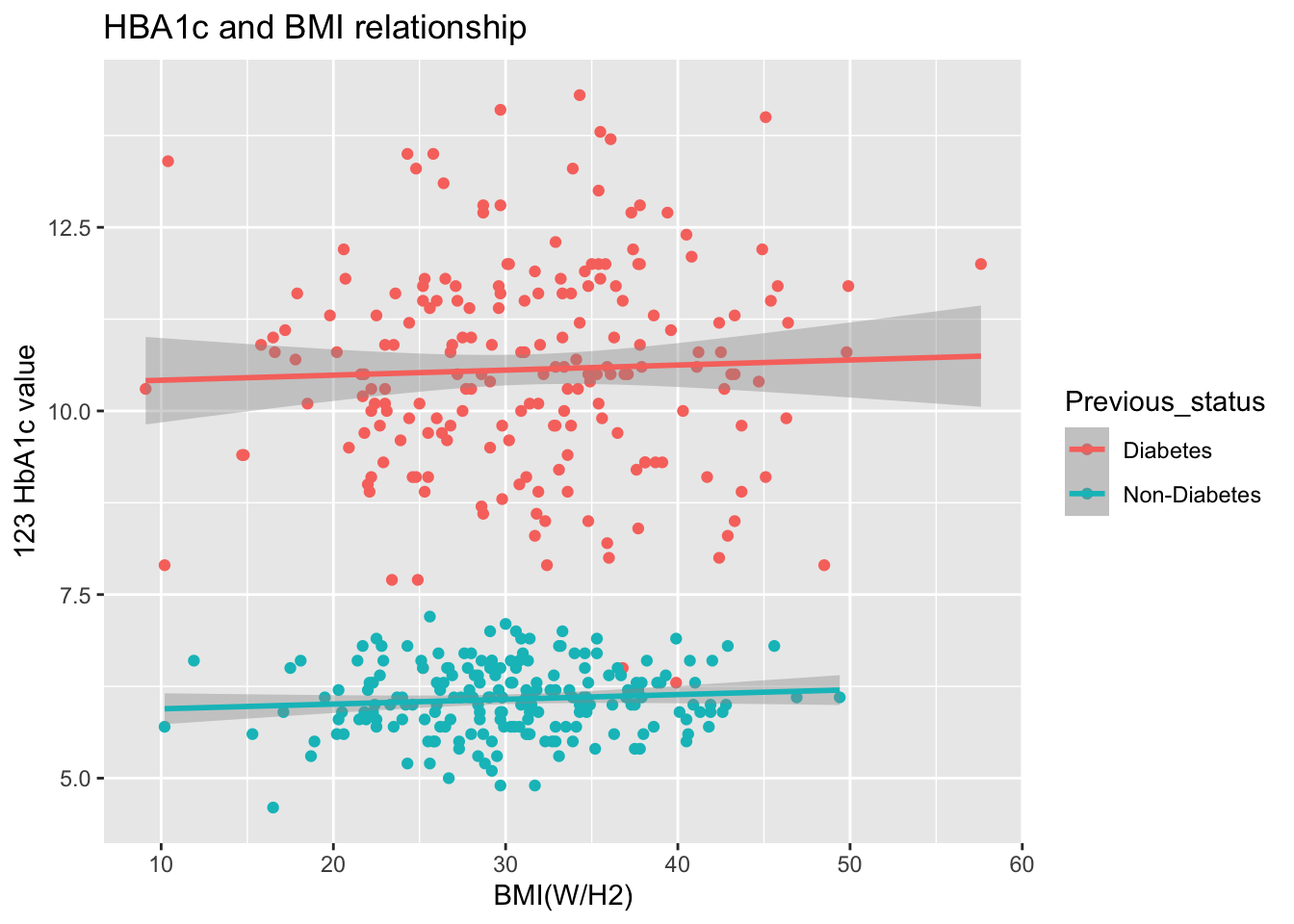
ggplot(data=df,aes(x=BMI,y=HbA1c,color=Previous_status))+
  geom_point()+
  geom_smooth(method = "lm")->g4
g4
`geom_smooth()` using formula = 'y ~ x'

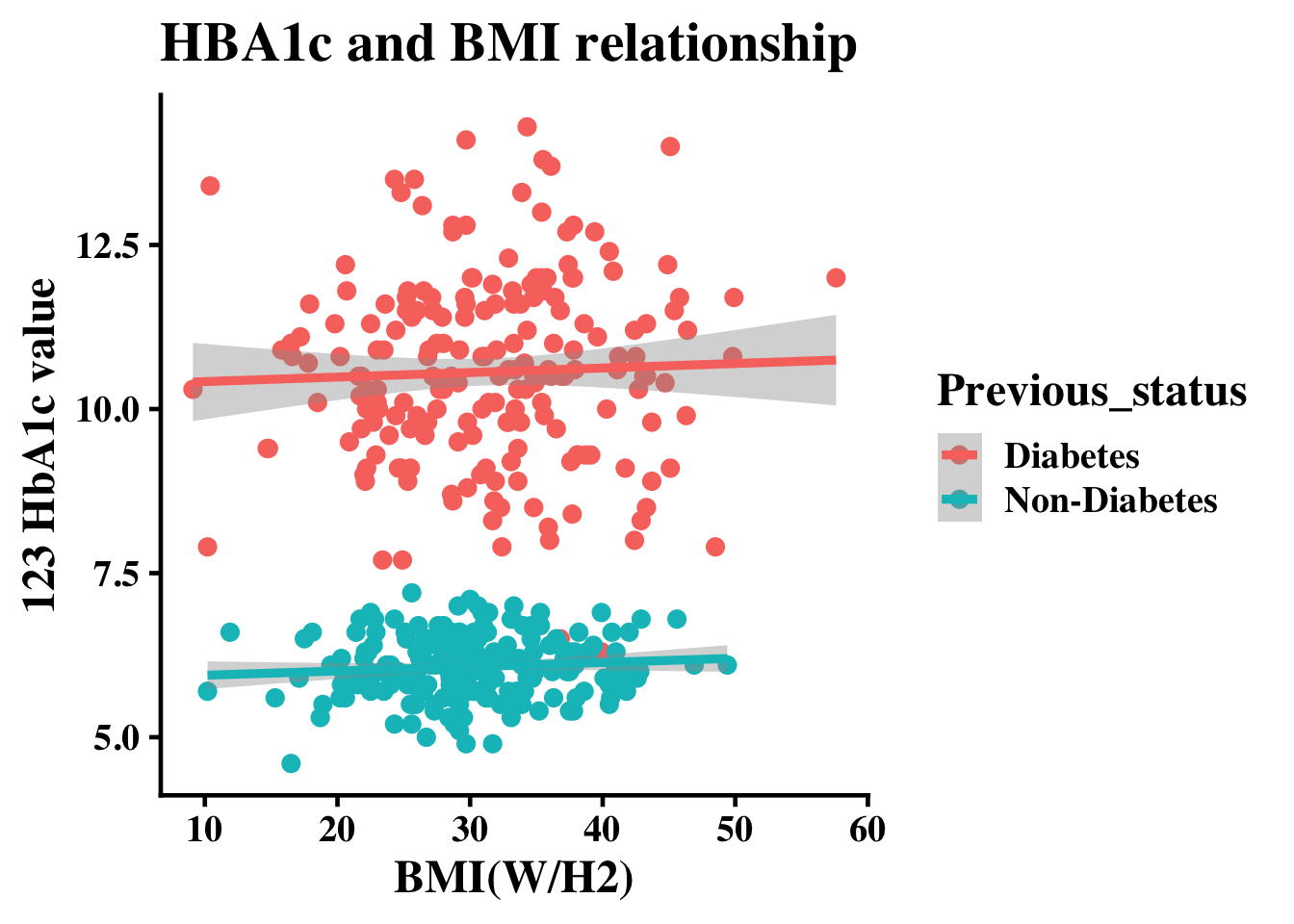
g4+xlab("BMI(W/H2)")+ ylab("123 HbA1c value")+ggtitle("HBA1c and BMI relationship")->g5
g5
`geom_smooth()` using formula = 'y ~ x'

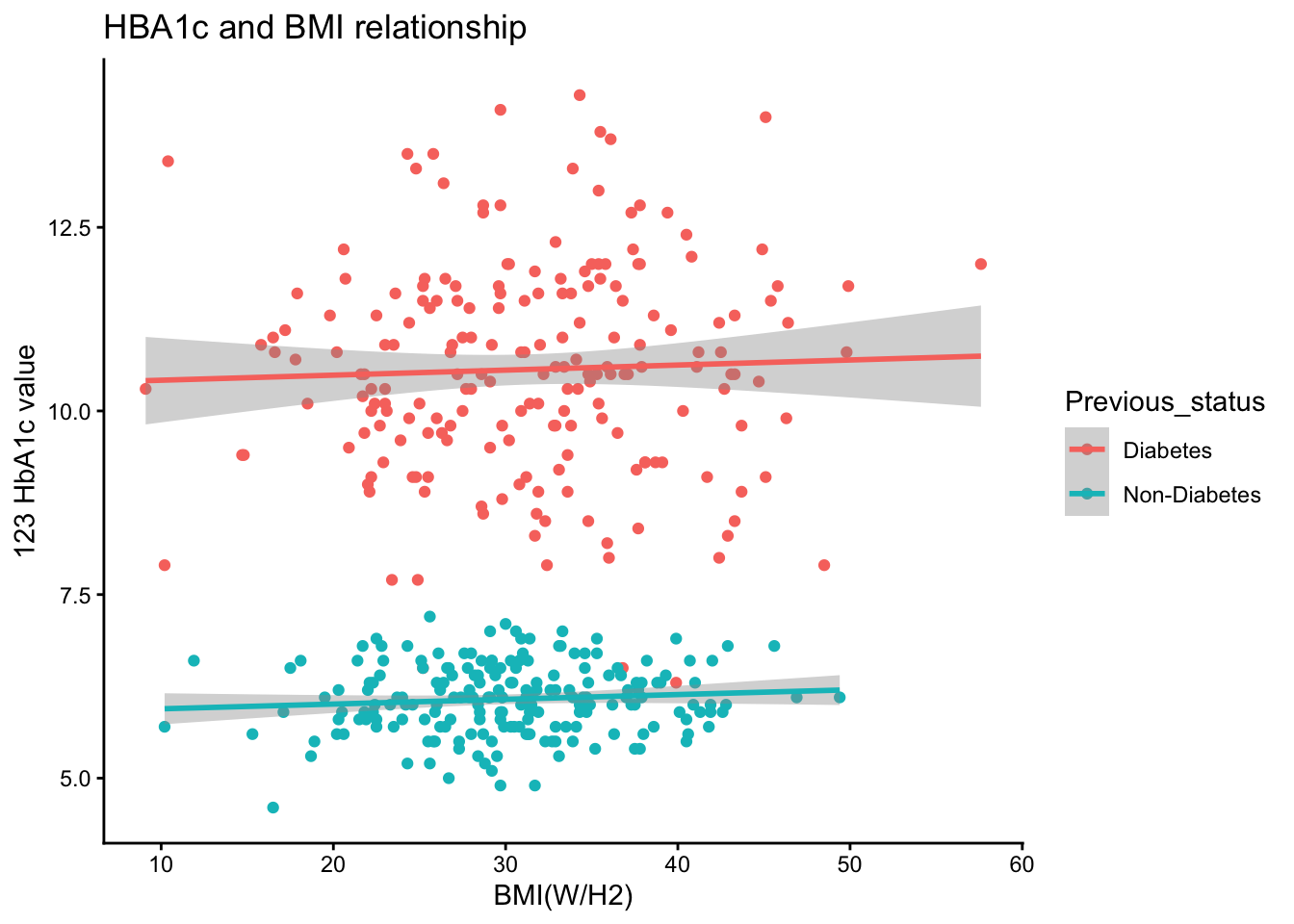
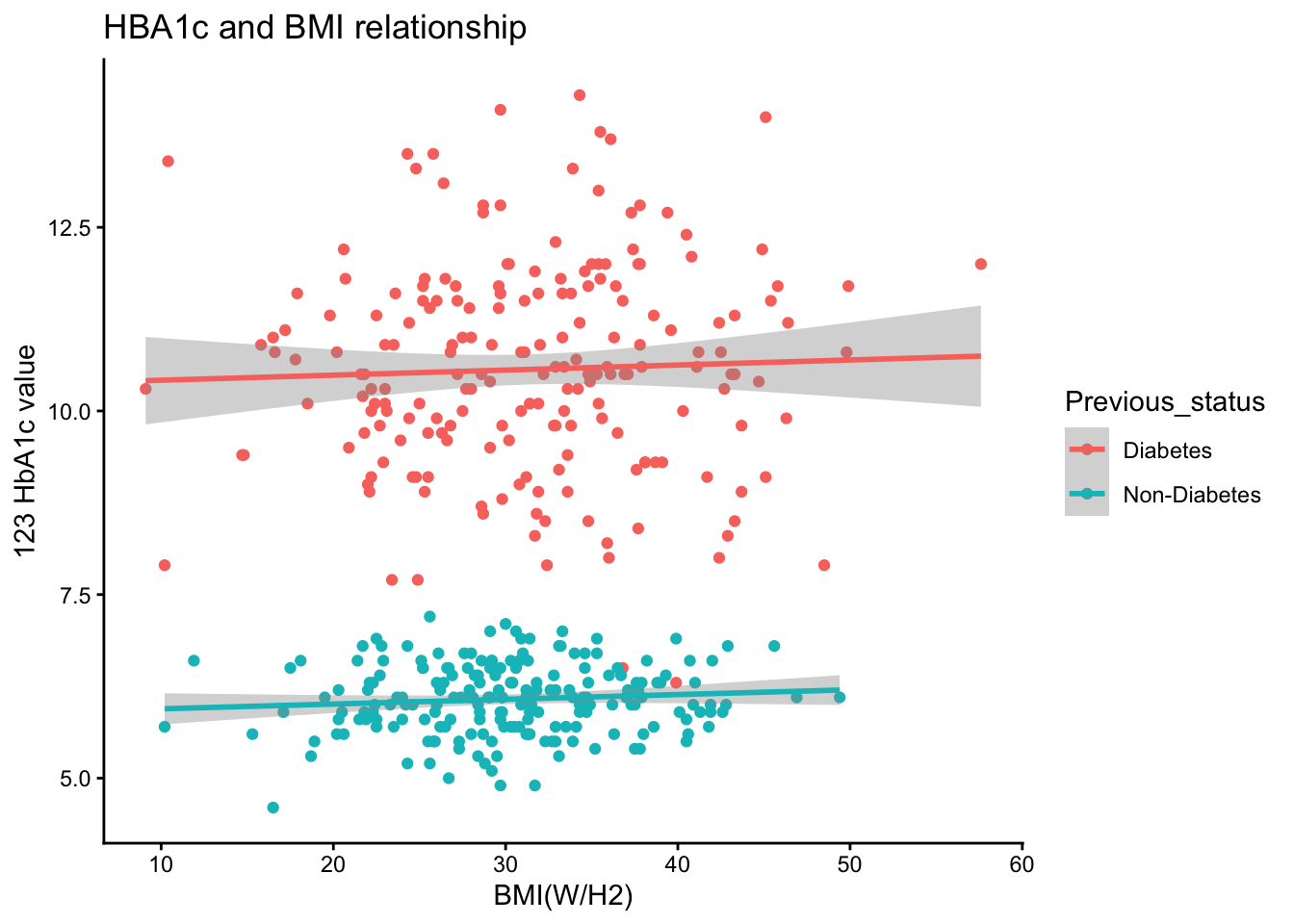
g5+theme_classic()->g6
g6
`geom_smooth()` using formula = 'y ~ x'

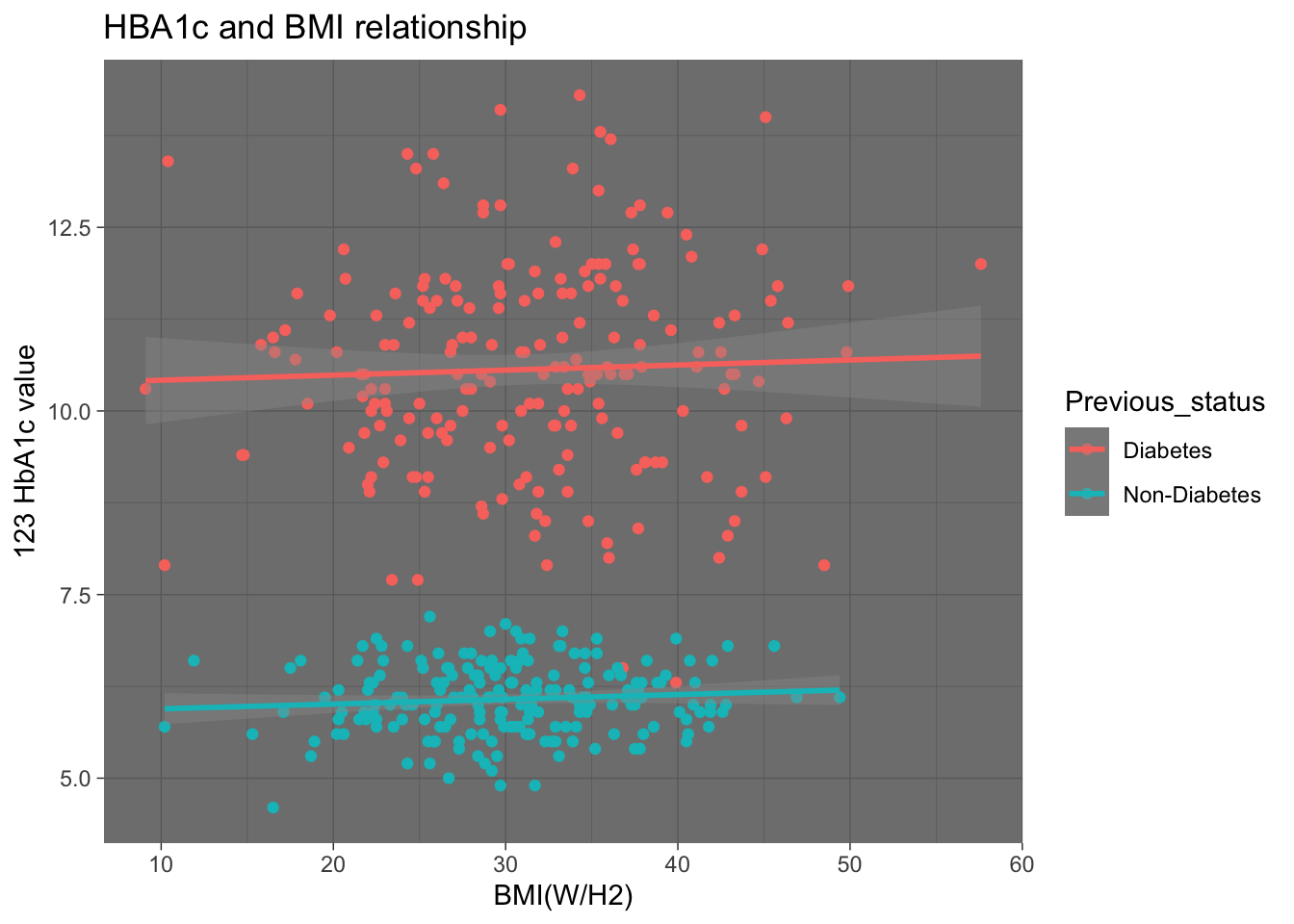
g5+theme_dark()
`geom_smooth()` using formula = 'y ~ x'

g6
`geom_smooth()` using formula = 'y ~ x'

g6+theme_classic(base_size = 18,base_family = "Times-Bold" )
`geom_smooth()` using formula = 'y ~ x'

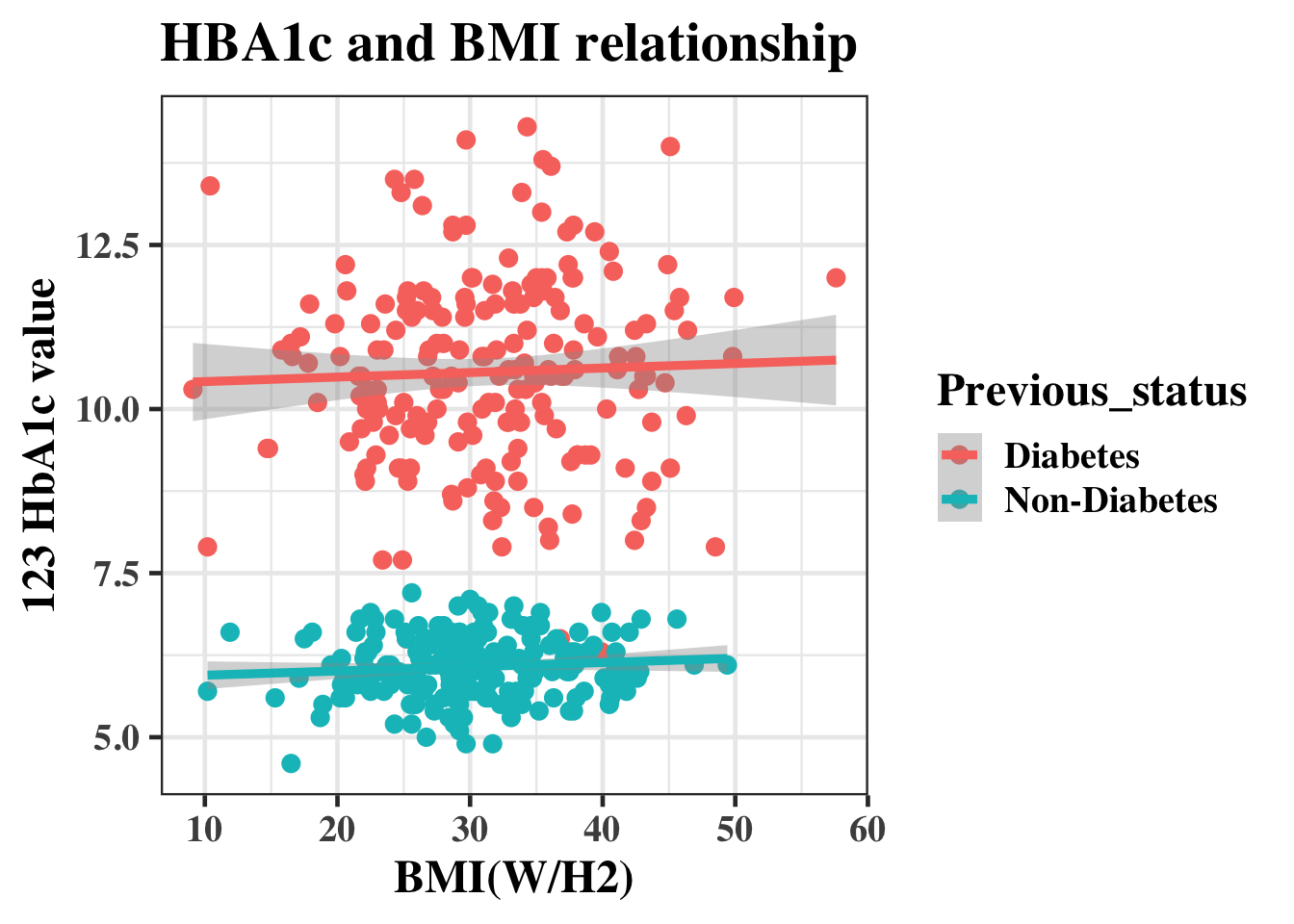
g6+theme_bw(base_size = 18,base_family = "Times-Bold" )
`geom_smooth()` using formula = 'y ~ x'

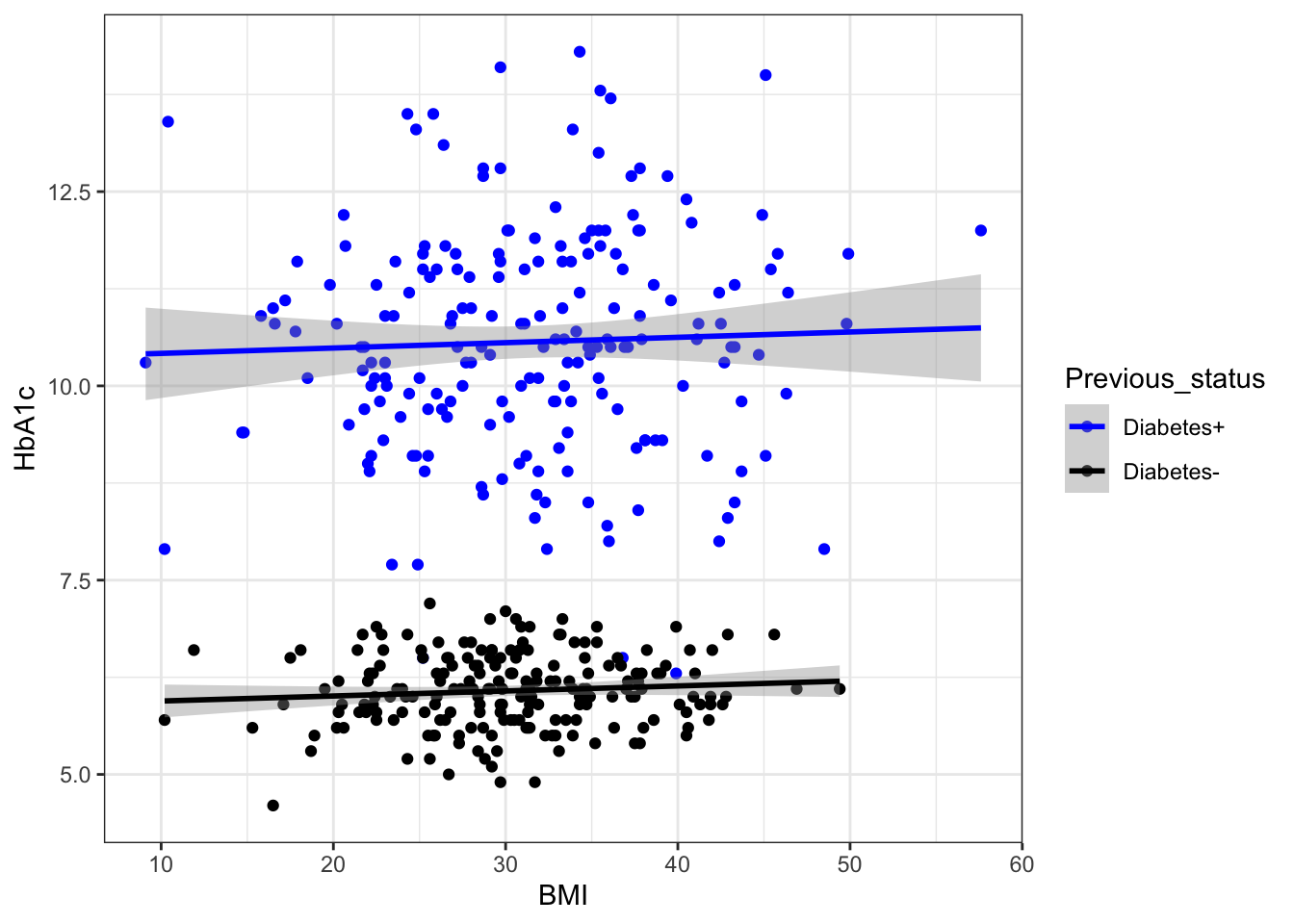
# The labels can also be adjusted by this method 
 g4+
  scale_color_manual(labels = c("Diabetes+", "Diabetes-"), values = c("blue", "black"))+
 theme_bw()->g6
g6
`geom_smooth()` using formula = 'y ~ x'

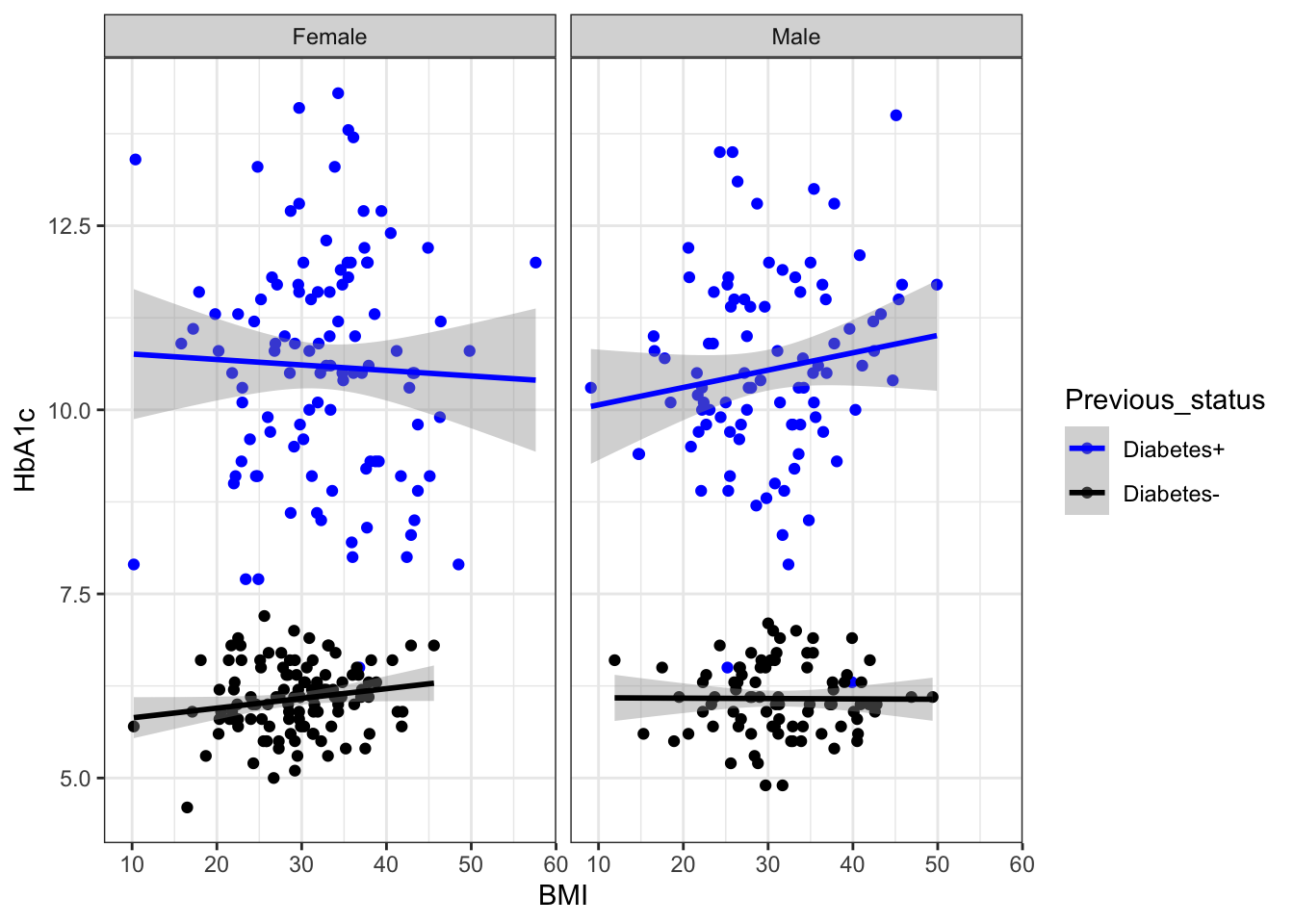
## Whether these BMI values are diffrently distributed in male and females 
g6+facet_wrap(.~Gender)->g7
g7
`geom_smooth()` using formula = 'y ~ x'

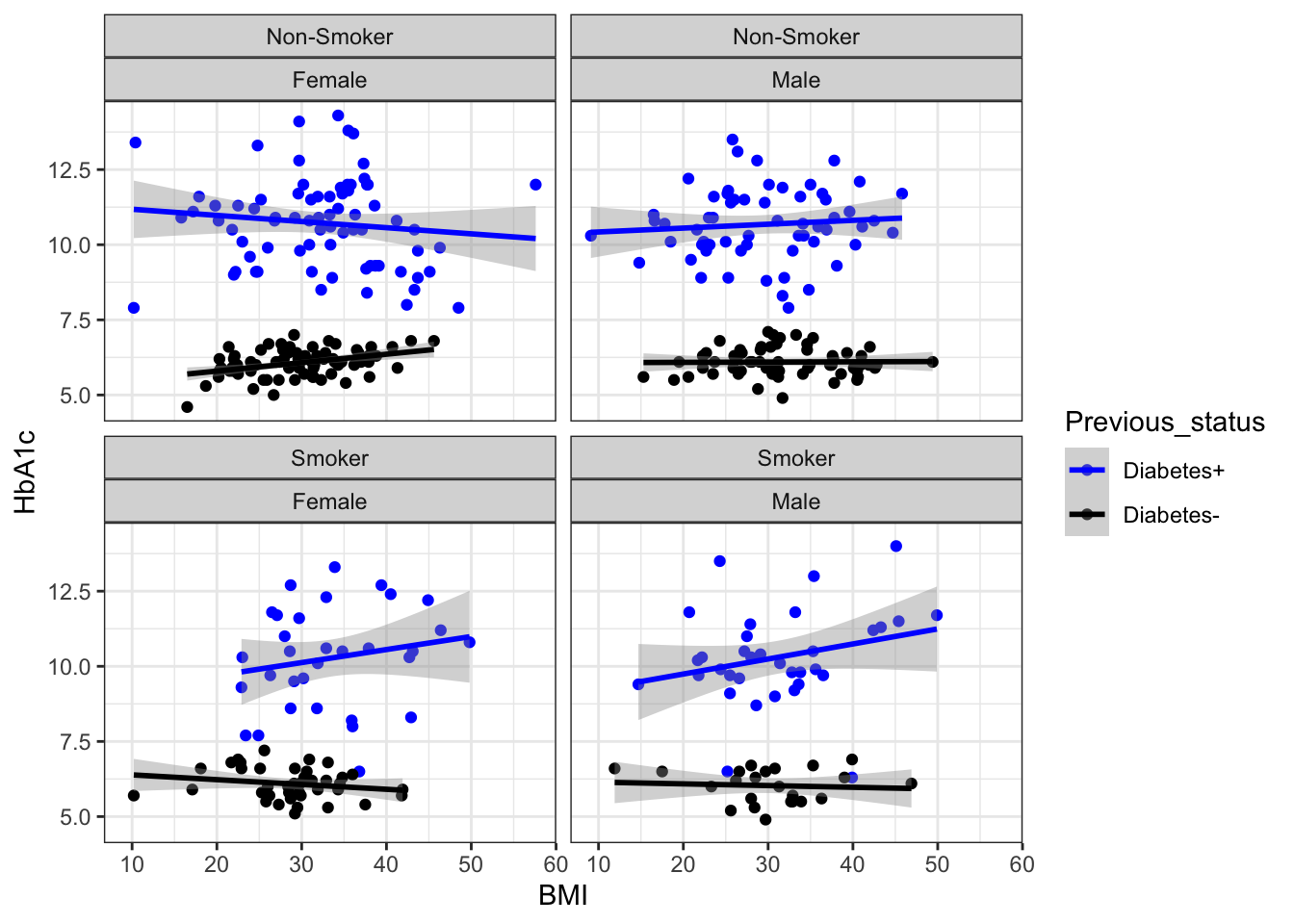
g6+facet_wrap(Smoking~Gender)
`geom_smooth()` using formula = 'y ~ x'

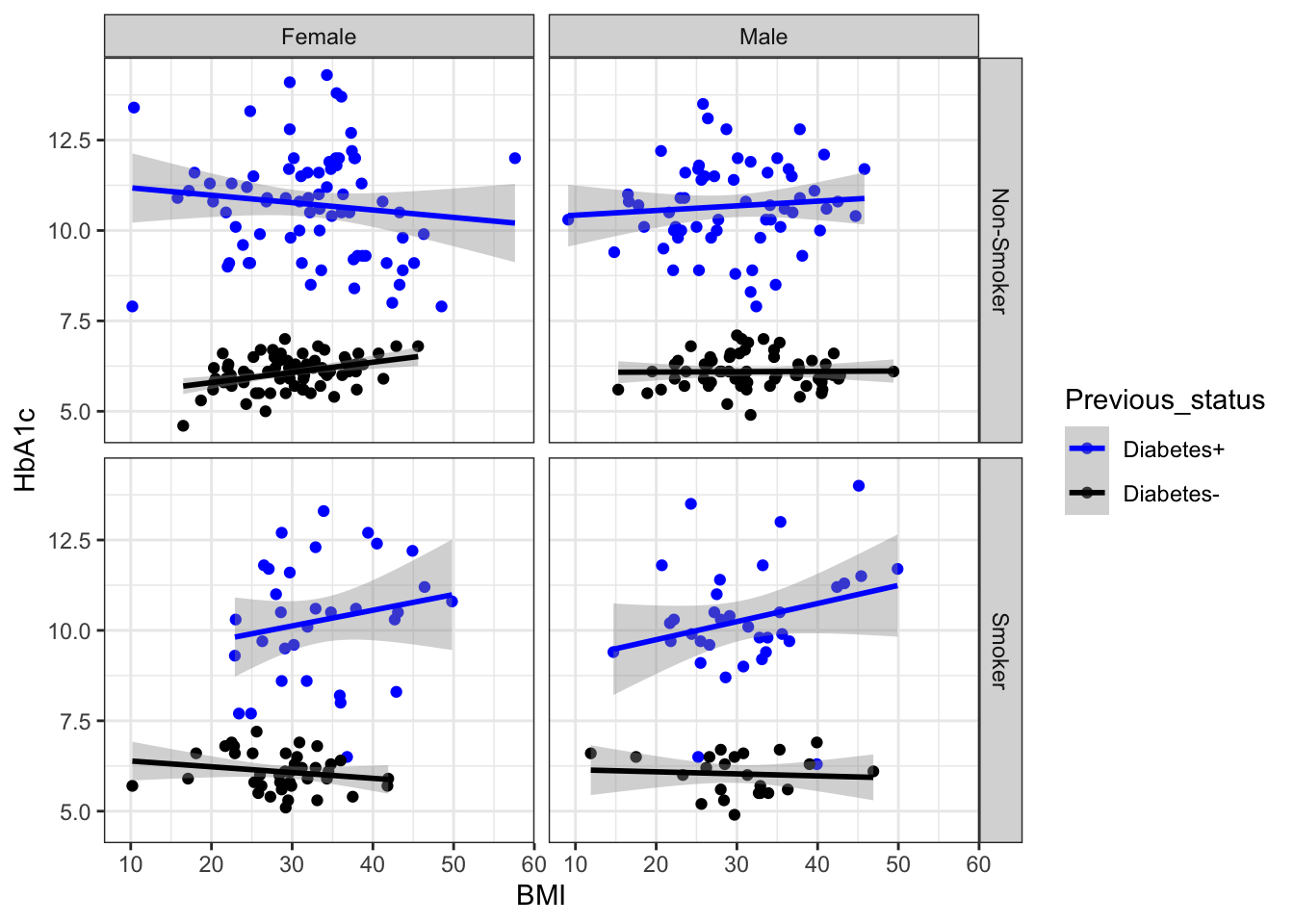
g6+facet_grid(Smoking~Gender)
`geom_smooth()` using formula = 'y ~ x'

## time to look into color , shape and size
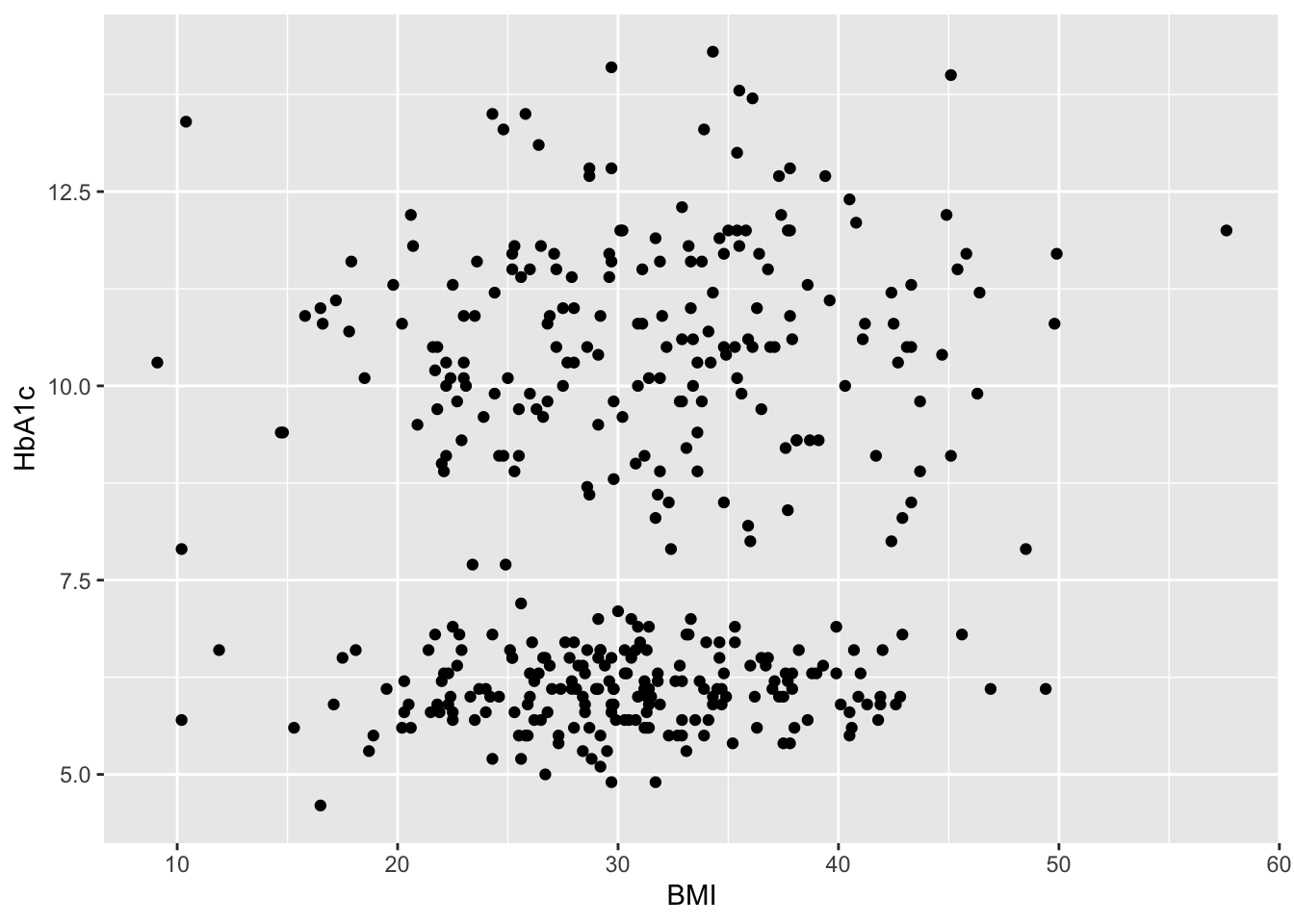
ggplot(data=df,aes(x=BMI,y=HbA1c))+geom_point()

#shape
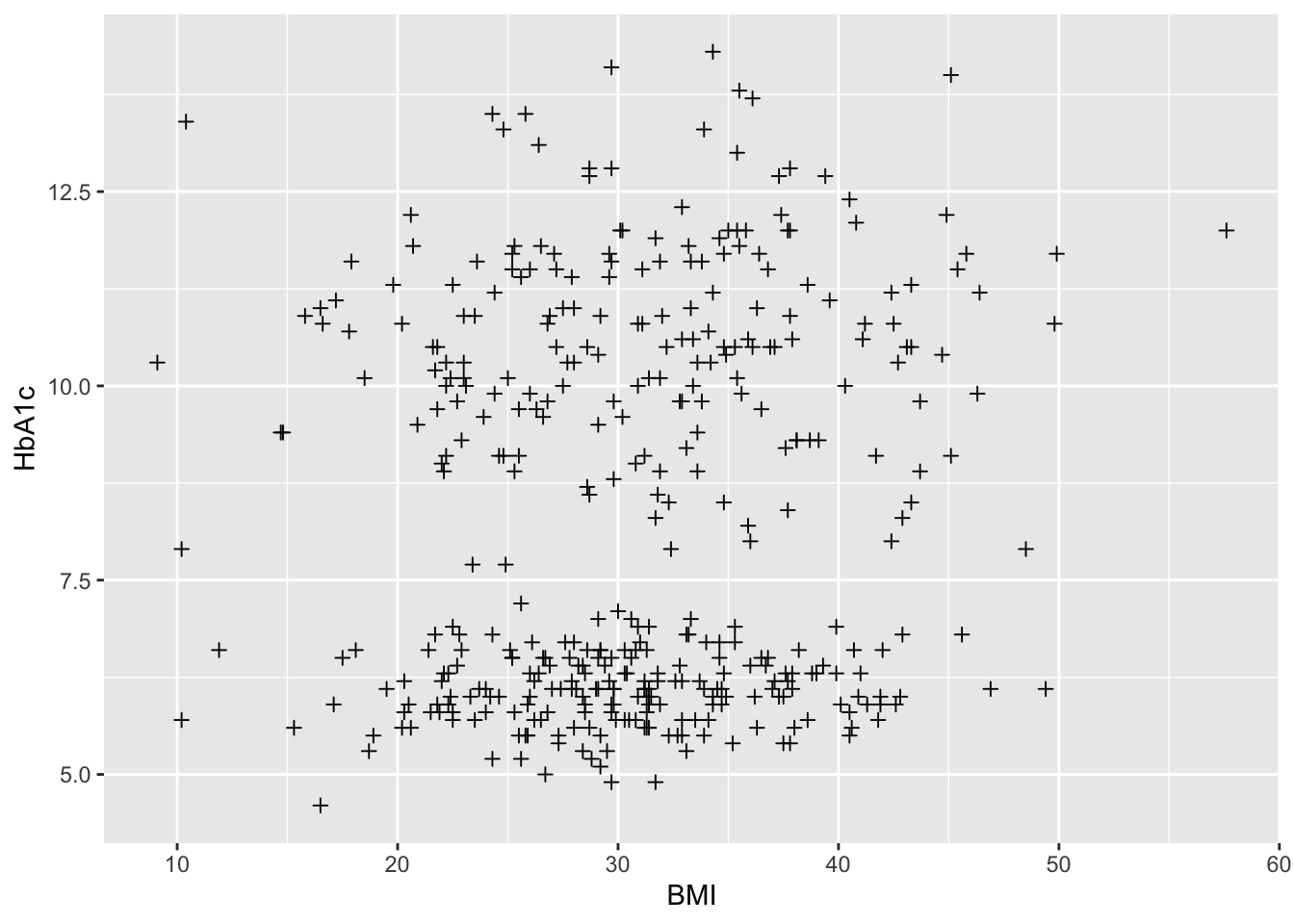
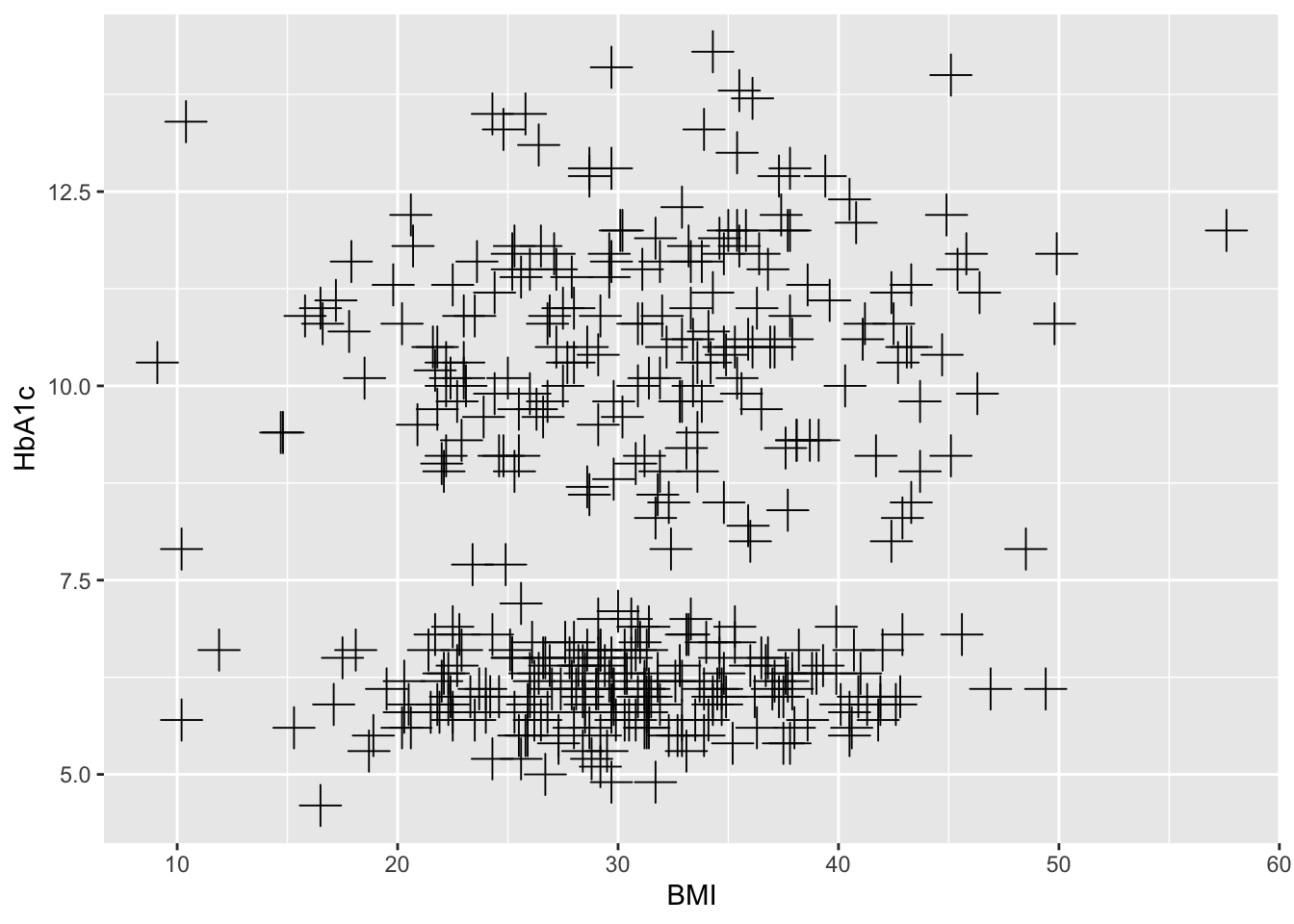
ggplot(data=df,aes(x=BMI,y=HbA1c))+           
  geom_point( shape= 3)

ggplot(data=df,aes(x=BMI,y=HbA1c))+  # shape and size
  geom_point( shape= 3, size= 5 )

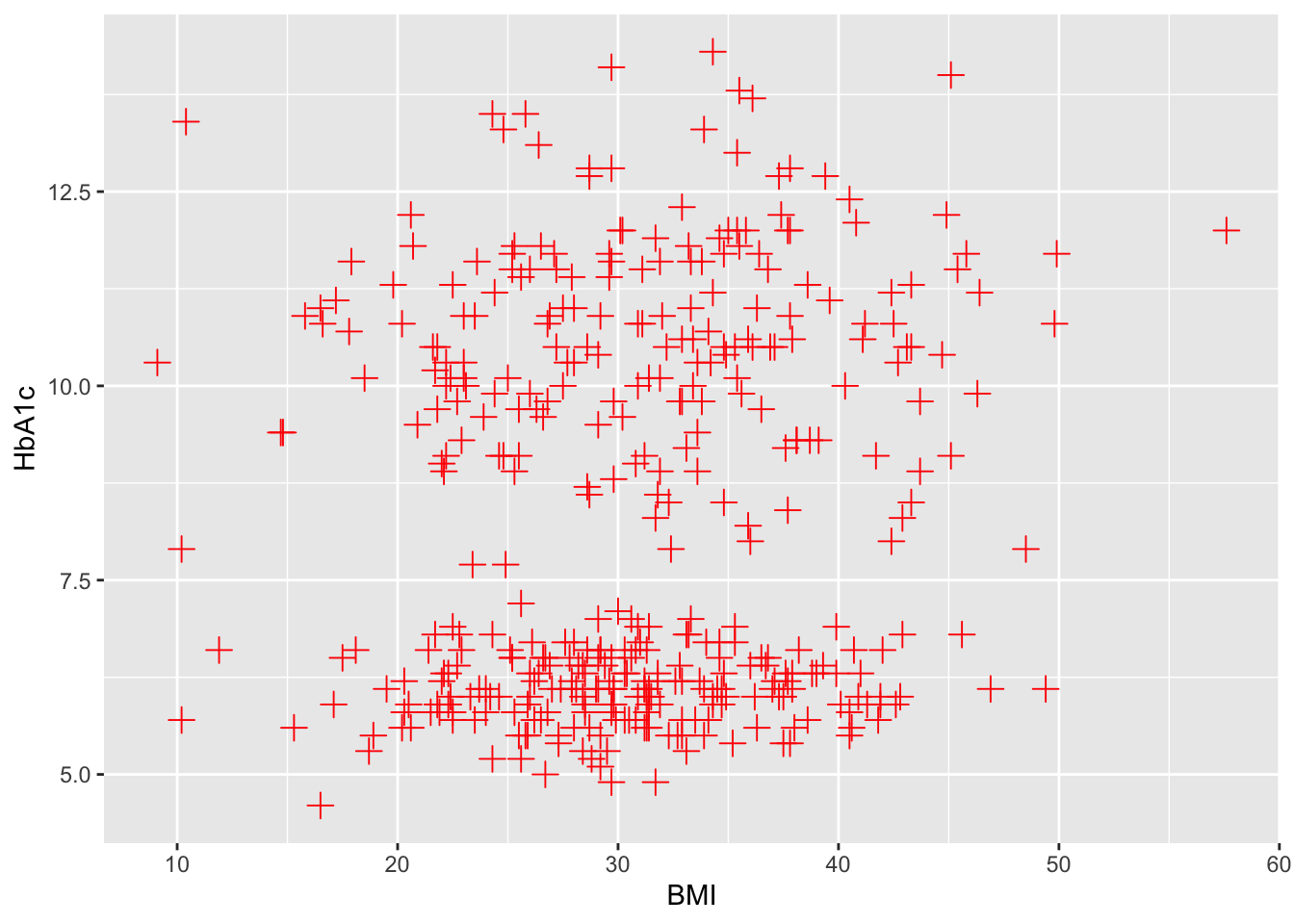
ggplot(data=df,aes(x=BMI,y=HbA1c))+ # shape size and colour
  geom_point( shape= 3, size= 3, colour="red")

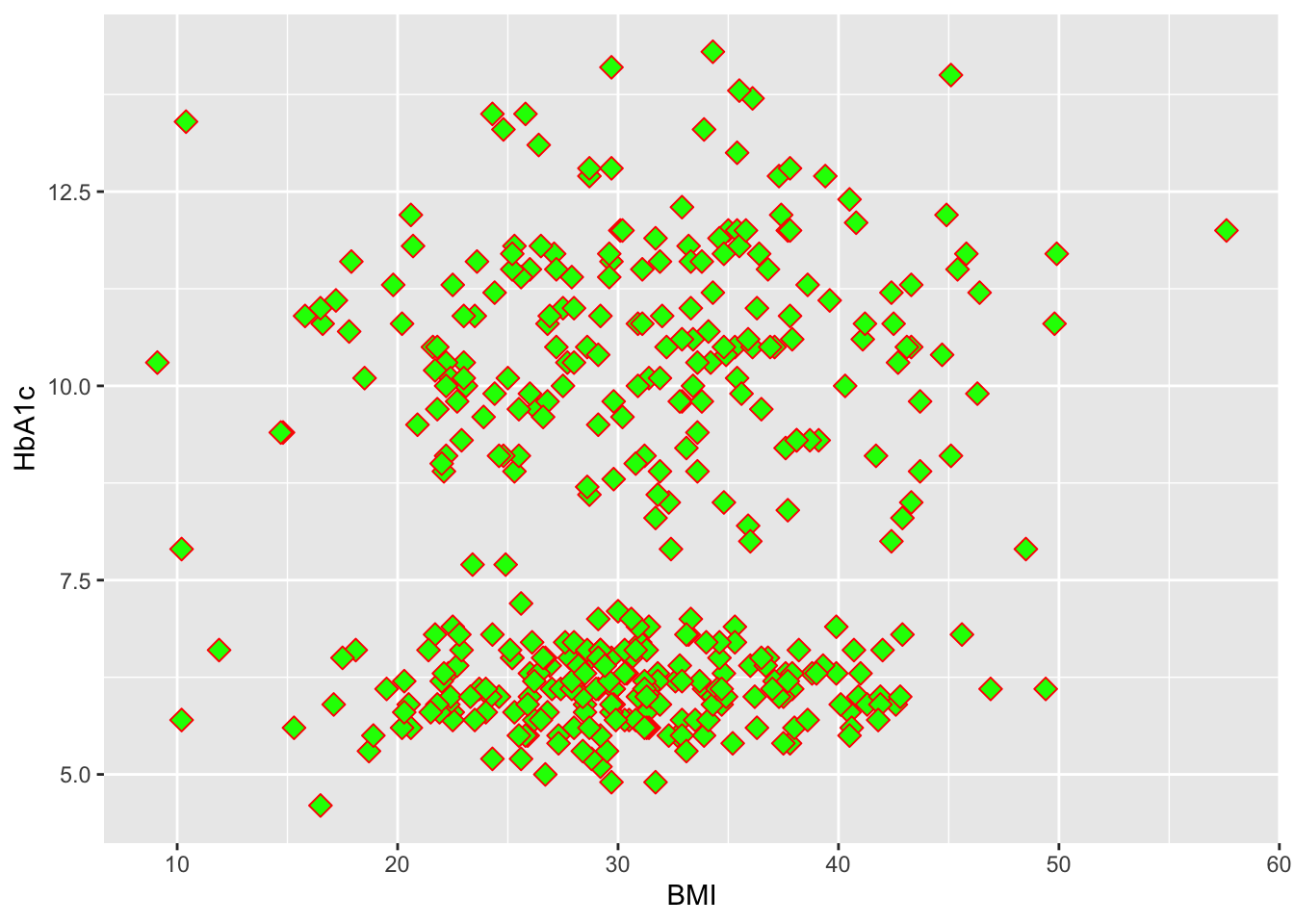
ggplot(data=df,aes(x=BMI,y=HbA1c))+ # shape,size,colour and fill
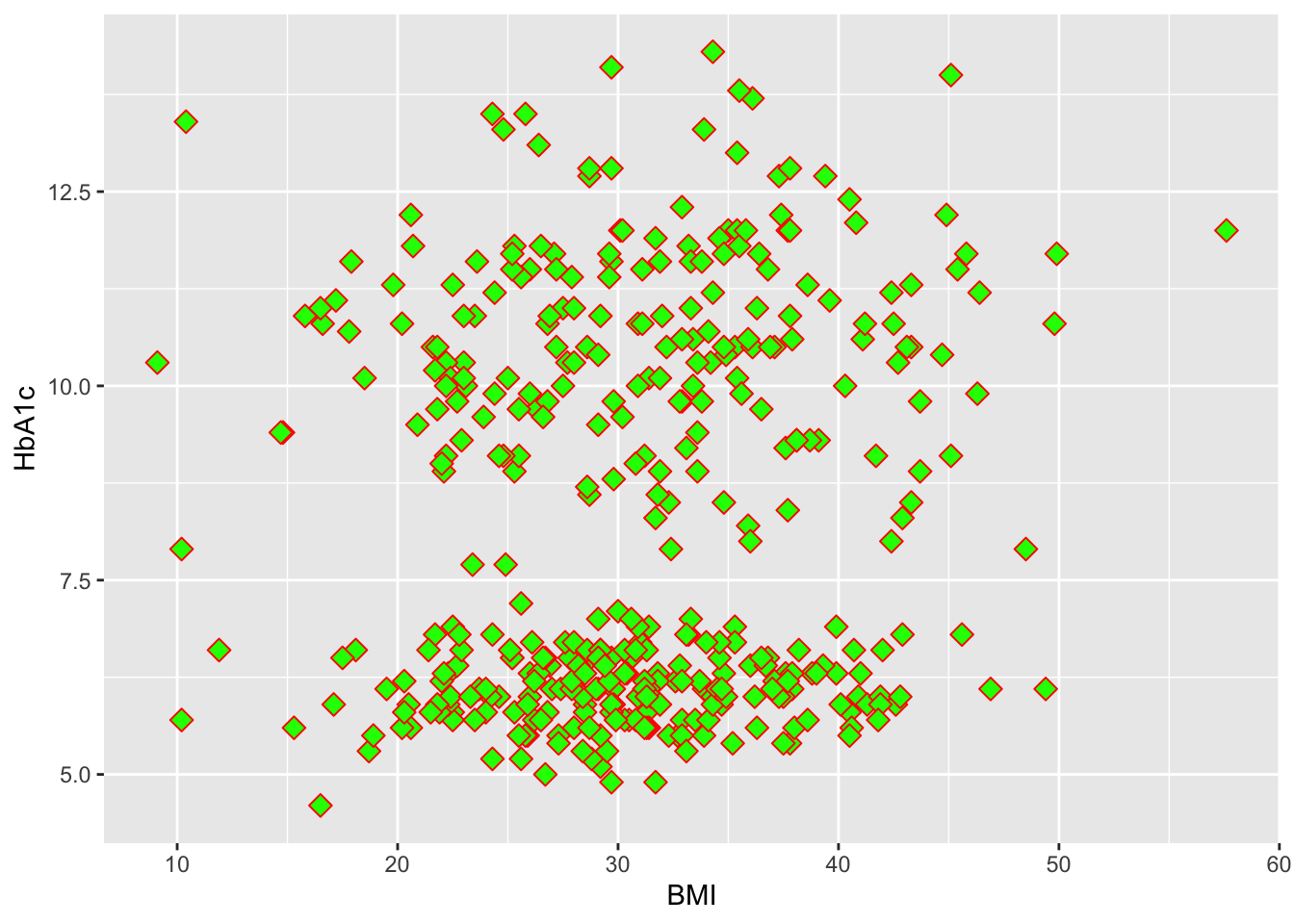
  geom_point( shape= 23, size= 3, colour="red",fill="green")

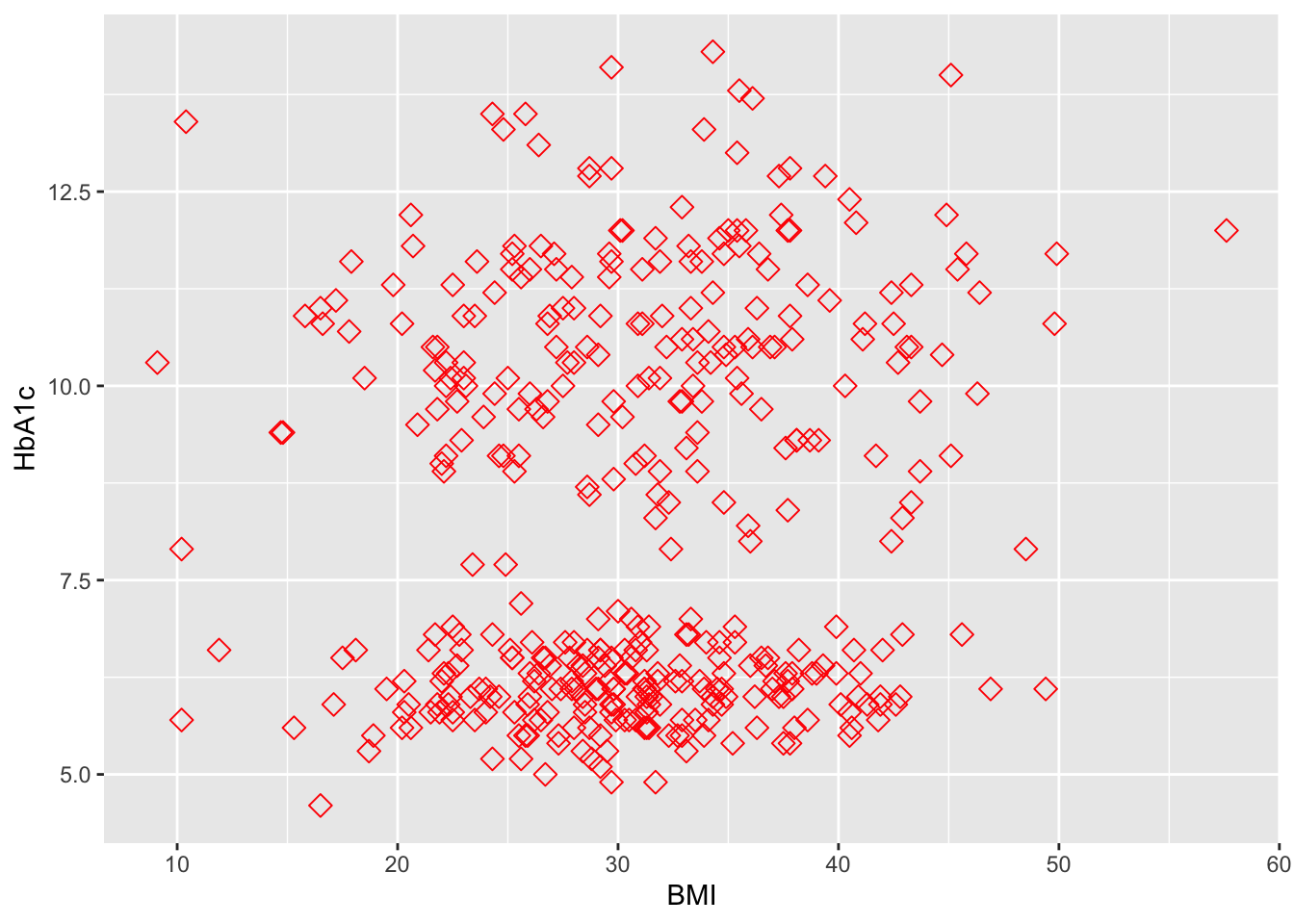
ggplot(data=df,aes(x=BMI,y=HbA1c))+ # shape,size,colour and fill
  geom_point( shape= 23, size= 3, colour="red")

## Local versus global asthethics 
ggplot(data=df,aes(x=BMI,y=HbA1c))+ # shape,size,colour and fill
  geom_point( shape= 23, size= 3, colour="red",fill="green")

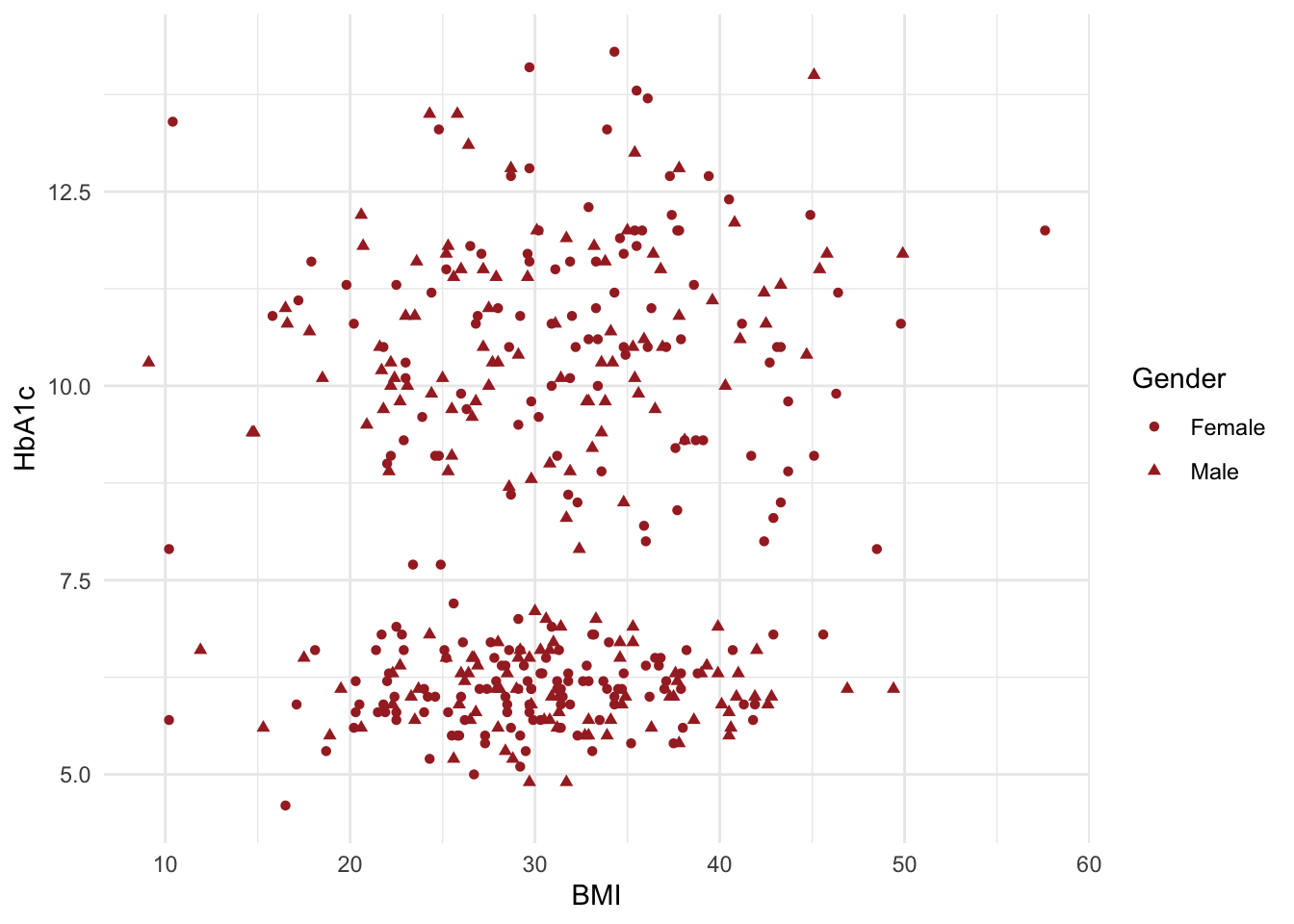
ggplot(data=df,aes(x=BMI,y=HbA1c,shape=Gender))+geom_point(colour="brown")+theme_minimal()

##using transparency (alpha)
ggplot(data=df,aes(x=BMI,y=HbA1c))+ # shape,size,colour and fill
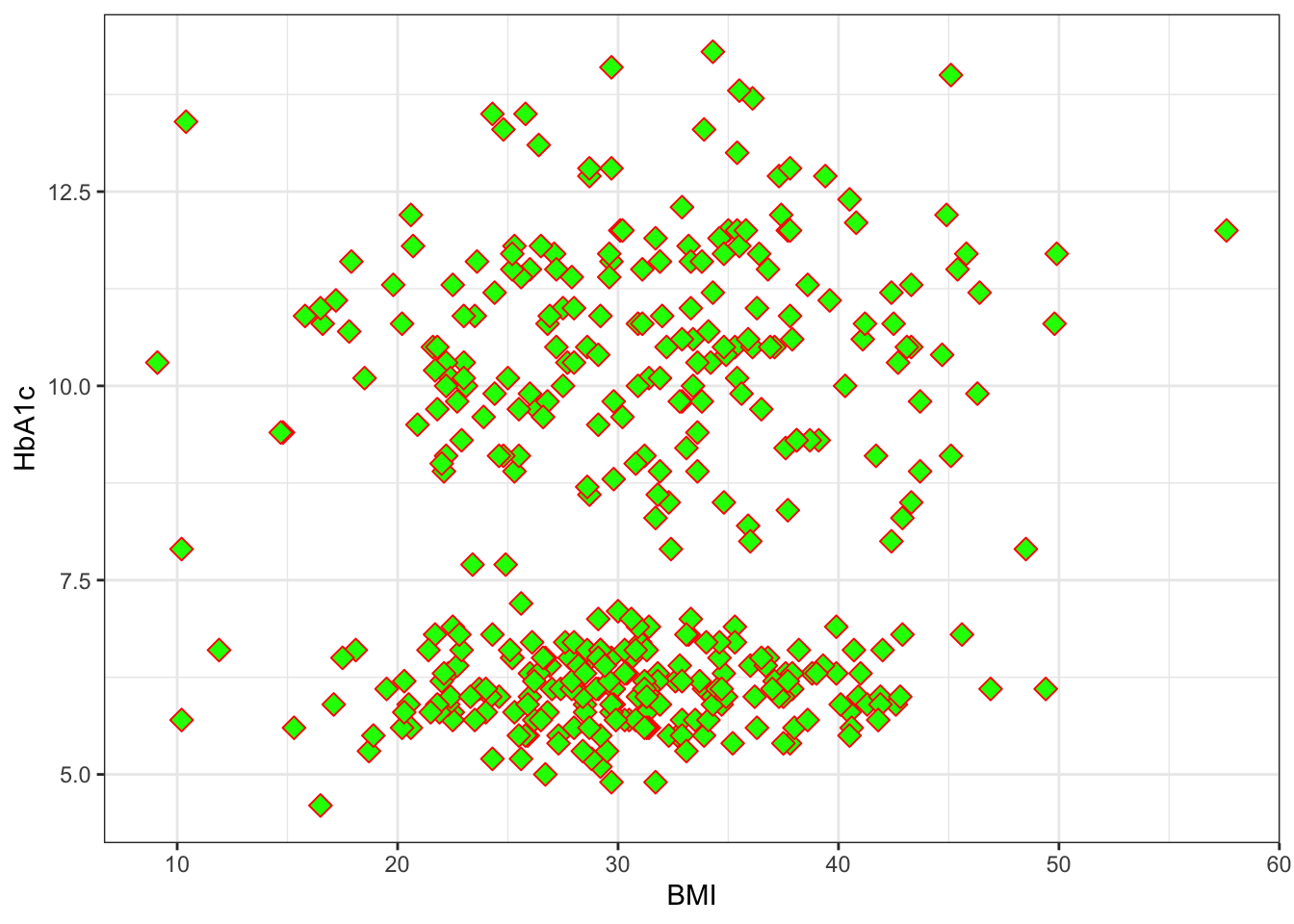
  geom_point( shape= 23, size= 3, colour="red",fill="green")+theme_bw()

ggplot(data=df,aes(x=BMI,y=HbA1c))+ # shape,size,colour and fill
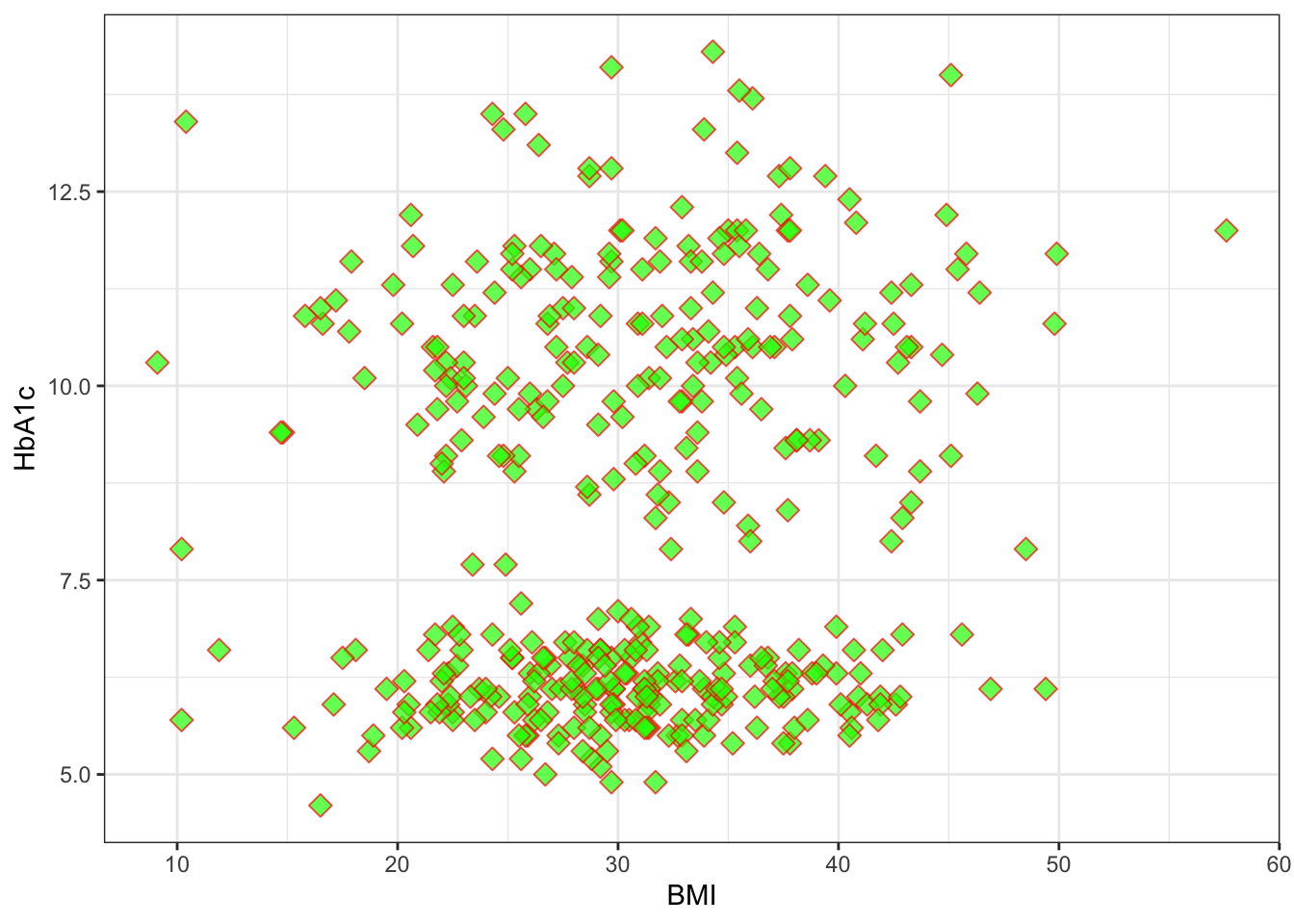
  geom_point( shape= 23, size= 3, colour="red",fill="green",alpha=0.7)+theme_bw()

## annotation and geom text
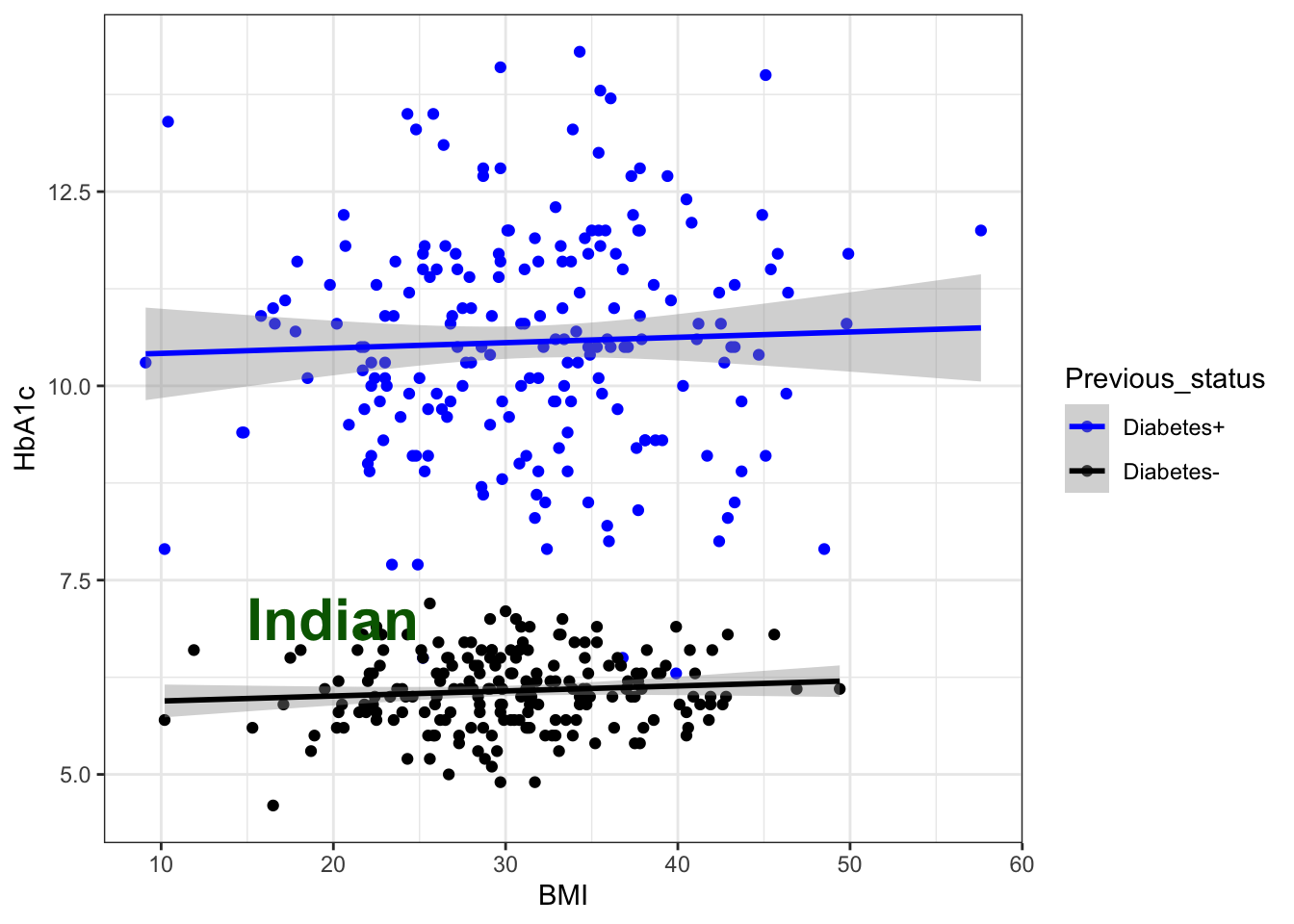
g6+annotate("text", x = 20, y = 7, label = "Indian", colour="darkgreen",size=8,fontface="bold") #teaxt
`geom_smooth()` using formula = 'y ~ x'

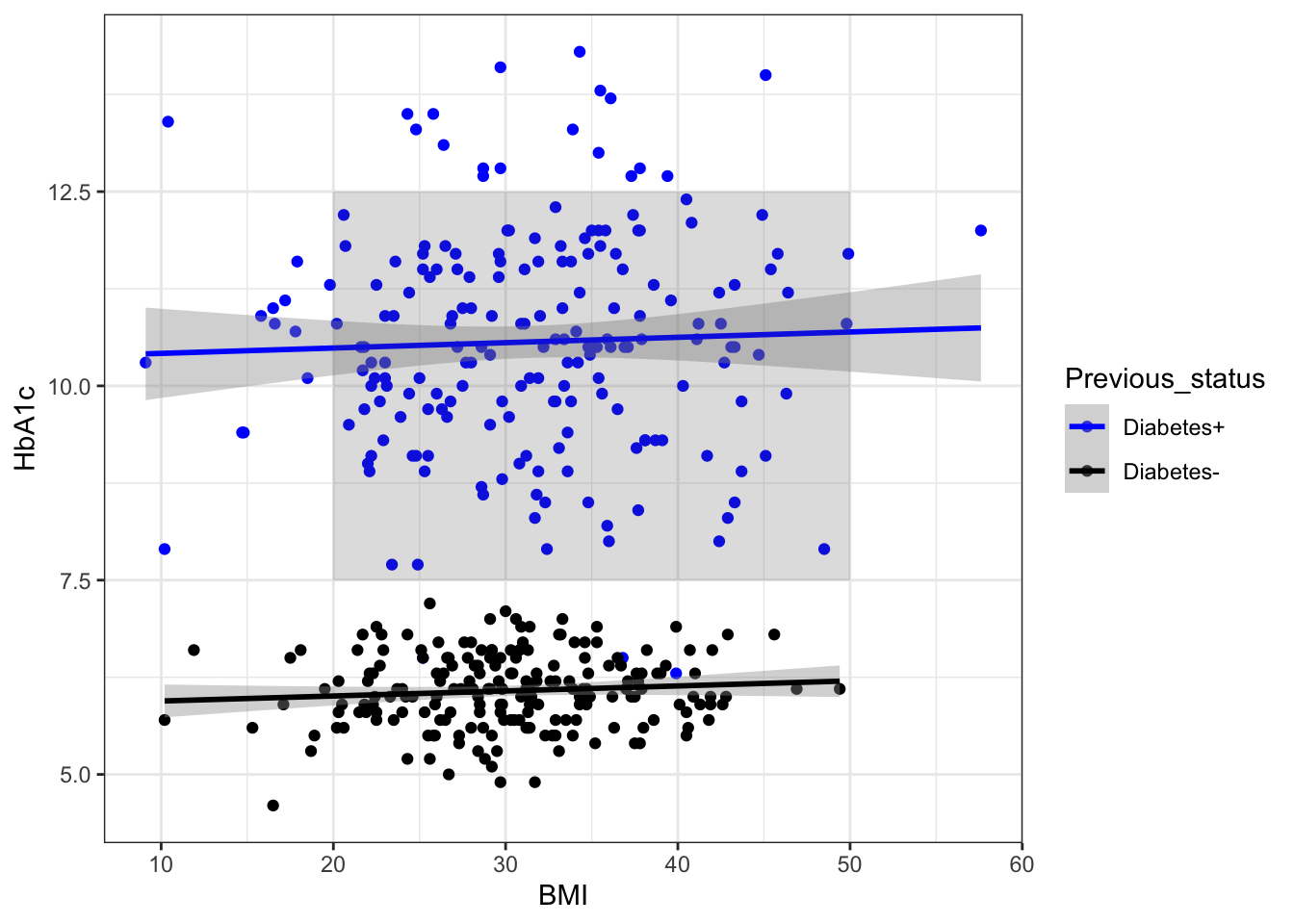
g6 + annotate("rect", xmin = 20, xmax = 50, ymin = 7.5, ymax = 12.5,
  alpha = .2) # Rectanagle
`geom_smooth()` using formula = 'y ~ x'

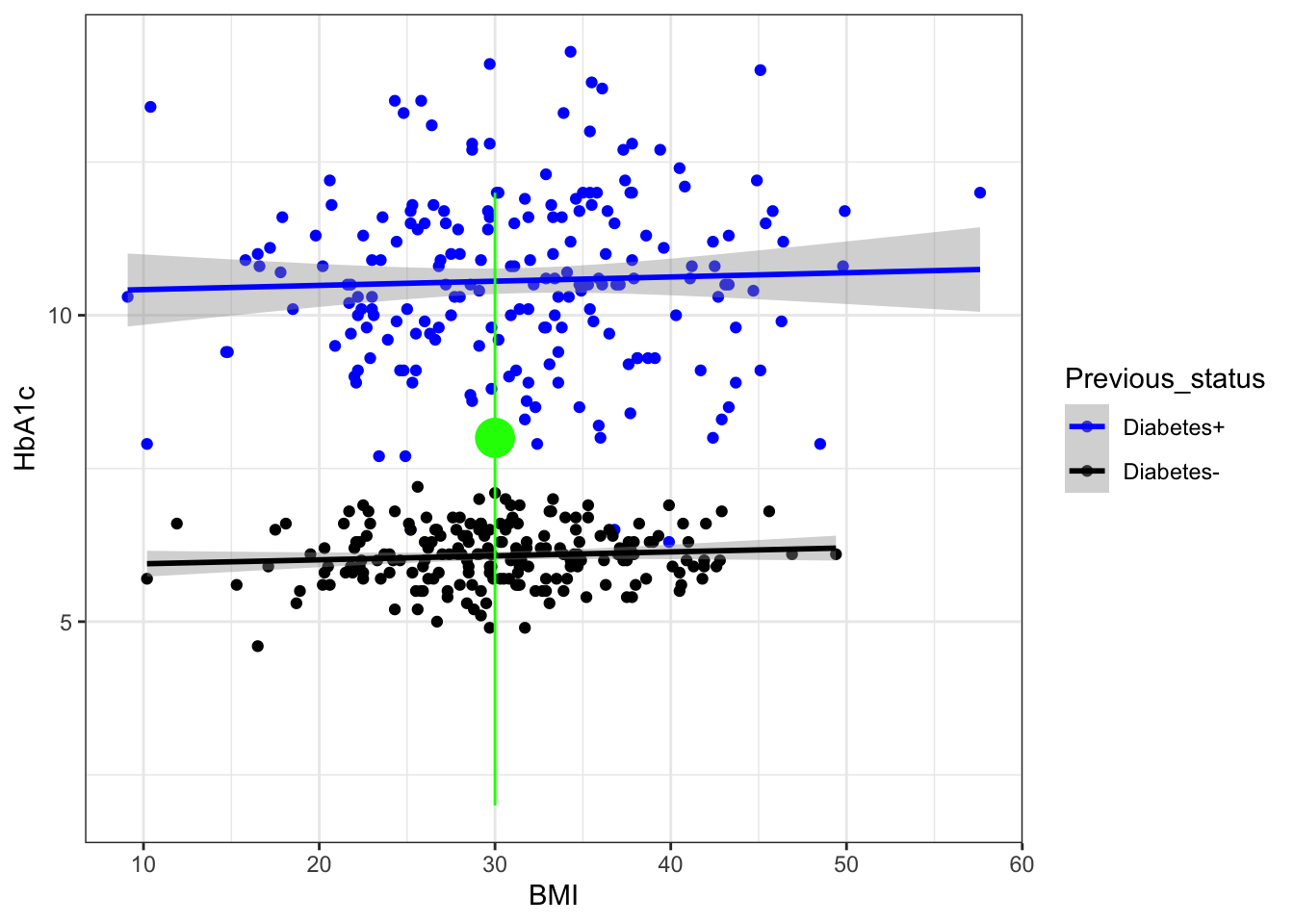
g6 + annotate("pointrange", x = 30, y = 8, ymin = 2, ymax = 12,
               colour = "green", size = 1.5) ## pointrange 
`geom_smooth()` using formula = 'y ~ x'

## label the specific values 
library(ggrepel)
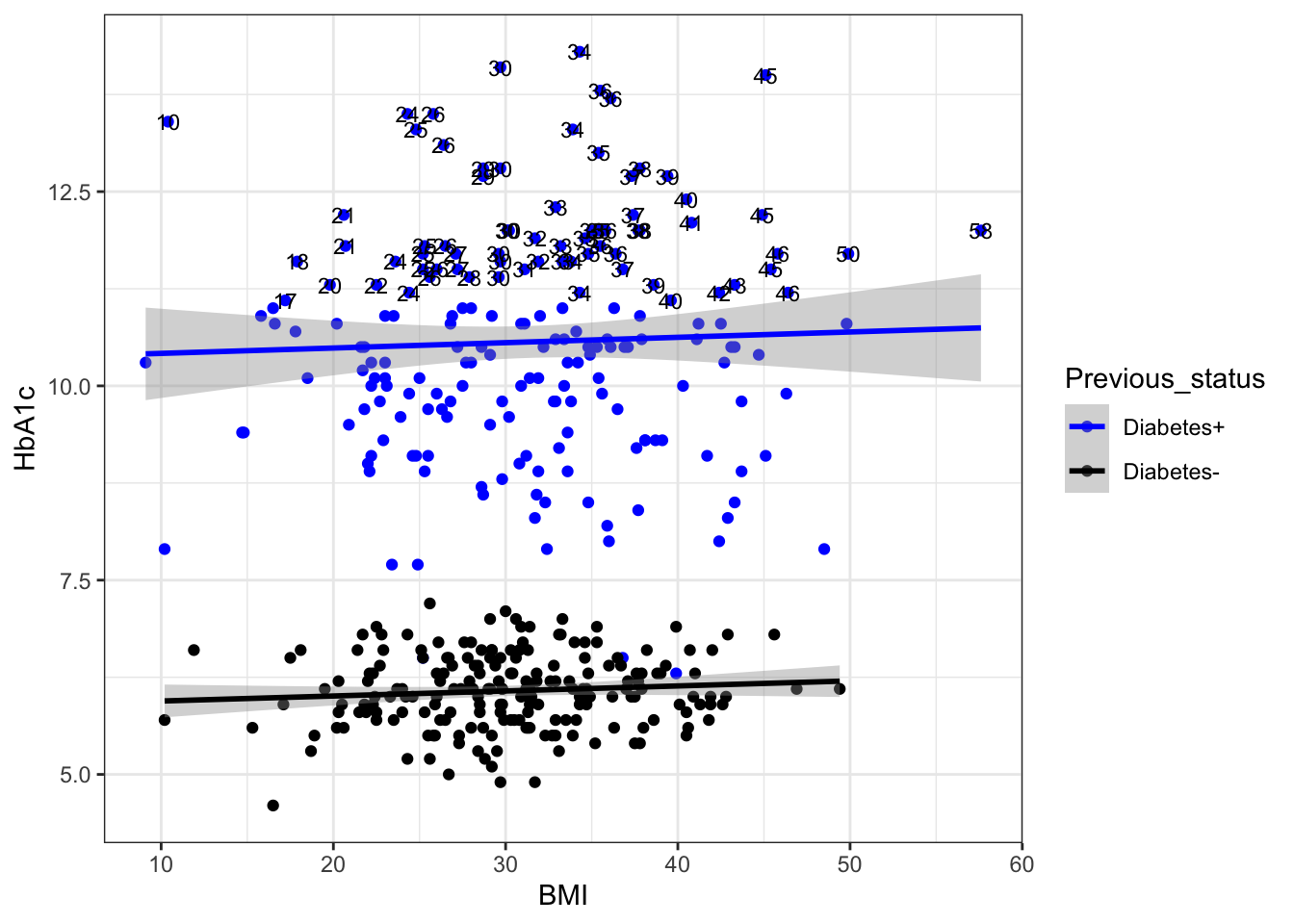
#BMI value label having hba1c>11

g6+
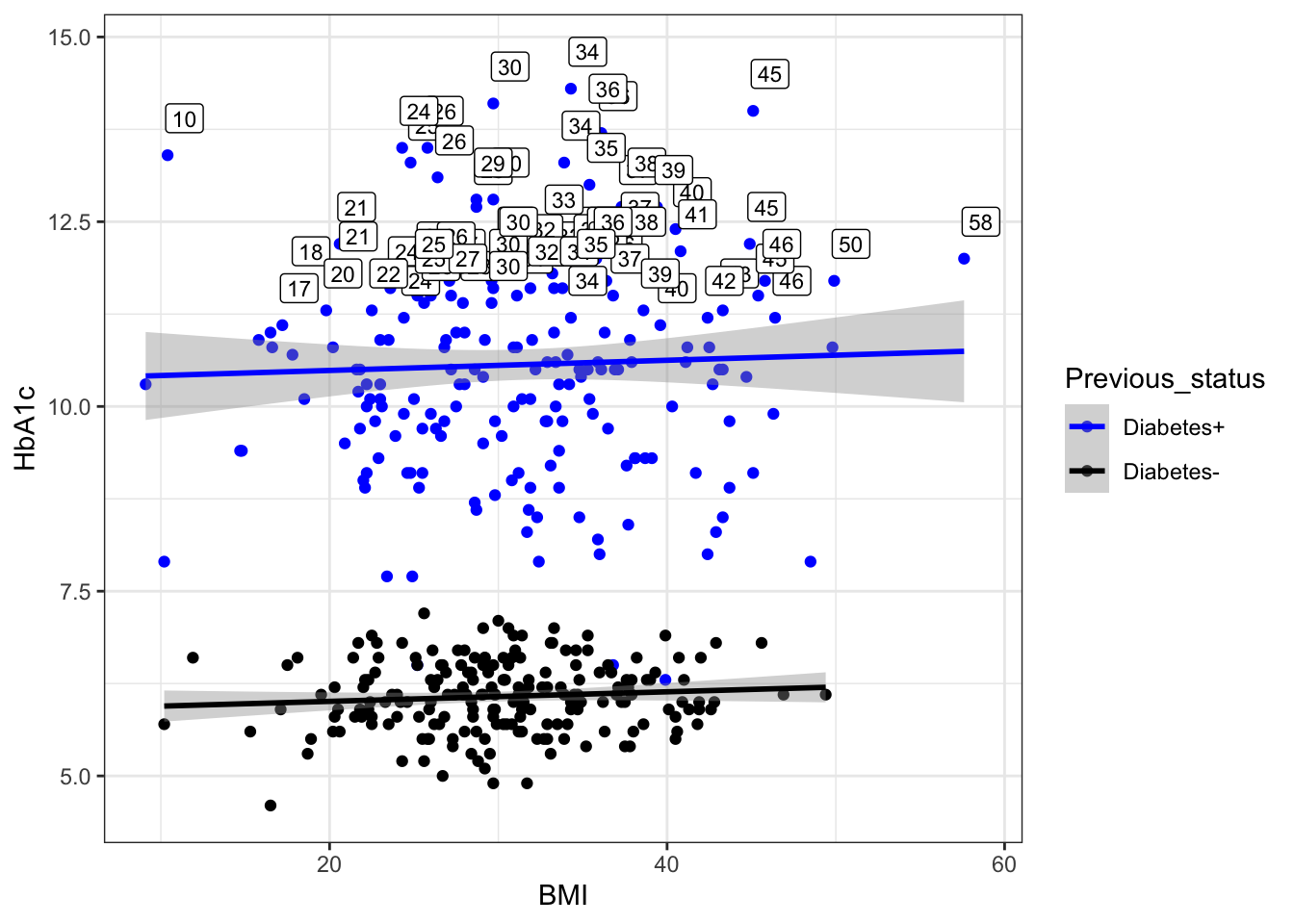
  geom_text(data=subset(df,HbA1c>11),aes(label=round(BMI)),size=3,color="black")
`geom_smooth()` using formula = 'y ~ x'

g6+
  geom_label(data=subset(df,HbA1c>11),aes(label=round(BMI)),size=3,color="black",nudge_x = 1,
  nudge_y = 0.5)
`geom_smooth()` using formula = 'y ~ x'

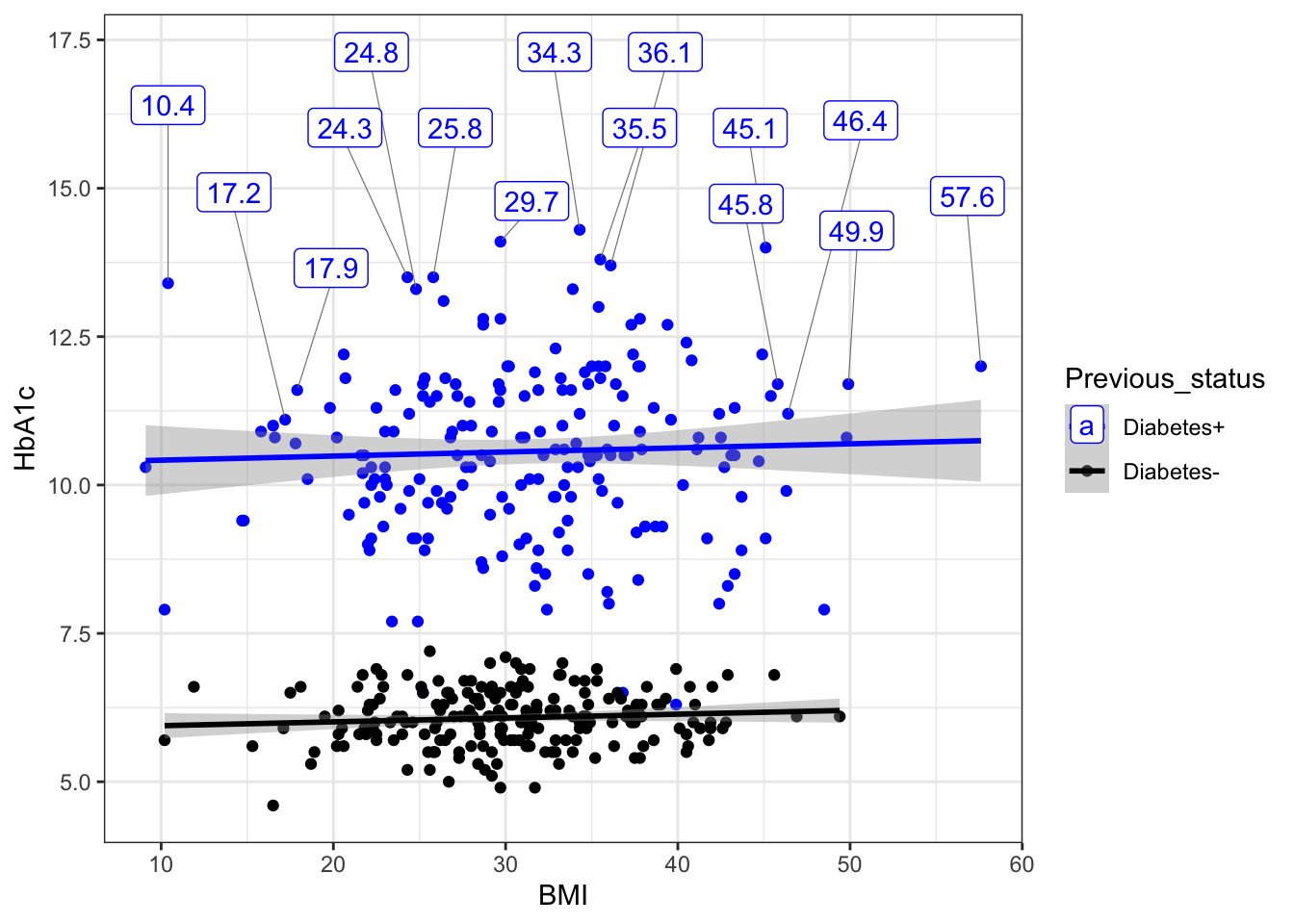
g6+geom_label_repel(data = subset(df,HbA1c>11 ), box.padding = 0.5,
                            aes(label = BMI),
                            nudge_y = 3,
                            segment.size  = 0.2,
                            segment.color = "grey50"
                            )
`geom_smooth()` using formula = 'y ~ x'
Warning: ggrepel: 56 unlabeled data points (too many overlaps). Consider
increasing max.overlaps

#text and label border color=black
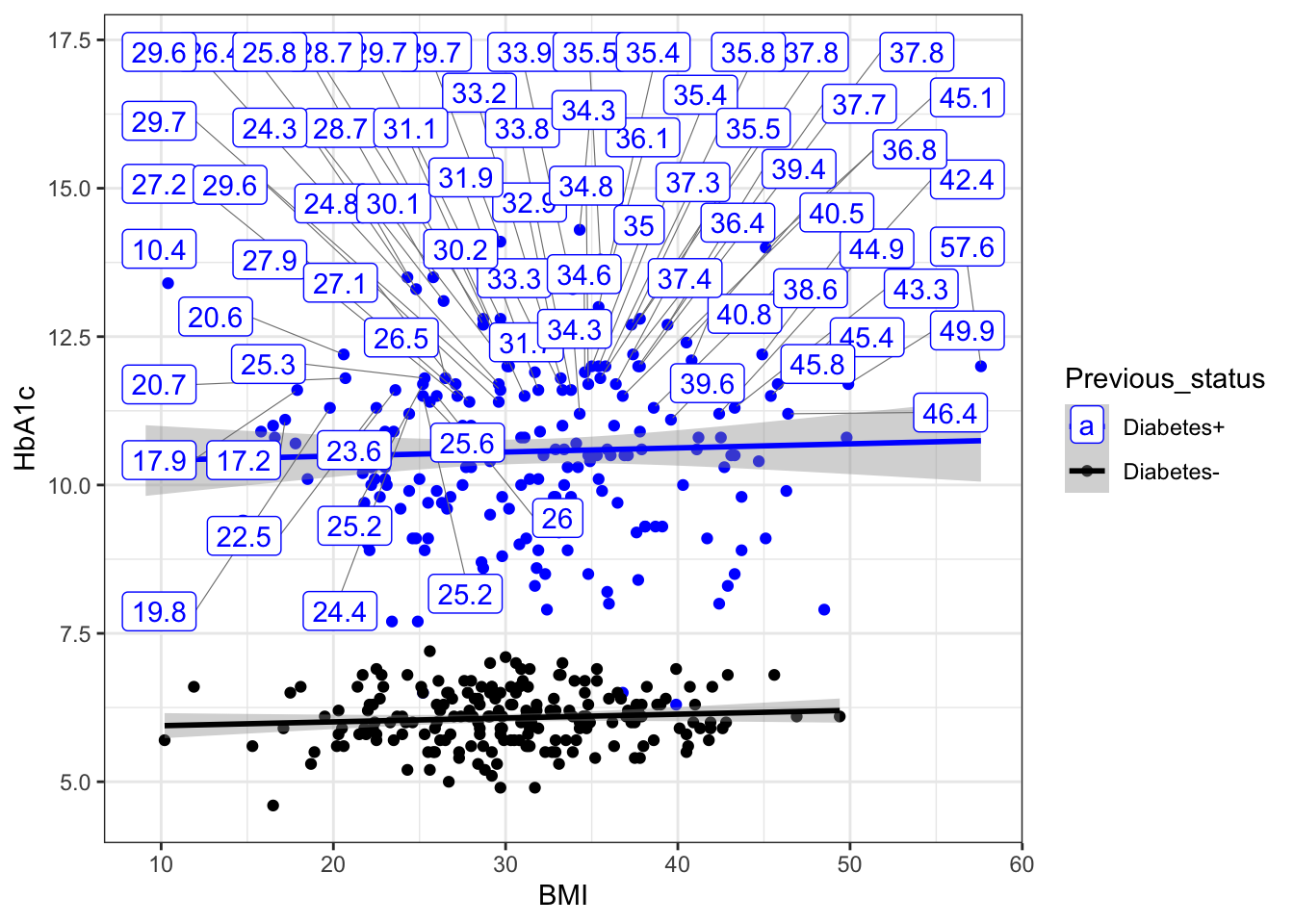
#Some text labels will be discarded if they have too many overlaps in label .so we get a Warning message:ggrepel: 45 unlabeled data points (too many overlaps). Consider increasing max.overlaps.... due to too many overlaps.to overcome it we add" max.overlaps = Inf" ...this will show all labels howsomuch overlapping is there .
g6+geom_label_repel(data = subset(df,HbA1c>11 ), box.padding = 0.5,max.overlaps = Inf,
                            aes(label = BMI),
                            nudge_y = 3,
                            segment.size  = 0.2,
                            segment.color = "grey50")
`geom_smooth()` using formula = 'y ~ x'

#break( how to add breaks at x and y axis ??)

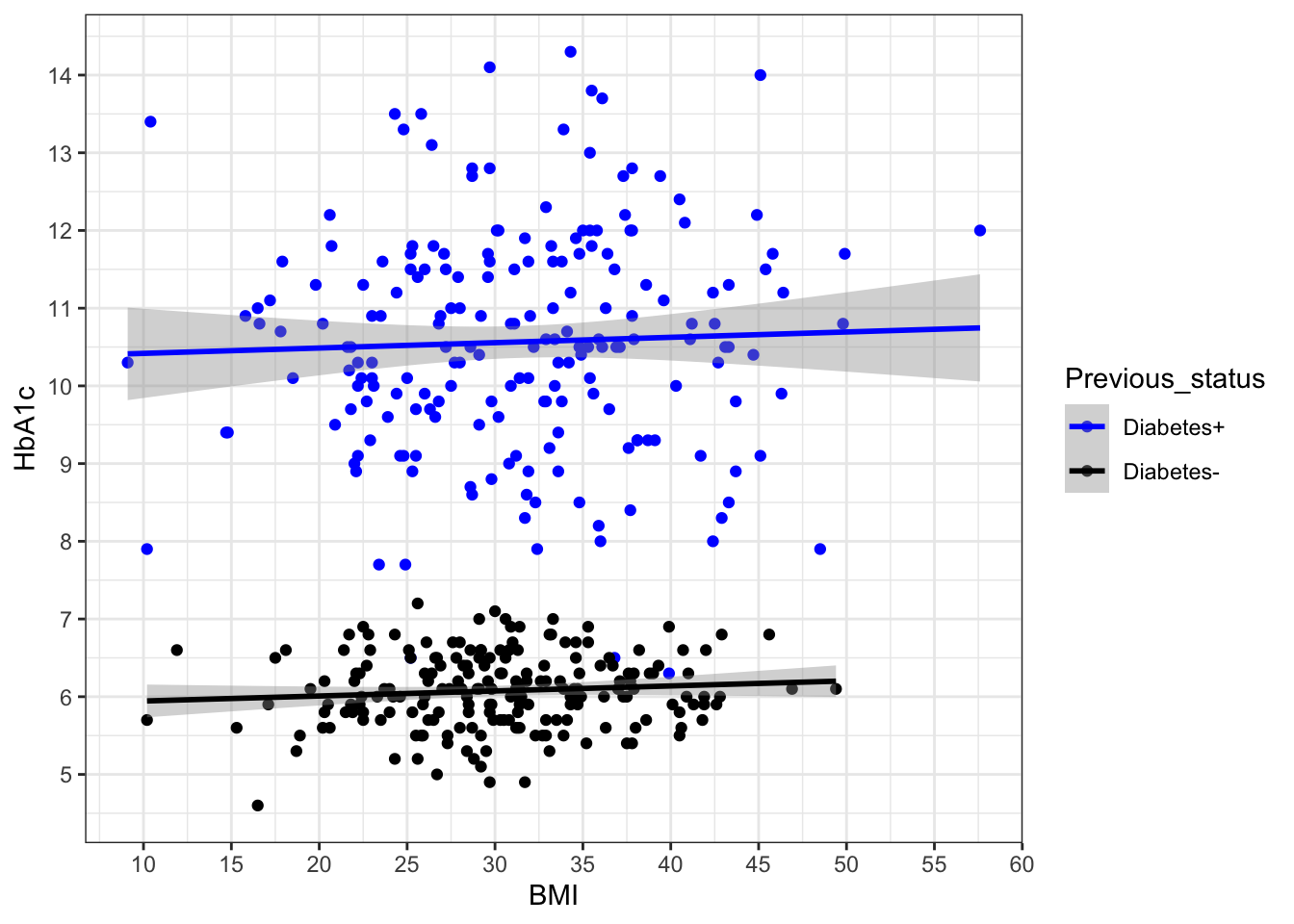
g6+scale_y_continuous(breaks = c(5:14))->g7
g7+ scale_x_continuous(breaks = seq(10,60,5))
`geom_smooth()` using formula = 'y ~ x'

##geom_hline and geom_yline
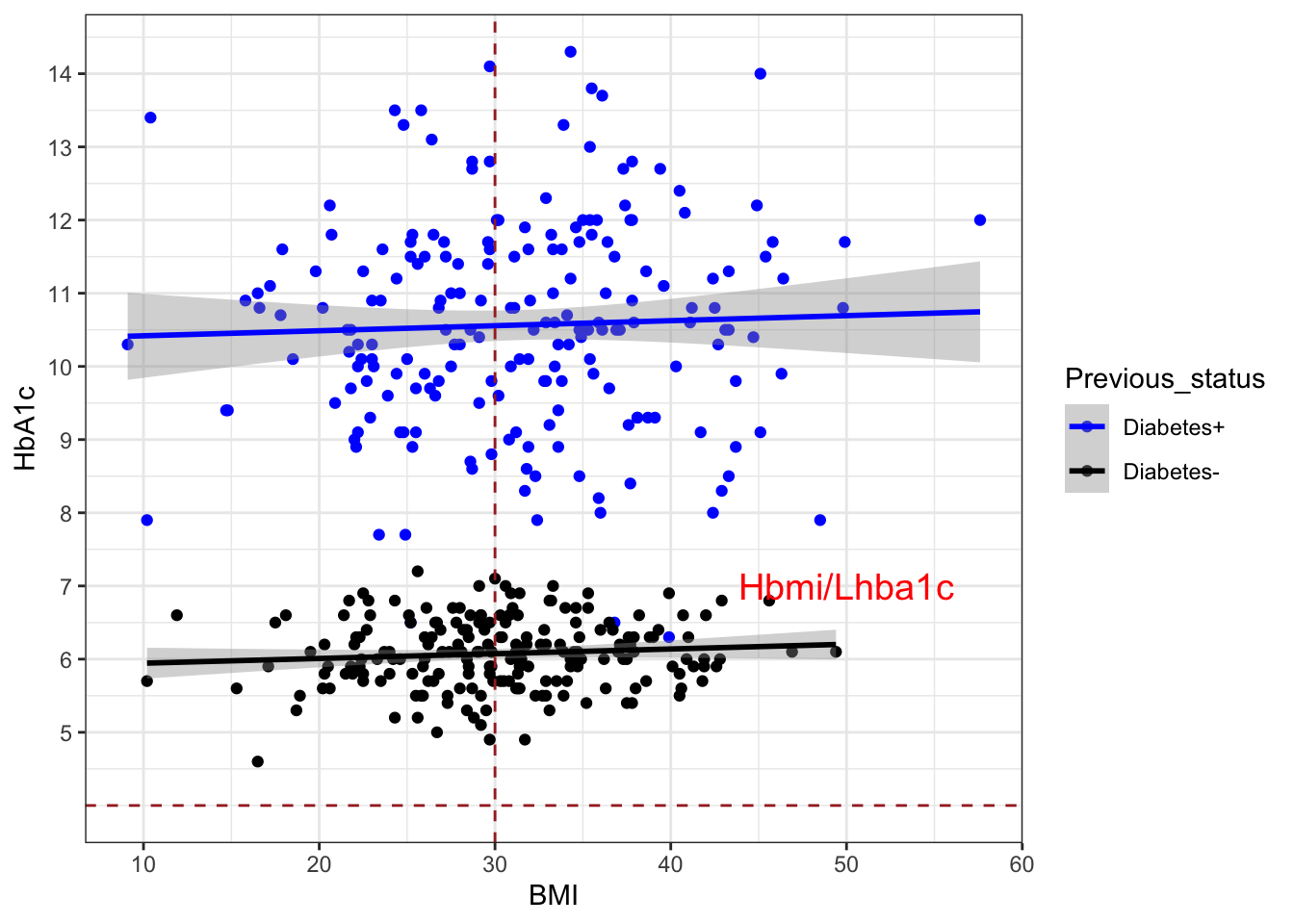
g7+geom_hline(yintercept =4,linetype="dashed",colour="brown")+
  geom_vline(xintercept =30,linetype="dashed",colour="brown")+annotate("text",x=50,y=7,label="Hbmi/Lhba1c",colour = "red", size = 5)
`geom_smooth()` using formula = 'y ~ x'

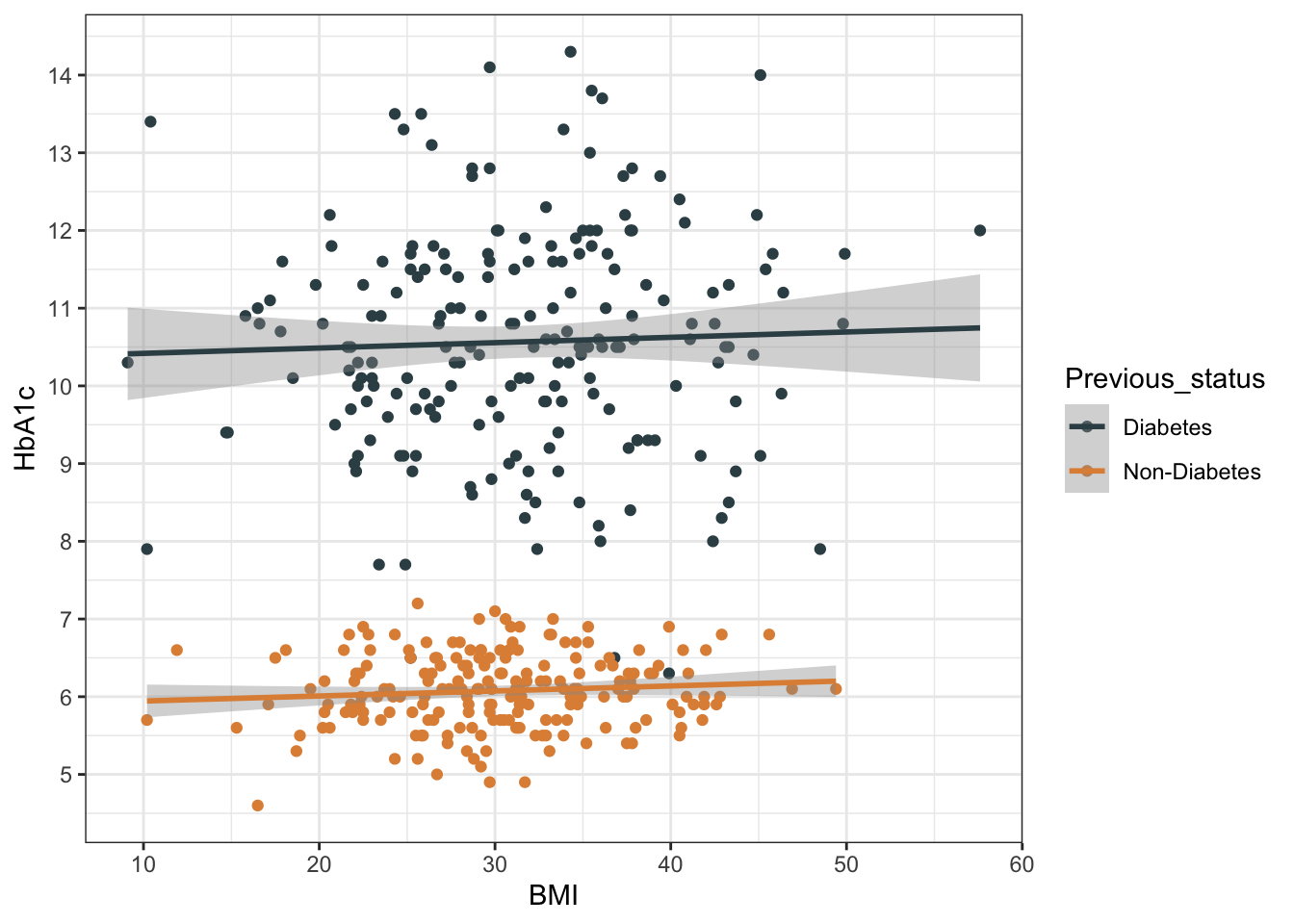
library(ggsci)
g8 <- g7+ scale_color_jama()
Scale for colour is already present.
Adding another scale for colour, which will replace the existing scale.
g8
`geom_smooth()` using formula = 'y ~ x'

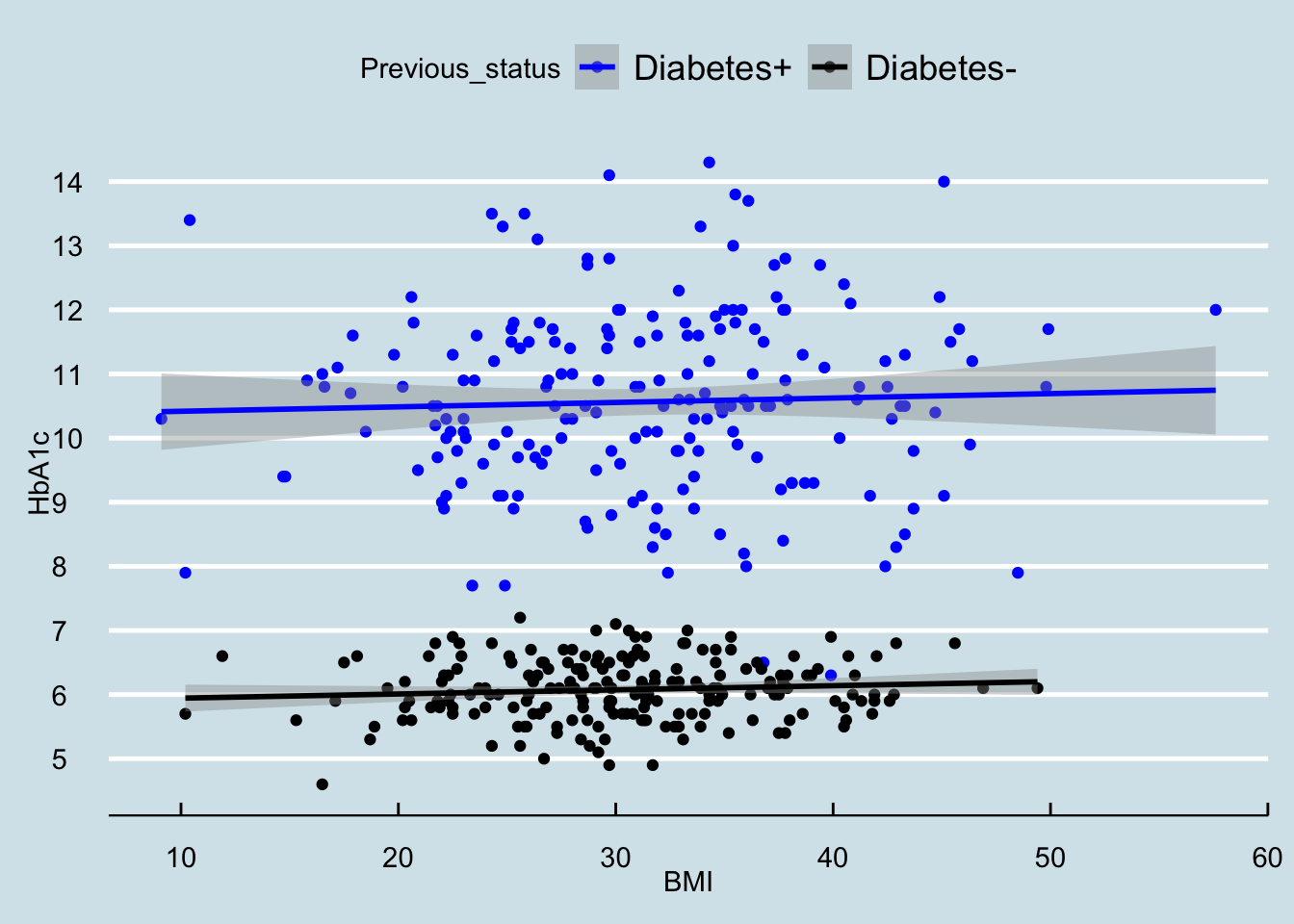
library(ggthemes)
g9 <- g7 + theme_economist()
g9
`geom_smooth()` using formula = 'y ~ x'

plot2 bar diagram

### Next graph ( bar diagram)
ggplot()

ggplot(df)

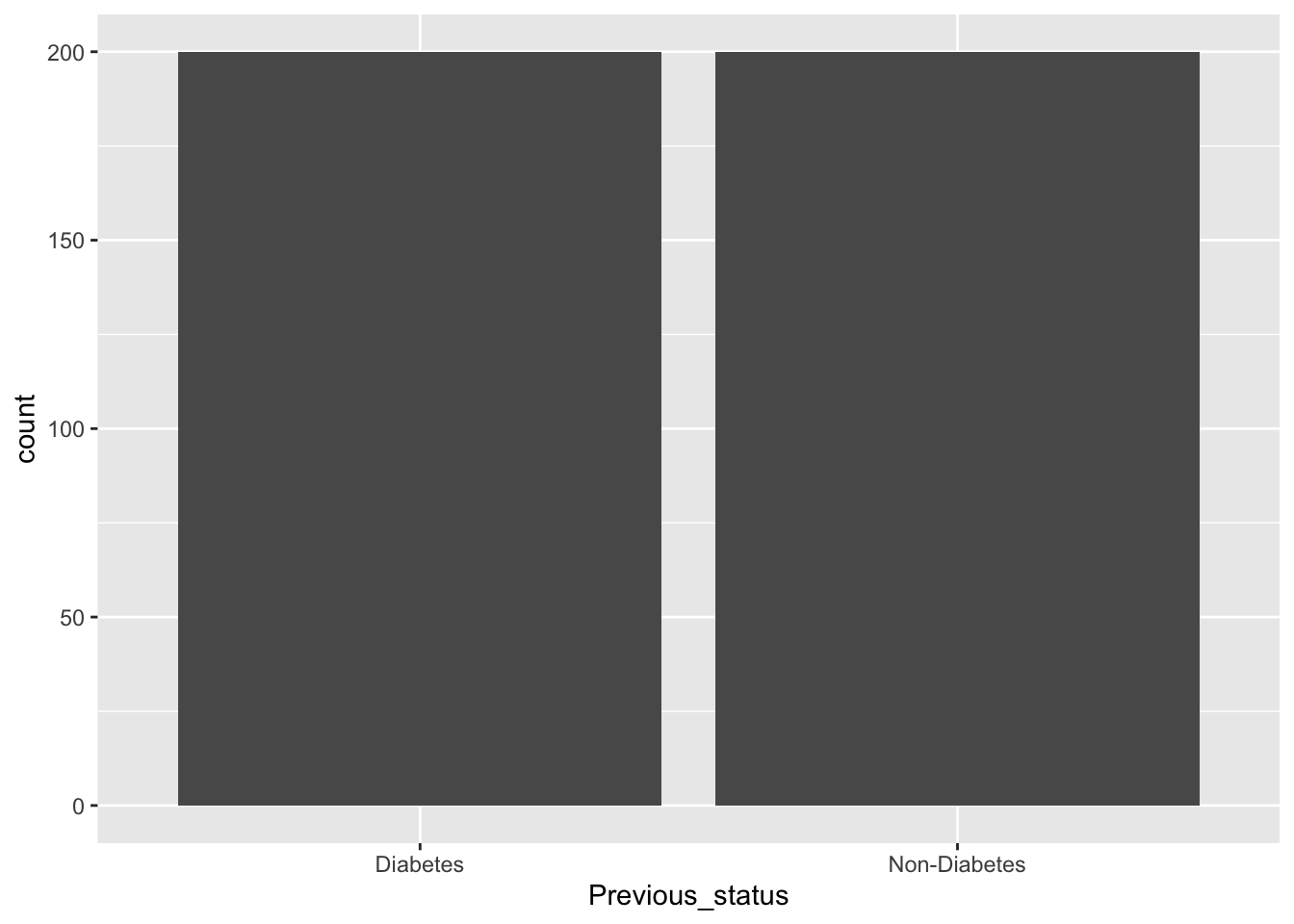
ggplot(data=df,aes(x=Previous_status))+geom_bar()

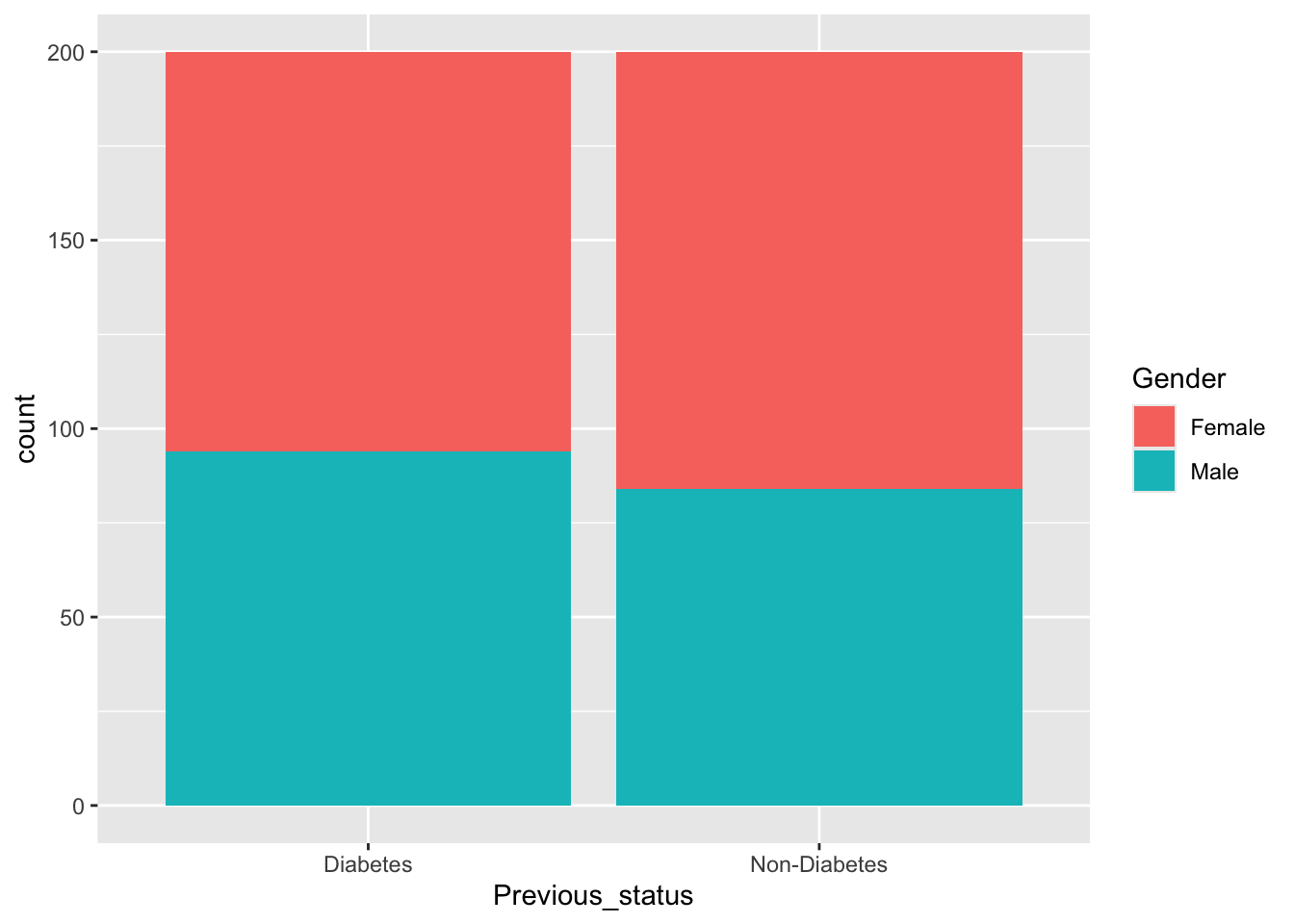
ggplot(data=df,aes(x=Previous_status,fill=Gender))+geom_bar()

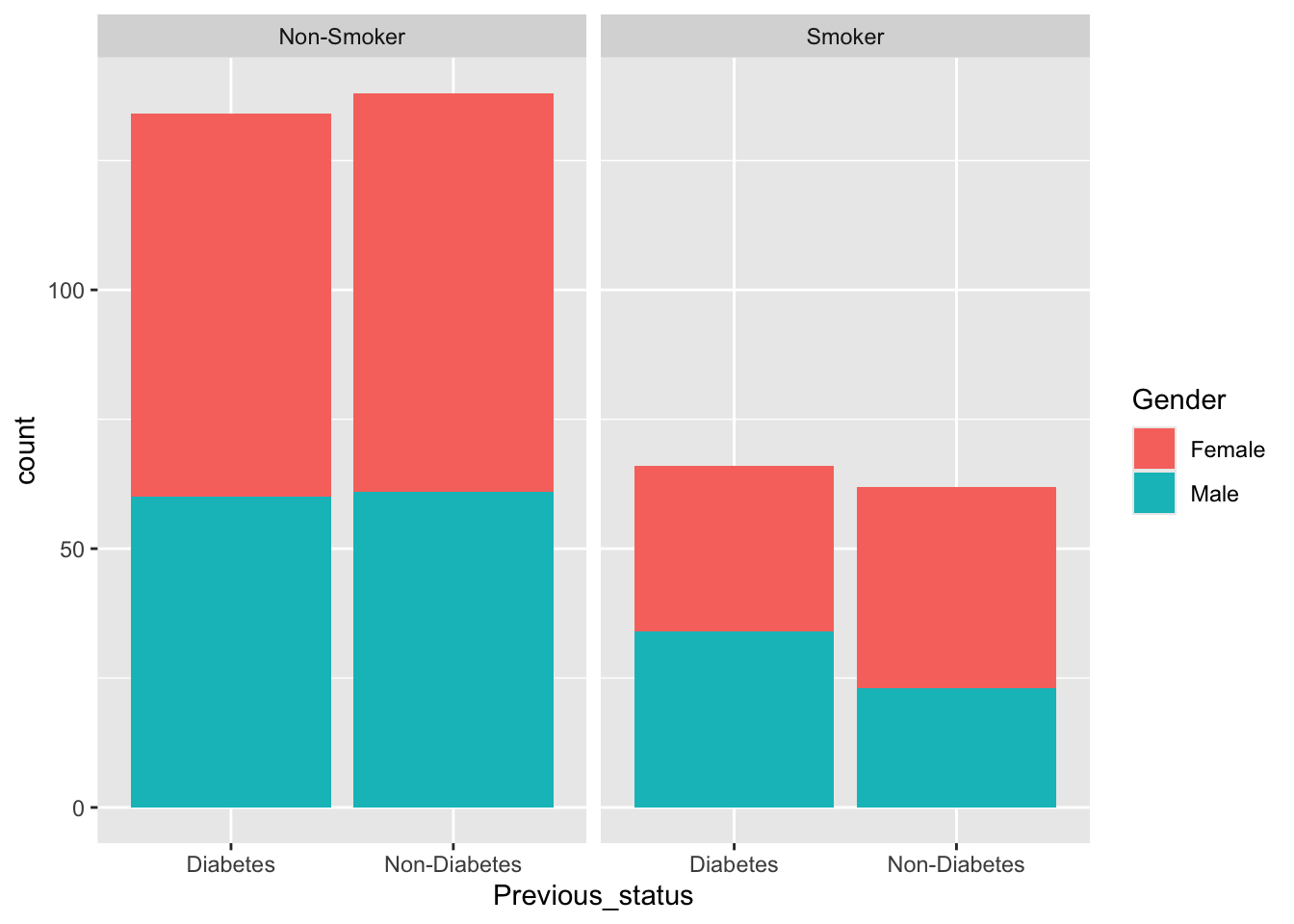
ggplot(data=df,aes(x=Previous_status,fill=Gender))+geom_bar()+facet_wrap(~Smoking)

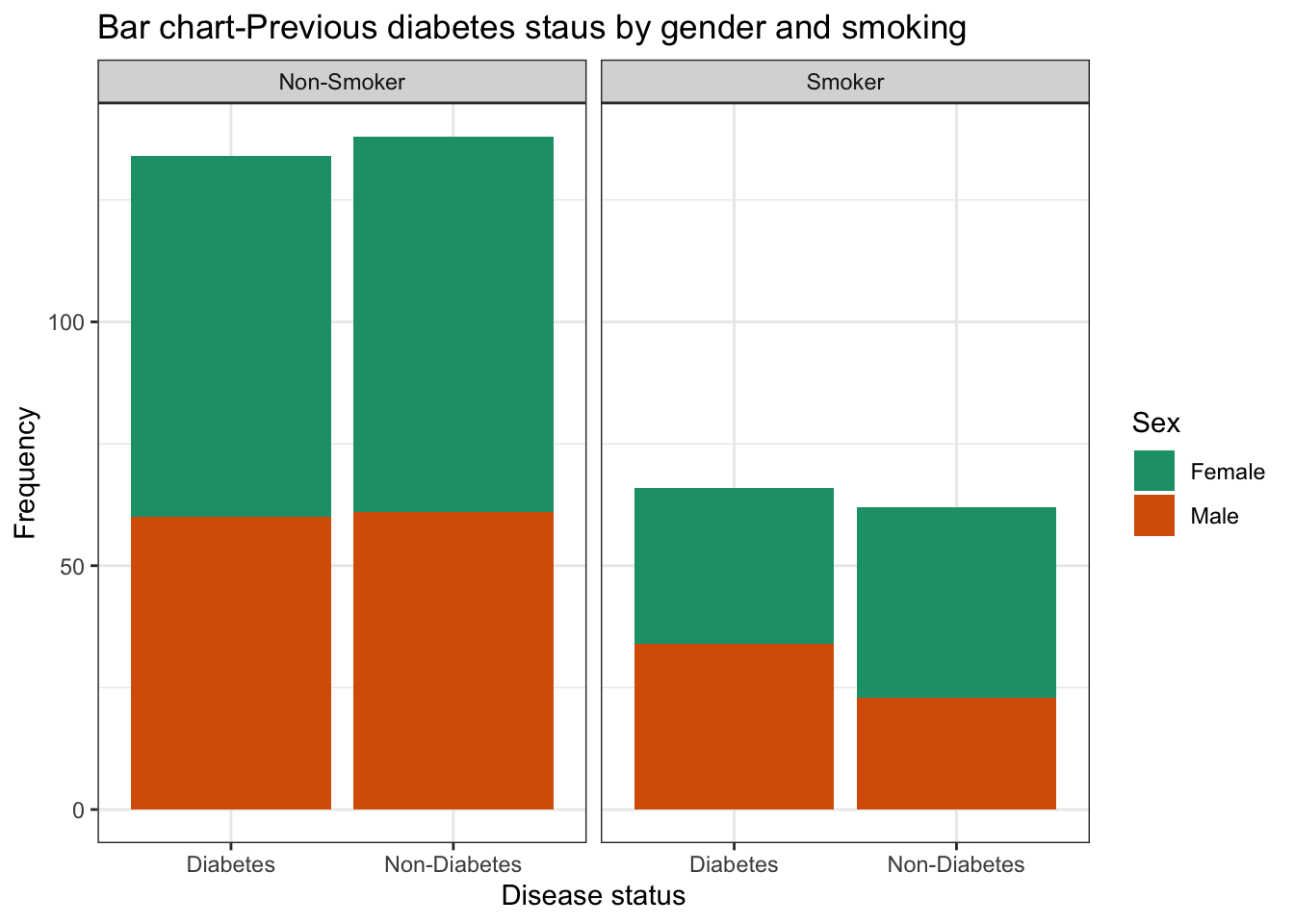
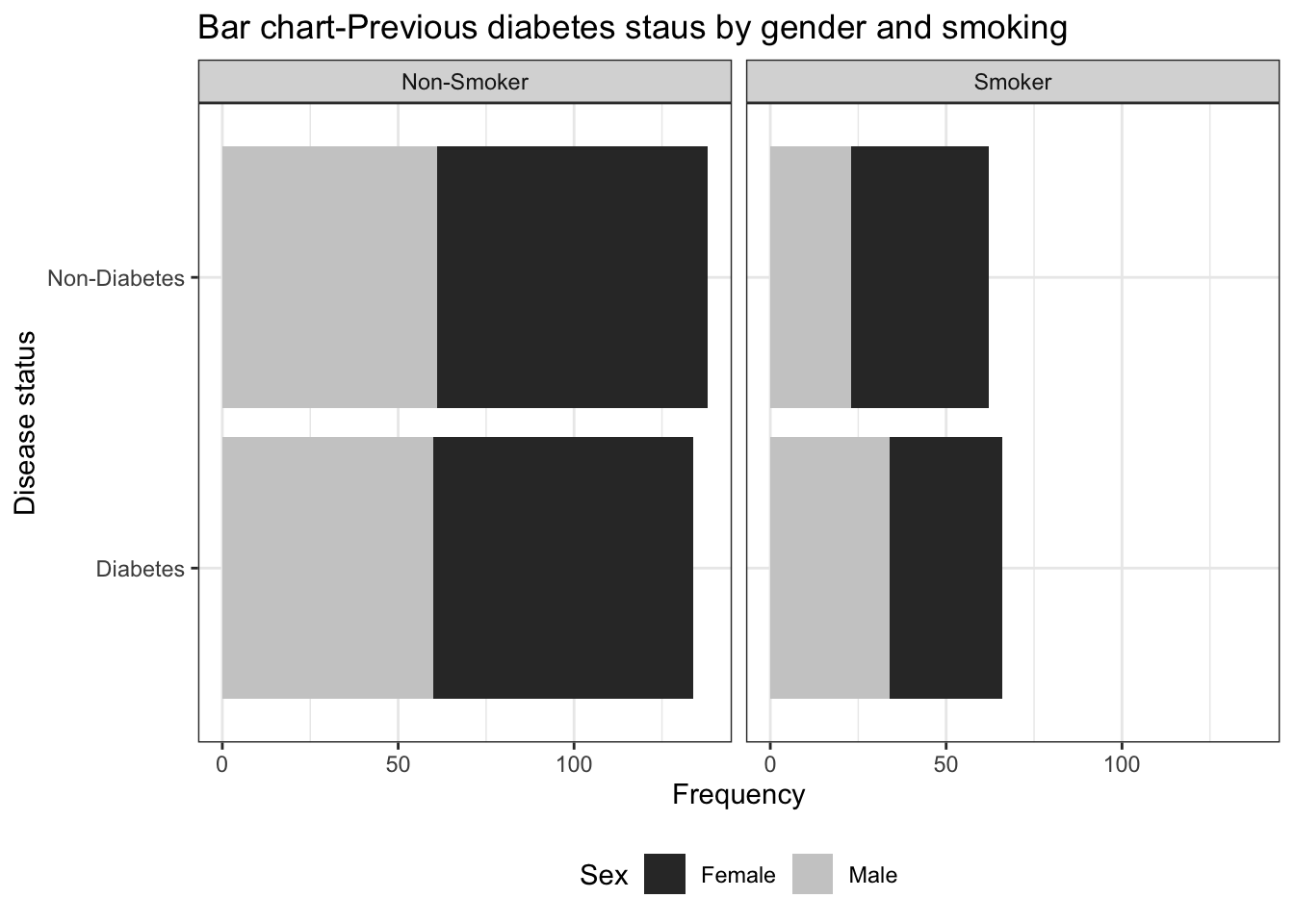
ggplot(data=df,aes(x=Previous_status,fill=Gender))+geom_bar()+facet_wrap(~Smoking)+
  labs(title="Bar chart-Previous diabetes staus by gender and smoking",
       x="Disease status",y="Frequency",
       fill="Sex")+theme_bw()+scale_fill_manual(values=c("#999999", "#E69F00"))->bar1
bar1+scale_fill_brewer(palette="Dark2")
Scale for fill is already present.
Adding another scale for fill, which will replace the existing scale.

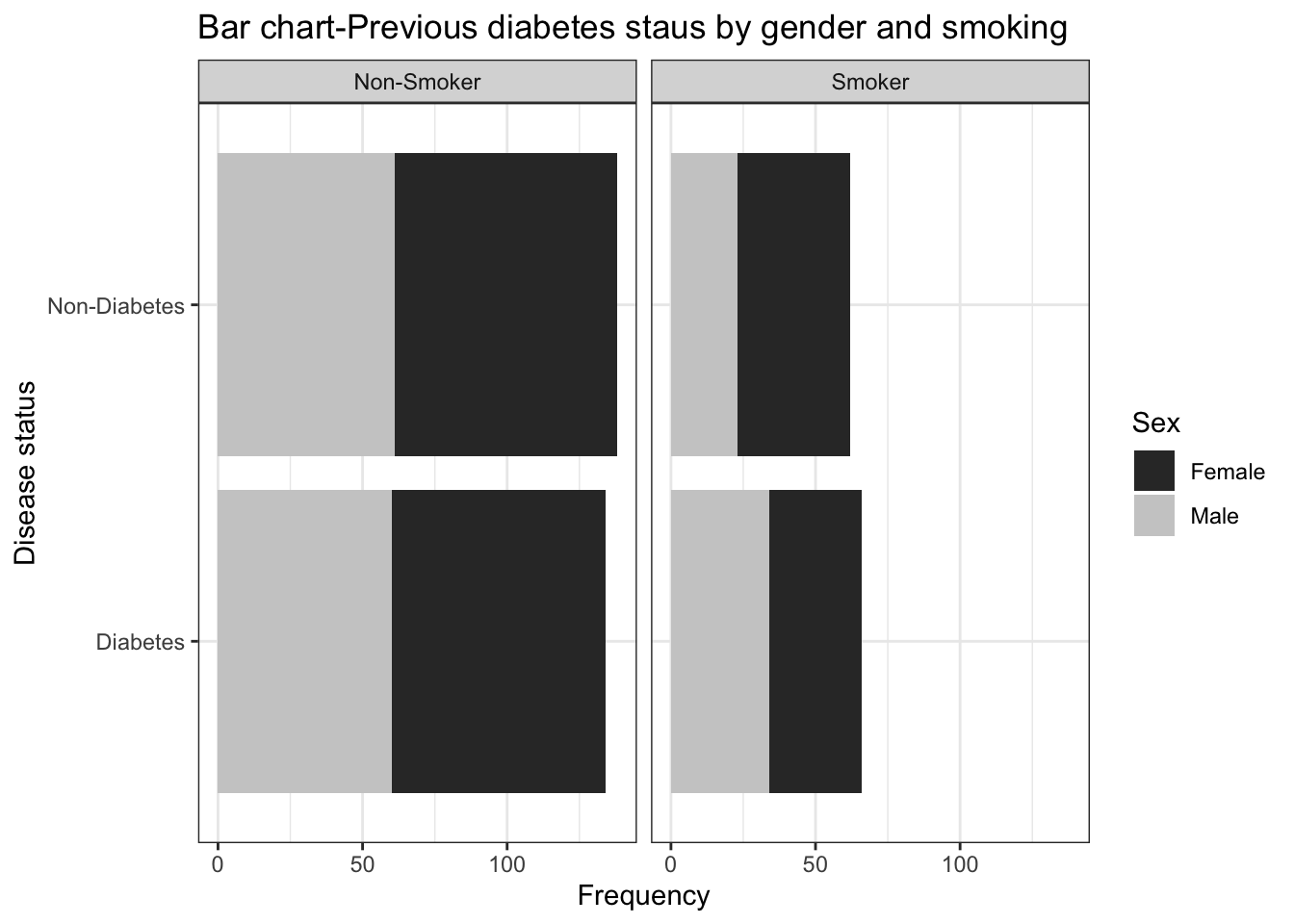
bar1+scale_fill_grey()+coord_flip()->bar2
Scale for fill is already present.
Adding another scale for fill, which will replace the existing scale.
bar2

## Change legend position 
bar2+theme(legend.position="bottom")

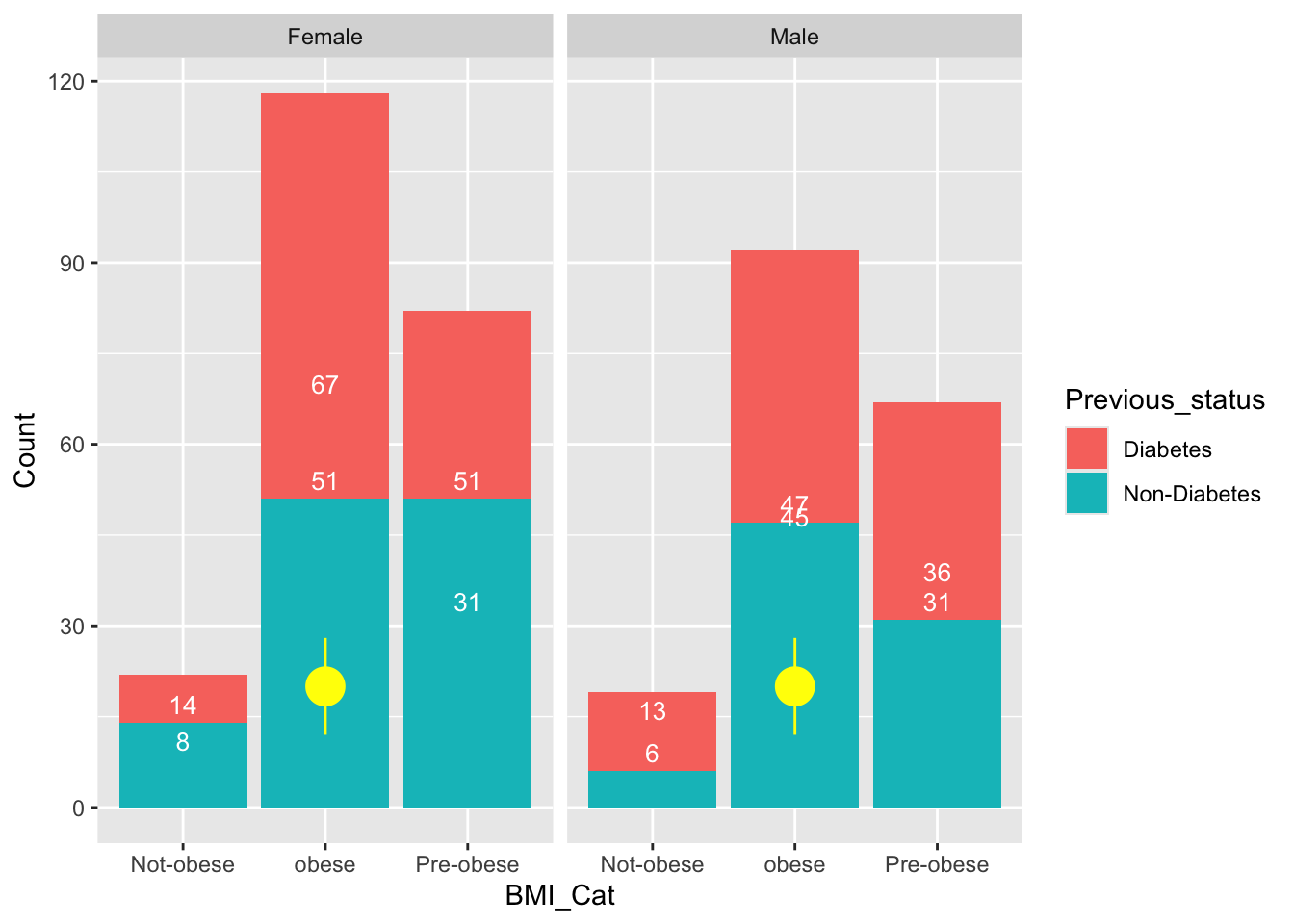
Geom text

### Now we will use geom_text to add levels 
df %>% select("Previous_status"    ,     
              "Gender"     ,     "BMI_Cat" ) ->df.c
# Get the cumulative sum


df.c %>% group_by(Previous_status, Gender , BMI_Cat ) %>% summarise(Count=n())->sum
`summarise()` has grouped output by 'Previous_status', 'Gender'. You can
override using the `.groups` argument.
sum<- sum %>%
  group_by(Previous_status, Gender , BMI_Cat ) %>%
  mutate(label_y = cumsum(Count))

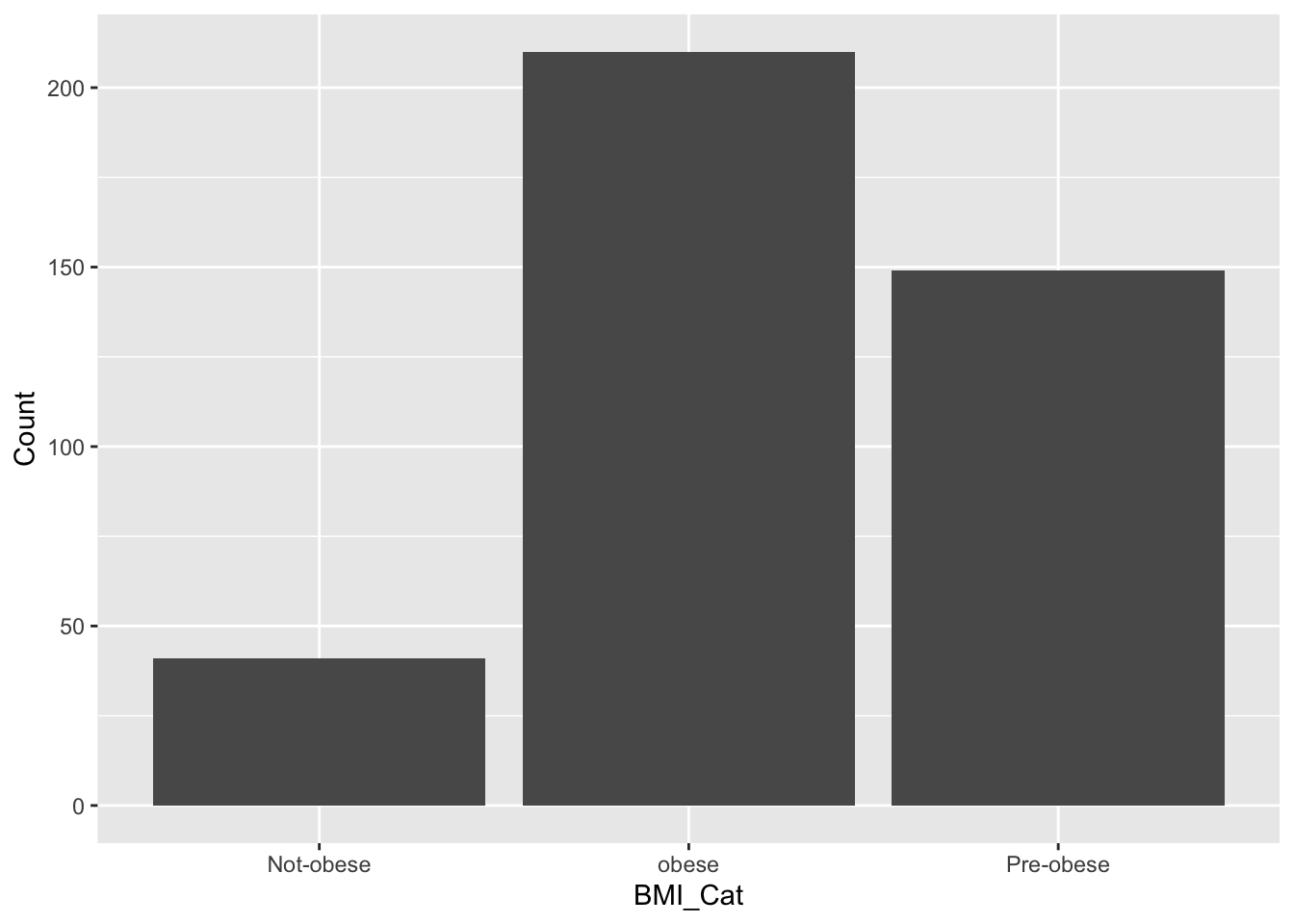
            ggplot(data=sum,aes(x=BMI_Cat,y=Count))+geom_col()

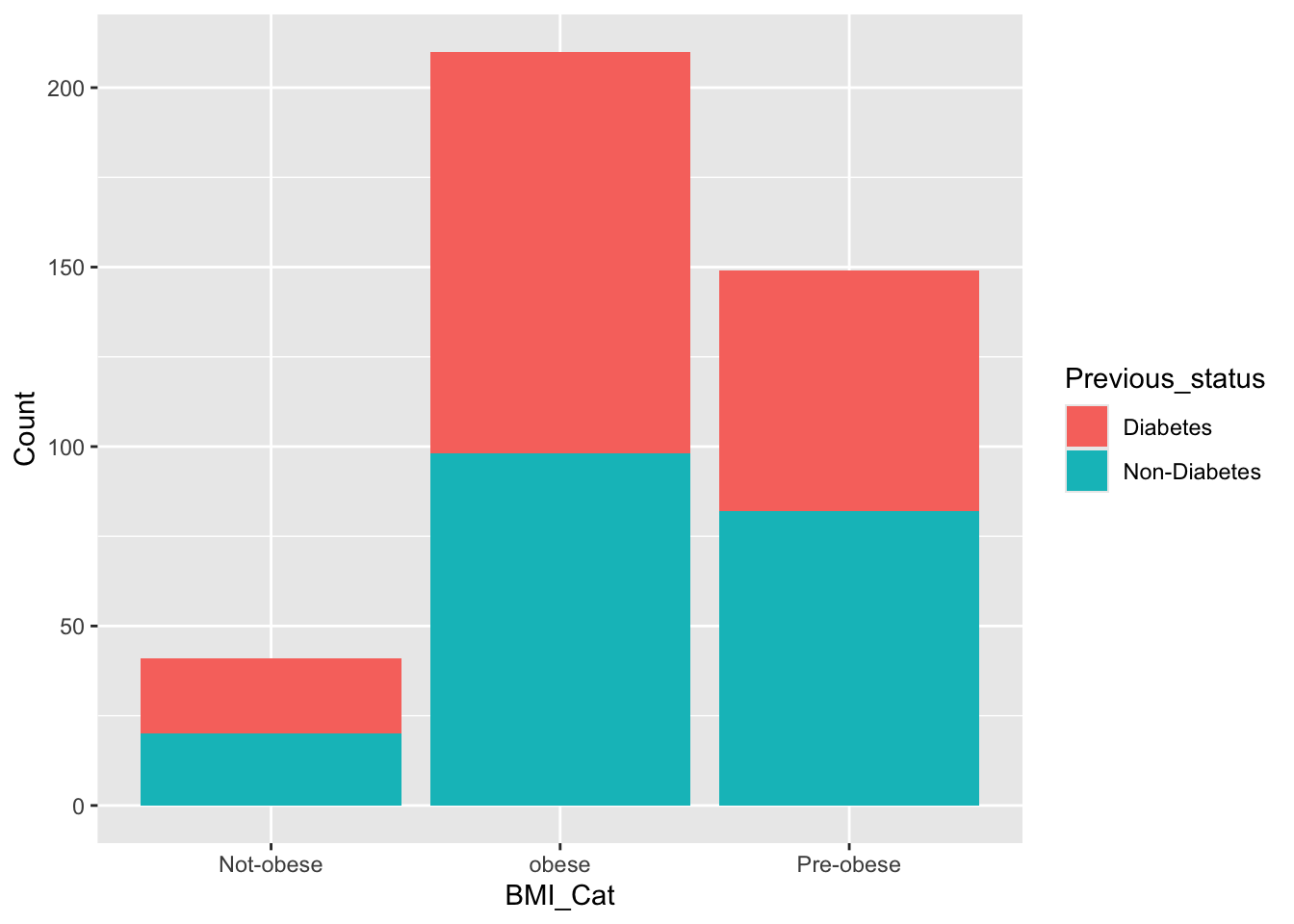
ggplot(data=sum,aes(x=BMI_Cat,y=Count,fill=Previous_status))+geom_col()

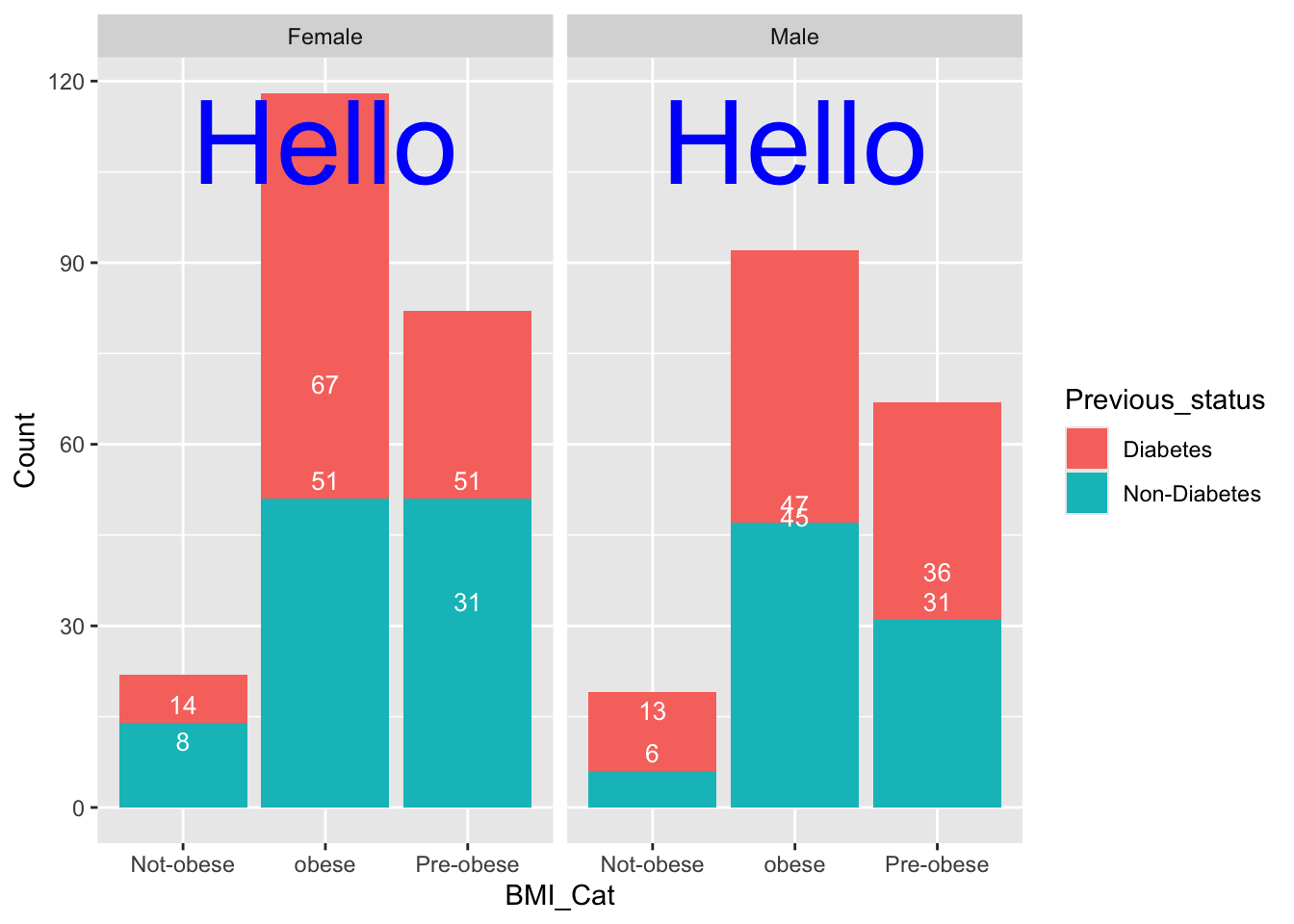
ggplot(data=sum,aes(x=BMI_Cat,y=Count,fill=Previous_status))+geom_col()+
  geom_text(aes(label=label_y), vjust=-0.5, color="white", size=3.5)+ facet_wrap(~Gender)->col1
  col1+annotate("text", x = 2, y = 110, label = "Hello", colour="blue",size=16)

                  ##annotation
  col1 + annotate("pointrange", x = 2, y = 20, ymin = 12, ymax = 28,
               colour = "yellow", size = 1.5)

Aesthetics, Themes, and Advanced Customization

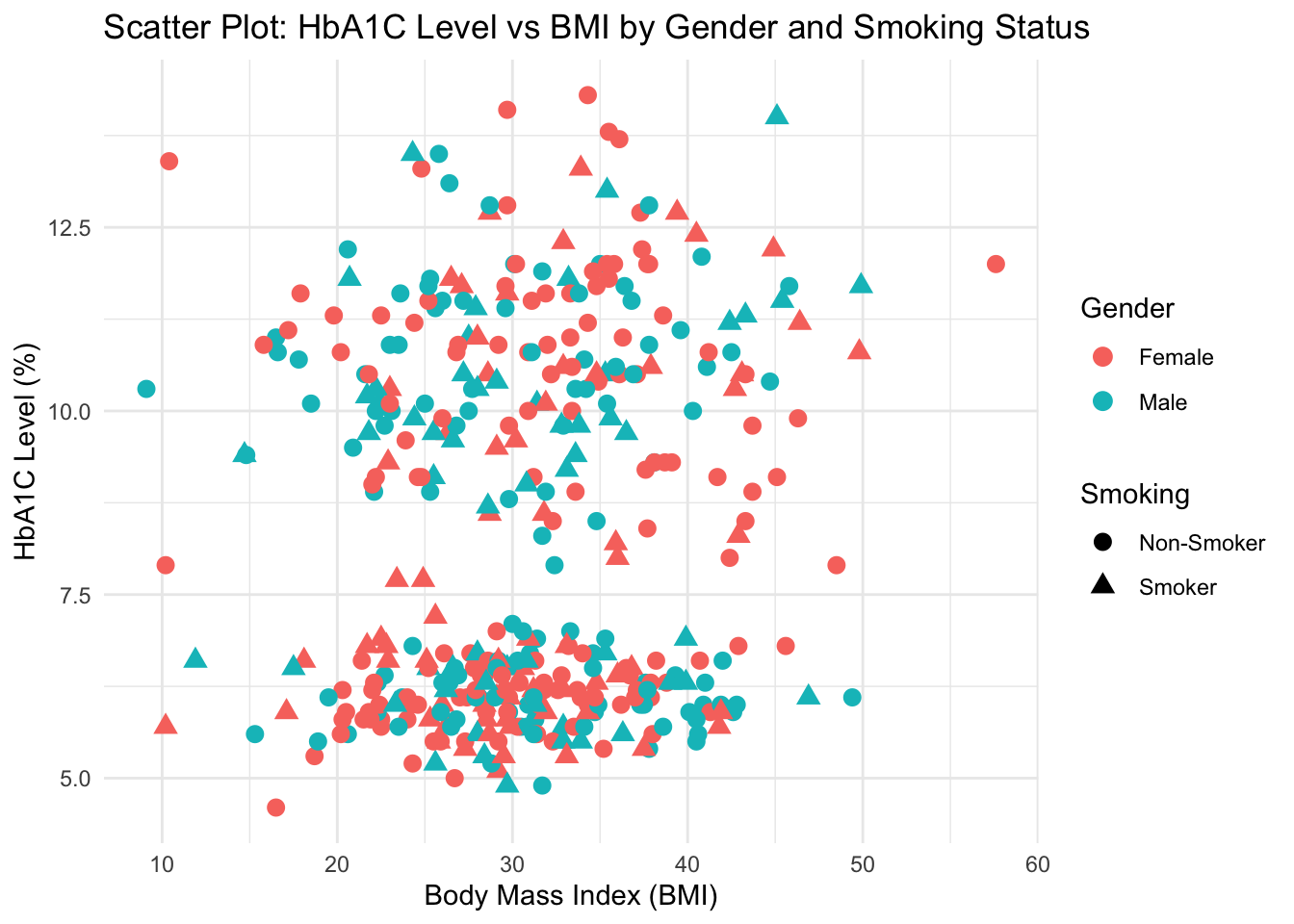
In ggplot2, the aes() function defines aesthetic mappings, determining which variables map to which visual properties such as axes, colors, shapes, and sizes.

# Example: Mapping multiple aesthetics
ggplot(df, aes(x = BMI, y = HbA1c, color = Gender, shape = Smoking)) +
  geom_point(size = 3) +
  labs(title = "Scatter Plot: HbA1C Level vs BMI by Gender and Smoking Status",
       x = "Body Mass Index (BMI)",
       y = "HbA1C Level (%)") +
  theme_minimal()

Explanation:

  • color = Gender assigns color to gender categories.
  • shape = Smoking_Status assigns different point shapes.
  • theme_minimal() gives a clean, publication-ready look.

experiment with other themes for stylistic variety

p <- ggplot(df, aes(x = BMI, y = HbA1c, color = Gender)) +
  geom_point(size = 3) +
  labs(title = "Different ggplot2 Themes Example",
       x = "BMI",
       y = "HbA1C Level")

p + theme_bw()
p + theme_classic()
p + theme_light()

Each theme controls gridlines, background, and axis appearance. Choosing a theme depends on your communication context (e.g., minimal for reports, classic for academic papers).


Faceting for Multi-Panel Visualization

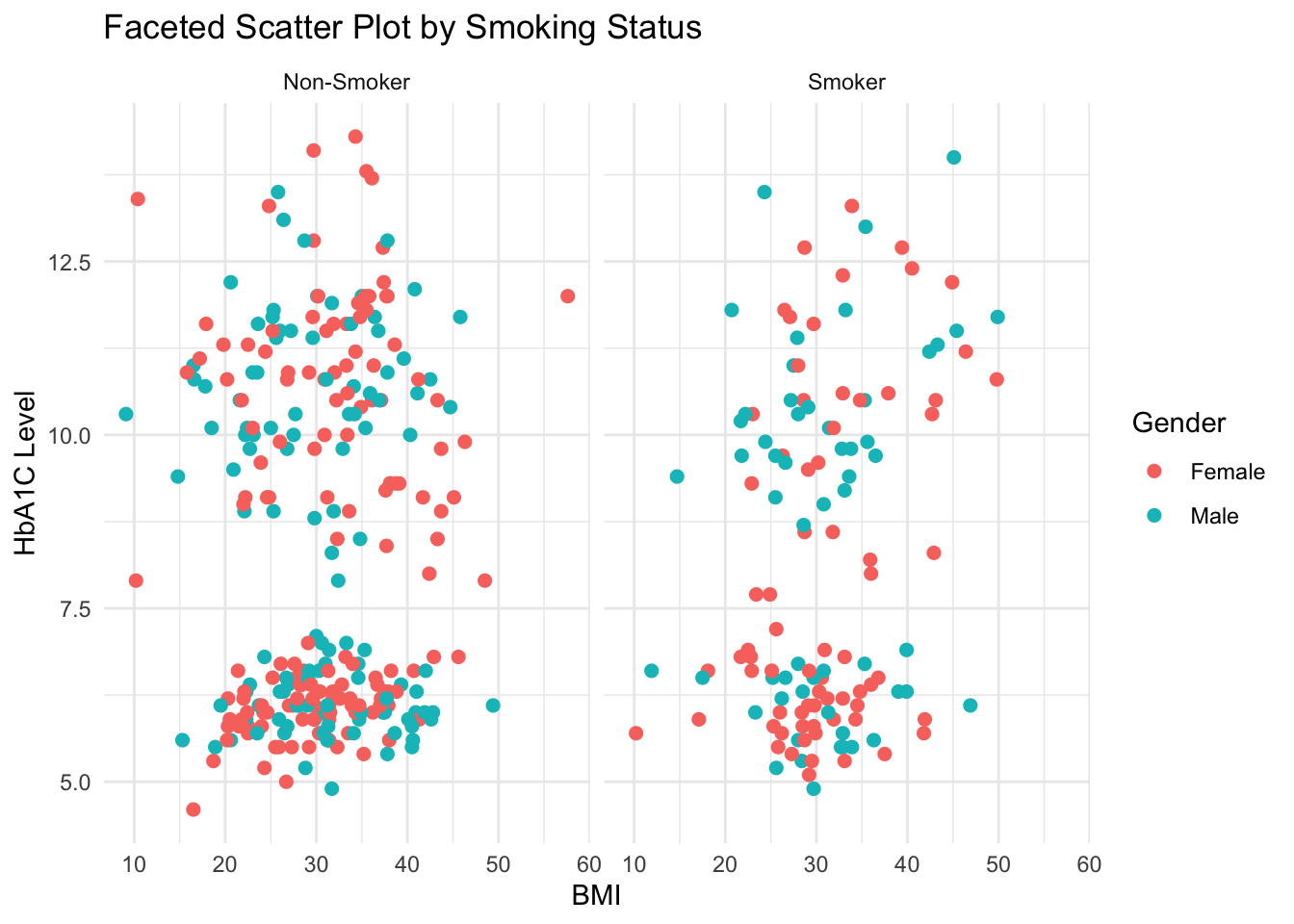
Faceting lets you create multiple plots based on a categorical variable, making subgroup comparisons intuitive.

ggplot(df, aes(x = BMI, y = HbA1c, color = Gender)) +
  geom_point(size = 2) +
  facet_wrap(~ Smoking) +
  labs(title = "Faceted Scatter Plot by Smoking Status",
       x = "BMI",
       y = "HbA1C Level") +
  theme_minimal()

Explanation:

Each panel (facet) represents one subset of data based on Smoking_Status. Faceting works beautifully for visualizing subgroup patterns.


Box Plot: Visualizing Continuous Data by Categories

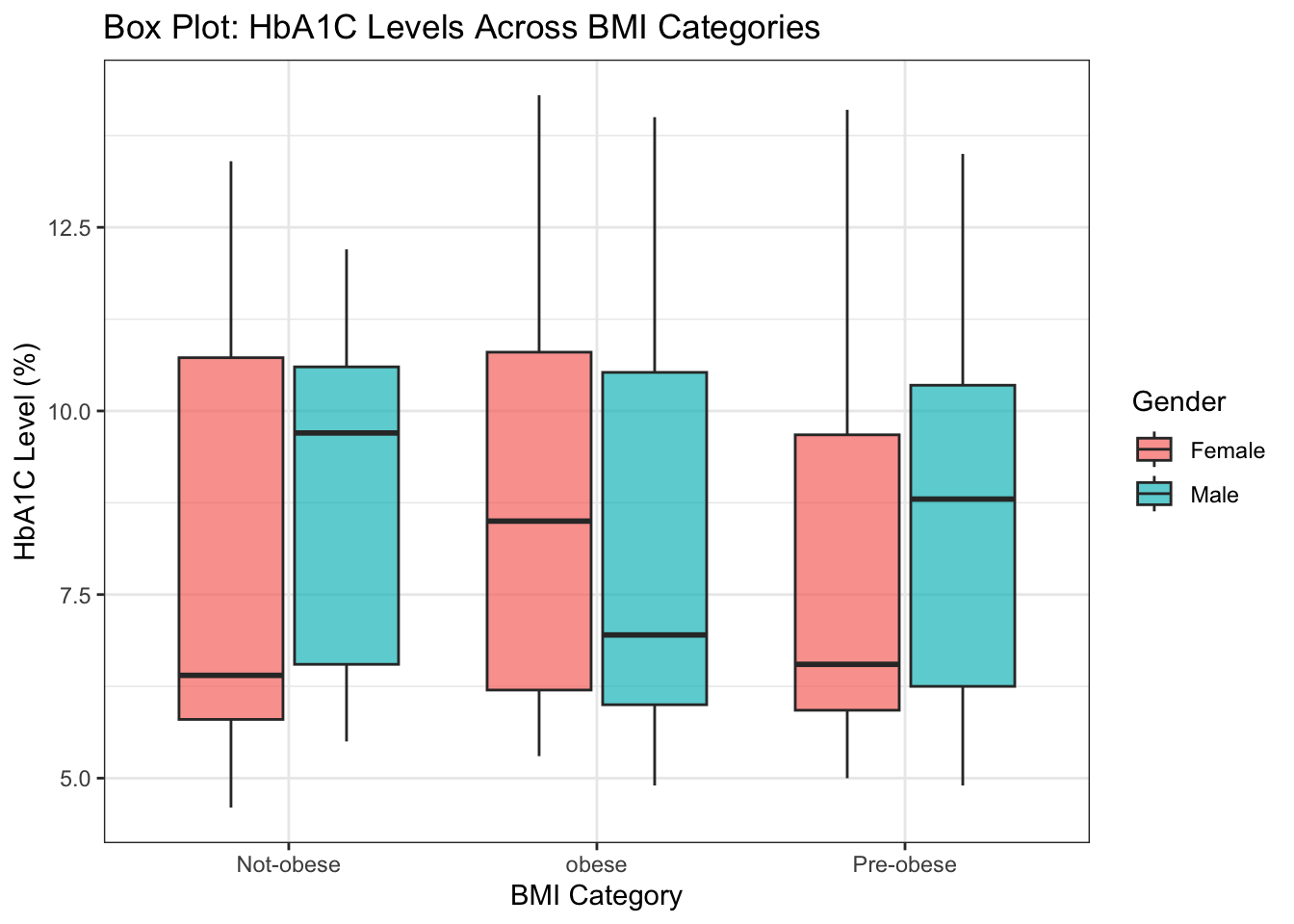
Box plots summarize data distributions through their quartiles and highlight outliers effectively.

ggplot(df, aes(x = BMI_Cat, y = HbA1c, fill = Gender)) +
  geom_boxplot(alpha = 0.7, outlier.color = "red") +
  labs(title = "Box Plot: HbA1C Levels Across BMI Categories",
       x = "BMI Category",
       y = "HbA1C Level (%)") +
  theme_bw()

Explanation:

  • The box represents the interquartile range (IQR).
  • The line inside the box shows the median.
  • Whiskers and outliers display spread and extremes.
  • fill = Gender introduces color coding.

Pie Chart: Visualizing Proportions

Pie charts are useful for visualizing simple categorical proportions. Though not always ideal for detailed comparison, they are intuitive for quick composition views.

# Calculate percentage distribution
pie_data <- df %>%
  count(Smoking) %>%
  mutate(percentage = n / sum(n) * 100,
         label = paste0(Smoking, " (", round(percentage, 1), "%)"))

ggplot(pie_data, aes(x = "", y = percentage, fill = Smoking)) +
  geom_col(width = 1, color = "white") +
  coord_polar(theta = "y") +
  labs(title = "Pie Chart: Distribution of Smoking Status",
       fill = "Smoking Status") +
  theme_void() +
  theme(legend.position = "right")

Explanation:

  • coord_polar(theta = "y") transforms bar chart into a pie chart.
  • theme_void() removes axes and grids for a clean look.
  • Useful for categorical distributions (like gender or smoking).

Saving Your Plots

Finally, to export any plot for reports or presentations:

ggsave("HbA1C_vs_BMI_plot.png", width = 7, height = 5, dpi = 300)

Tip: Always specify dpi = 300 for publication-quality resolution.


Summary

In this expanded tutorial, we explored: - Aesthetic mappings and their flexibility. - Multiple geometric objects (geom_point, geom_bar, geom_boxplot, geom_col). - Themes and styling options for professional visual output. - Faceting for subgroup comparison. - Exporting and saving visualizations.

You can combine these elements creatively to build publication-quality visualizations tailored to your analytical narrative.

Exercises with ggplot2

The following exercises are designed to help you practice and master ggplot2 visualization concepts using the dataset created in this tutorial.


Level 1: Basic (Visualization foundations)

1️⃣ Scatter Plot - Plot a scatterplot of FBS vs HbA1c. - Add appropriate axis labels and a descriptive title.

# Your code here

2️⃣ Histogram - Create a histogram showing the distribution of BMI. - Use a suitable binwidth and color fill.

# Your code here

3️⃣ Boxplot by Group - Draw a boxplot comparing HbA1c between Diabetes and Non-Diabetes groups.

# Your code here

Level 2: Intermediate (Aesthetics and layers)

4️⃣ Color by Group - Plot FBS vs BMI and color the points by Previous_status. - Add transparency for better visualization.

# Your code here

5️⃣ Facet by Gender - Plot BMI vs HbA1c and facet the plot by Gender to compare distributions.

# Your code here

6️⃣ Smoking as Shape or Color - Visualize how Smoking status affects FBS vs HbA1c. - Use either shape = Smoking or color = Smoking.

# Your code here

Level 3: Moderate–Difficult (Customization & summaries)

7️⃣ Add a Regression Line - Plot FBS vs HbA1c with a fitted regression line separately for each Previous_status.

# Your code here

8️⃣ Density Plot - Plot density curves for BMI stratified by Previous_status.

# Your code here

Level 4: Advanced (Themes, annotations, combining data summaries)

9️⃣ Annotated Summary Plot - Create a bar plot showing mean HbA1c for each Previous_status. - Add mean values as text labels above each bar.

# Your code here

🔟 Composite Plot (Challenge) - Combine two layers: - A jittered scatter plot of BMI vs HbA1c. - Overlay mean BMI and HbA1c points for each Previous_status. - Use a custom theme and proper titles.

# Your code here