GG Plot

Author

CEU, AIIMS Bhopal

Published

November 01, 2025

Know your Data

set.seed(1234)
df <- data.frame(
  Previous_status=factor(rep(c("Diabetes", "Non-Diabetes"), each=200)),
  FBS=round(c(rnorm(200, mean=160, sd=20),
                 rnorm(200, mean=100, sd=20))),
  BMI=round(c(rnorm(200,mean=32,sd=8),
              rnorm(200,mean=30.5,sd=7)),1),
  HbA1c=round(c(rnorm(200, mean=10.60, sd=1.5),
rnorm(200, mean=6.1, sd=0.5)) ,1),
Smoking=rbinom(n=400,size=1,prob=0.30),
Gender=rbinom(n=400,size = 1,prob=0.45)
)
df$Gender<-as.factor(df$Gender)
levels(df$Gender)<-c("Female","Male")

df$Smoking<-as.factor(df$Smoking)
levels(df$Smoking)<-c("Non-Smoker","Smoker")
df %>% mutate(BMI_Cat=factor(case_when(BMI>30~"obese",
                                BMI<22~"Not-obese",
                                TRUE~"Pre-obese")))->df
str(df)
'data.frame':   400 obs. of  7 variables:
 $ Previous_status: Factor w/ 2 levels "Diabetes","Non-Diabetes": 1 1 1 1 1 1 1 1 1 1 ...
 $ FBS            : num  136 166 182 113 169 170 149 149 149 142 ...
 $ BMI            : num  22.2 32.3 28.6 24.8 35.3 33.2 43.7 23 27.9 31.4 ...
 $ HbA1c          : num  9.1 8.5 10.5 13.3 10.5 11.8 8.9 10.3 11.4 10.1 ...
 $ Smoking        : Factor w/ 2 levels "Non-Smoker","Smoker": 1 1 2 1 2 2 1 2 2 2 ...
 $ Gender         : Factor w/ 2 levels "Female","Male": 1 1 1 1 2 2 1 1 2 2 ...
 $ BMI_Cat        : Factor w/ 3 levels "Not-obese","obese",..: 3 2 3 3 2 2 2 3 3 2 ...
summary(df)
     Previous_status      FBS             BMI            HbA1c      
 Diabetes    :200    Min.   : 32.0   Min.   : 9.10   Min.   : 4.60  
 Non-Diabetes:200    1st Qu.:103.0   1st Qu.:25.75   1st Qu.: 6.10  
                     Median :132.0   Median :30.70   Median : 7.00  
                     Mean   :130.1   Mean   :30.78   Mean   : 8.32  
                     3rd Qu.:157.0   3rd Qu.:35.52   3rd Qu.:10.50  
                     Max.   :221.0   Max.   :57.60   Max.   :14.30  
       Smoking       Gender         BMI_Cat   
 Non-Smoker:272   Female:222   Not-obese: 41  
 Smoker    :128   Male  :178   obese    :210  
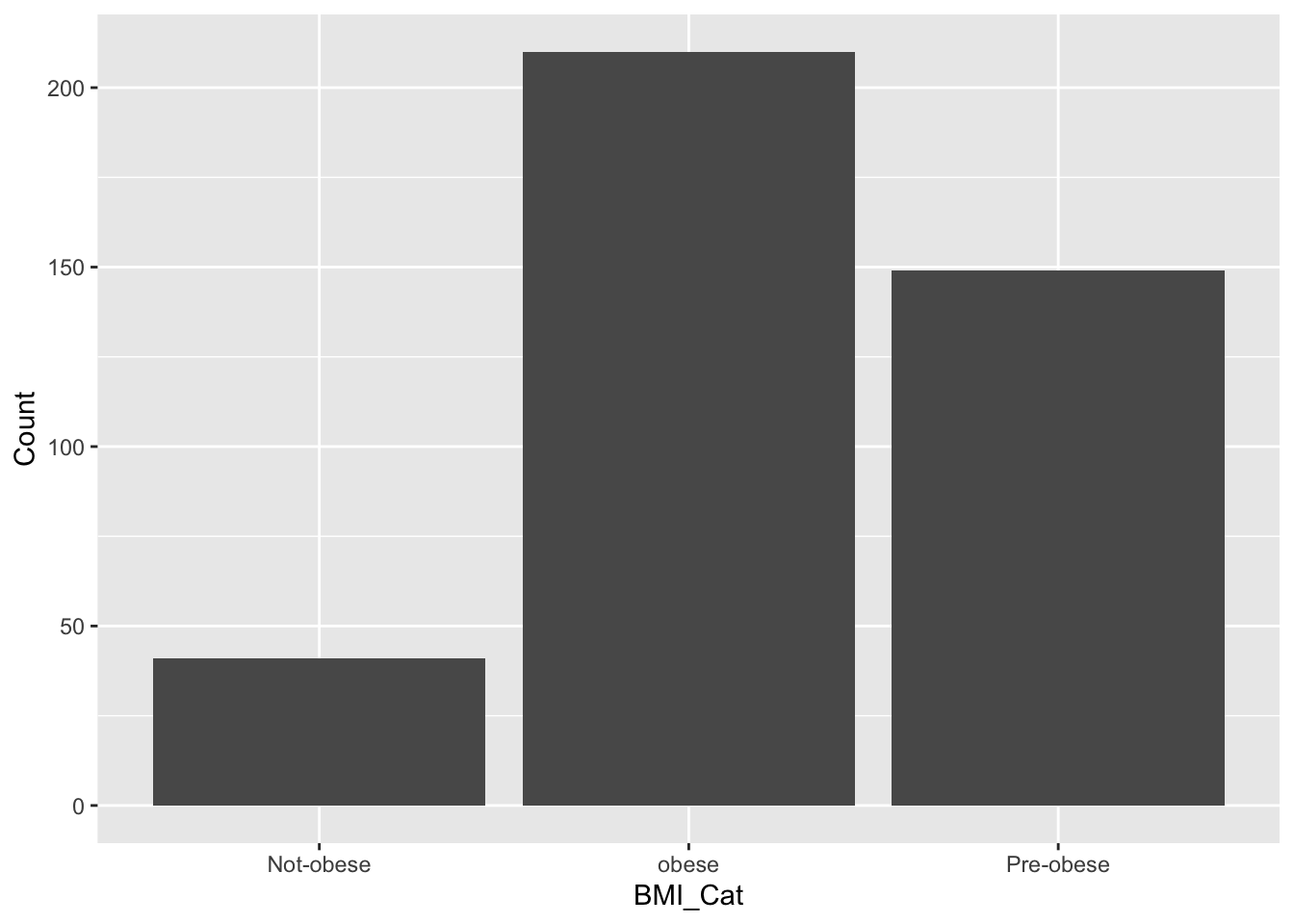
                               Pre-obese:149  


head(df)
  Previous_status FBS  BMI HbA1c    Smoking Gender   BMI_Cat
1        Diabetes 136 22.2   9.1 Non-Smoker Female Pre-obese
2        Diabetes 166 32.3   8.5 Non-Smoker Female     obese
3        Diabetes 182 28.6  10.5     Smoker Female Pre-obese
4        Diabetes 113 24.8  13.3 Non-Smoker Female Pre-obese
5        Diabetes 169 35.3  10.5     Smoker   Male     obese
6        Diabetes 170 33.2  11.8     Smoker   Male     obese
glimpse(df)
Rows: 400
Columns: 7
$ Previous_status <fct> Diabetes, Diabetes, Diabetes, Diabetes, Diabetes, Diab…
$ FBS             <dbl> 136, 166, 182, 113, 169, 170, 149, 149, 149, 142, 150,…
$ BMI             <dbl> 22.2, 32.3, 28.6, 24.8, 35.3, 33.2, 43.7, 23.0, 27.9, …
$ HbA1c           <dbl> 9.1, 8.5, 10.5, 13.3, 10.5, 11.8, 8.9, 10.3, 11.4, 10.…
$ Smoking         <fct> Non-Smoker, Non-Smoker, Smoker, Non-Smoker, Smoker, Sm…
$ Gender          <fct> Female, Female, Female, Female, Male, Male, Female, Fe…
$ BMI_Cat         <fct> Pre-obese, obese, Pre-obese, Pre-obese, obese, obese, …
library(gtsummary)
df$Previous_status<-as.factor(df$Previous_status)
df %>% mutate_at(c(1,5,6,7),as.factor)->df
str(df)
'data.frame':   400 obs. of  7 variables:
 $ Previous_status: Factor w/ 2 levels "Diabetes","Non-Diabetes": 1 1 1 1 1 1 1 1 1 1 ...
 $ FBS            : num  136 166 182 113 169 170 149 149 149 142 ...
 $ BMI            : num  22.2 32.3 28.6 24.8 35.3 33.2 43.7 23 27.9 31.4 ...
 $ HbA1c          : num  9.1 8.5 10.5 13.3 10.5 11.8 8.9 10.3 11.4 10.1 ...
 $ Smoking        : Factor w/ 2 levels "Non-Smoker","Smoker": 1 1 2 1 2 2 1 2 2 2 ...
 $ Gender         : Factor w/ 2 levels "Female","Male": 1 1 1 1 2 2 1 1 2 2 ...
 $ BMI_Cat        : Factor w/ 3 levels "Not-obese","obese",..: 3 2 3 3 2 2 2 3 3 2 ...
df %>%tbl_summary(by=Gender) %>% add_p() %>% bold_labels()
Characteristic Female
N = 2221
Male
N = 1781
p-value2
Previous_status

0.3
    Diabetes 106 (48%) 94 (53%)
    Non-Diabetes 116 (52%) 84 (47%)
FBS 130 (101, 154) 137 (105, 160) 0.2
BMI 31 (26, 36) 31 (26, 35) 0.7
HbA1c 6.80 (6.10, 10.50) 8.60 (6.10, 10.50) 0.5
Smoking

>0.9
    Non-Smoker 151 (68%) 121 (68%)
    Smoker 71 (32%) 57 (32%)
BMI_Cat

>0.9
    Not-obese 22 (9.9%) 19 (11%)
    obese 118 (53%) 92 (52%)
    Pre-obese 82 (37%) 67 (38%)
1 n (%); Median (Q1, Q3)
2 Pearson’s Chi-squared test; Wilcoxon rank sum test
df %>% select(2:4,7) %>% tbl_summary(by=BMI_Cat,statistic = list(all_continuous() ~ "{mean} ({sd})") )%>%add_p() %>% add_ci()
Characteristic Not-obese
N = 41
1
95% CI obese
N = 210
1
95% CI Pre-obese
N = 149
1
95% CI p-value2
FBS 131 (37) 119, 143 132 (34) 127, 137 127 (36) 122, 133 0.5
BMI 18 (4) 17, 19 36 (5) 36, 37 26 (2) 26, 27 <0.001
HbA1c 8.33 (2.54) 7.5, 9.1 8.49 (2.51) 8.2, 8.8 8.08 (2.47) 7.7, 8.5 0.2
Abbreviation: CI = Confidence Interval
1 Mean (SD)
2 Kruskal-Wallis rank sum test

Data Wrangling before ggplot

df$BMI_Cat<-as.factor(df$BMI_Cat)
df %>% select(BMI,Gender,Smoking,Previous_status)->df2
df %>% filter(Gender=="Male")->df3
df %>% select(BMI,Gender,Smoking,Previous_status) %>% filter(Gender=="Male")->df.m
df %>%  filter(BMI>=25) %>% select(BMI,Gender,Smoking,Previous_status) ->df.m1
df %>% select(Gender,BMI,Smoking) %>% group_by(Gender,Smoking) %>% summarise(avg=mean(BMI),sd=sd(BMI),count=n())->df4
`summarise()` has grouped output by 'Gender'. You can override using the
`.groups` argument.
df4
# A tibble: 4 × 5
# Groups:   Gender [2]
  Gender Smoking      avg    sd count
  <fct>  <fct>      <dbl> <dbl> <int>
1 Female Non-Smoker  30.9  7.61   151
2 Female Smoker      30.9  7.07    71
3 Male   Non-Smoker  30.6  7.58   121
4 Male   Smoker      30.8  7.66    57
df %>% select(BMI)->b
b %>% mutate(bmi_cat1=ifelse(BMI>24,"obese","Normal"))->b1

df2 %>% group_by(Gender,Smoking,Previous_status) %>%  summarise(avg=mean(BMI),std_dev=sd(BMI),count=n(), q1=quantile(BMI,probs=0.25),q1=quantile(BMI,probs=0.75))->df3
`summarise()` has grouped output by 'Gender', 'Smoking'. You can override using
the `.groups` argument.

Basic ggplot2 Plots

gg plot- reduces the gap between mind and plot

ggplot-maaping from data to asthetics (color,shape,size) of geometrical objects(point,bar,line) drawn on a specific coordinate systetm with or without some statistical transformation

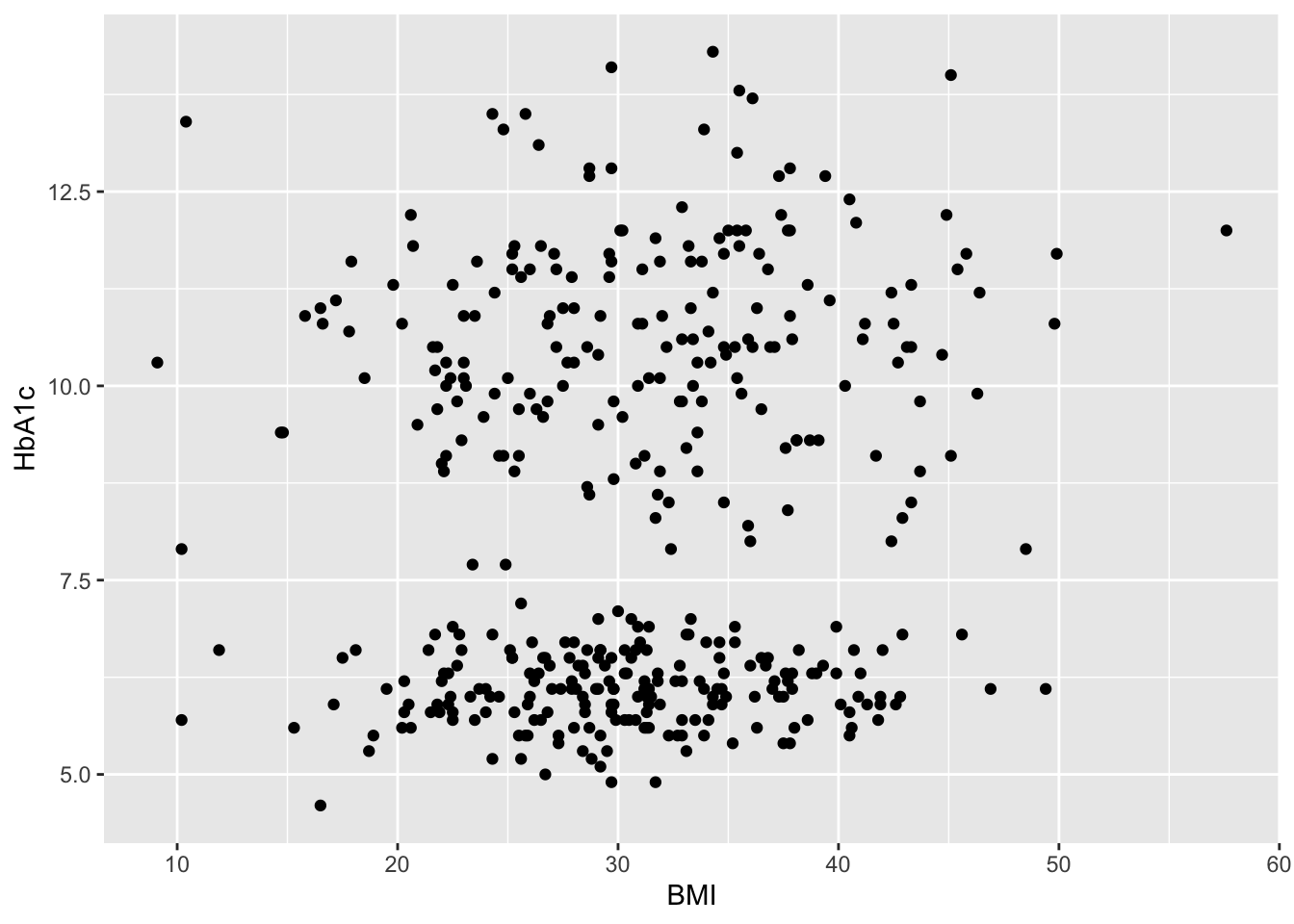
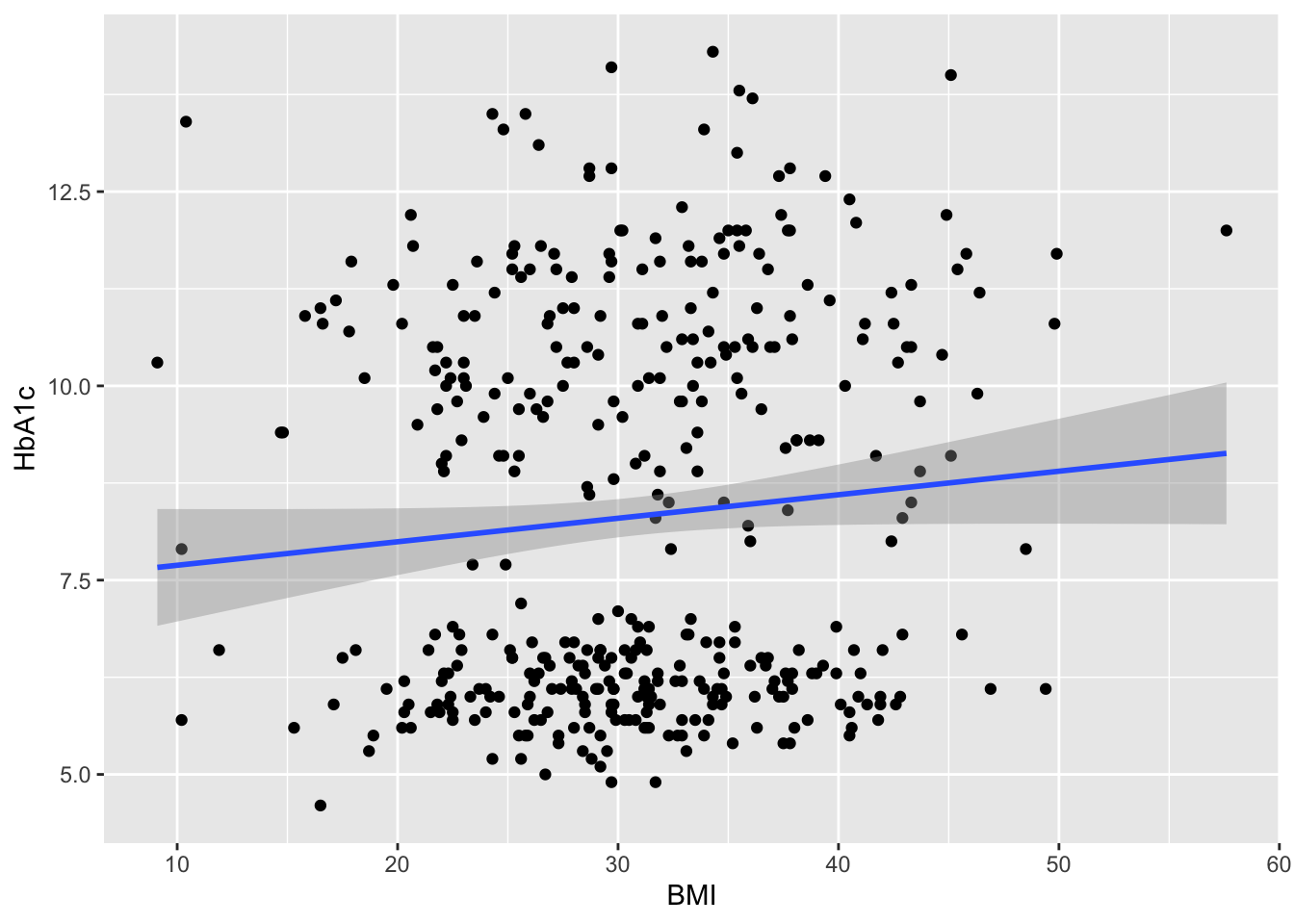
Is there any relationship between bmi and HbA1c values.?

ggplot () 

ggplot(data=df)

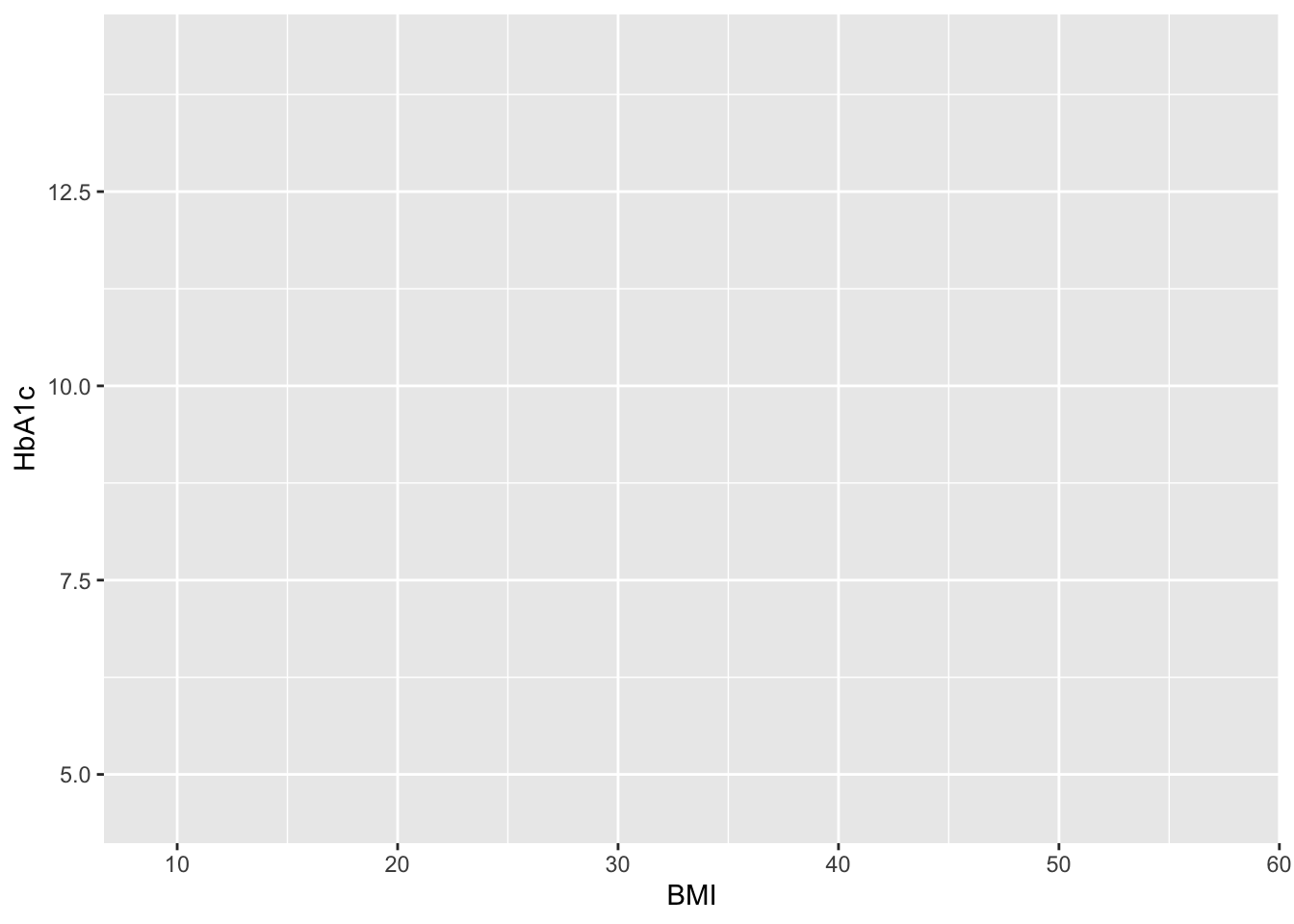
ggplot(data=df,aes(x=BMI,y=HbA1c))

ggplot(data=df,aes(x=BMI,y=HbA1c))->g1
str(g1)
<ggplot2::ggplot>
 @ data       :'data.frame':    400 obs. of  7 variables:
 .. $ Previous_status: Factor w/ 2 levels "Diabetes","Non-Diabetes": 1 1 1 1 1 1 1 1 1 1 ...
 .. $ FBS            : num  136 166 182 113 169 170 149 149 149 142 ...
 .. $ BMI            : num  22.2 32.3 28.6 24.8 35.3 33.2 43.7 23 27.9 31.4 ...
 .. $ HbA1c          : num  9.1 8.5 10.5 13.3 10.5 11.8 8.9 10.3 11.4 10.1 ...
 .. $ Smoking        : Factor w/ 2 levels "Non-Smoker","Smoker": 1 1 2 1 2 2 1 2 2 2 ...
 .. $ Gender         : Factor w/ 2 levels "Female","Male": 1 1 1 1 2 2 1 1 2 2 ...
 .. $ BMI_Cat        : Factor w/ 3 levels "Not-obese","obese",..: 3 2 3 3 2 2 2 3 3 2 ...
 @ layers     : list()
 @ scales     :Classes 'ScalesList', 'ggproto', 'gg' <ggproto object: Class ScalesList, gg>
    add: function
    add_defaults: function
    add_missing: function
    backtransform_df: function
    clone: function
    find: function
    get_scales: function
    has_scale: function
    input: function
    map_df: function
    n: function
    non_position_scales: function
    scales: NULL
    set_palettes: function
    train_df: function
    transform_df: function
    super:  <ggproto object: Class ScalesList, gg> 
 @ guides     :Classes 'Guides', 'ggproto', 'gg' <ggproto object: Class Guides, gg>
    add: function
    assemble: function
    build: function
    draw: function
    get_custom: function
    get_guide: function
    get_params: function
    get_position: function
    guides: NULL
    merge: function
    missing: <ggproto object: Class GuideNone, Guide, gg>
        add_title: function
        arrange_layout: function
        assemble_drawing: function
        available_aes: any
        build_decor: function
        build_labels: function
        build_ticks: function
        build_title: function
        draw: function
        draw_early_exit: function
        elements: list
        extract_decor: function
        extract_key: function
        extract_params: function
        get_layer_key: function
        hashables: list
        measure_grobs: function
        merge: function
        override_elements: function
        params: list
        process_layers: function
        setup_elements: function
        setup_params: function
        train: function
        transform: function
        super:  <ggproto object: Class GuideNone, Guide, gg>
    package_box: function
    print: function
    process_layers: function
    setup: function
    subset_guides: function
    train: function
    update_params: function
    super:  <ggproto object: Class Guides, gg> 
 @ mapping    : <ggplot2::mapping> List of 2
 .. $ x: language ~BMI
 ..  ..- attr(*, ".Environment")=<environment: R_GlobalEnv> 
 .. $ y: language ~HbA1c
 ..  ..- attr(*, ".Environment")=<environment: R_GlobalEnv> 
 @ theme      : <theme>  Named list()
 .. @ complete: logi FALSE
 .. @ validate: logi TRUE
 @ coordinates:Classes 'CoordCartesian', 'Coord', 'ggproto', 'gg' <ggproto object: Class CoordCartesian, Coord, gg>
    aspect: function
    backtransform_range: function
    clip: on
    default: TRUE
    distance: function
    draw_panel: function
    expand: TRUE
    is_free: function
    is_linear: function
    labels: function
    limits: list
    modify_scales: function
    range: function
    ratio: NULL
    render_axis_h: function
    render_axis_v: function
    render_bg: function
    render_fg: function
    reverse: none
    setup_data: function
    setup_layout: function
    setup_panel_guides: function
    setup_panel_params: function
    setup_params: function
    train_panel_guides: function
    transform: function
    super:  <ggproto object: Class CoordCartesian, Coord, gg> 
 @ facet      :Classes 'FacetNull', 'Facet', 'ggproto', 'gg' <ggproto object: Class FacetNull, Facet, gg>
    attach_axes: function
    attach_strips: function
    compute_layout: function
    draw_back: function
    draw_front: function
    draw_labels: function
    draw_panel_content: function
    draw_panels: function
    finish_data: function
    format_strip_labels: function
    init_gtable: function
    init_scales: function
    map_data: function
    params: list
    set_panel_size: function
    setup_data: function
    setup_panel_params: function
    setup_params: function
    shrink: TRUE
    train_scales: function
    vars: function
    super:  <ggproto object: Class FacetNull, Facet, gg> 
 @ layout     :Classes 'Layout', 'ggproto', 'gg' <ggproto object: Class Layout, gg>
    coord: NULL
    coord_params: list
    facet: NULL
    facet_params: list
    finish_data: function
    get_scales: function
    layout: NULL
    map_position: function
    panel_params: NULL
    panel_scales_x: NULL
    panel_scales_y: NULL
    render: function
    render_labels: function
    reset_scales: function
    resolve_label: function
    setup: function
    setup_panel_guides: function
    setup_panel_params: function
    train_position: function
    super:  <ggproto object: Class Layout, gg> 
 @ labels     : <ggplot2::labels>  Named list()
 @ meta       : list()
 @ plot_env   :<environment: R_GlobalEnv> 
g1+ geom_point()->g2
g2

g2+geom_smooth(method = "lm")->g3
g3
`geom_smooth()` using formula = 'y ~ x'

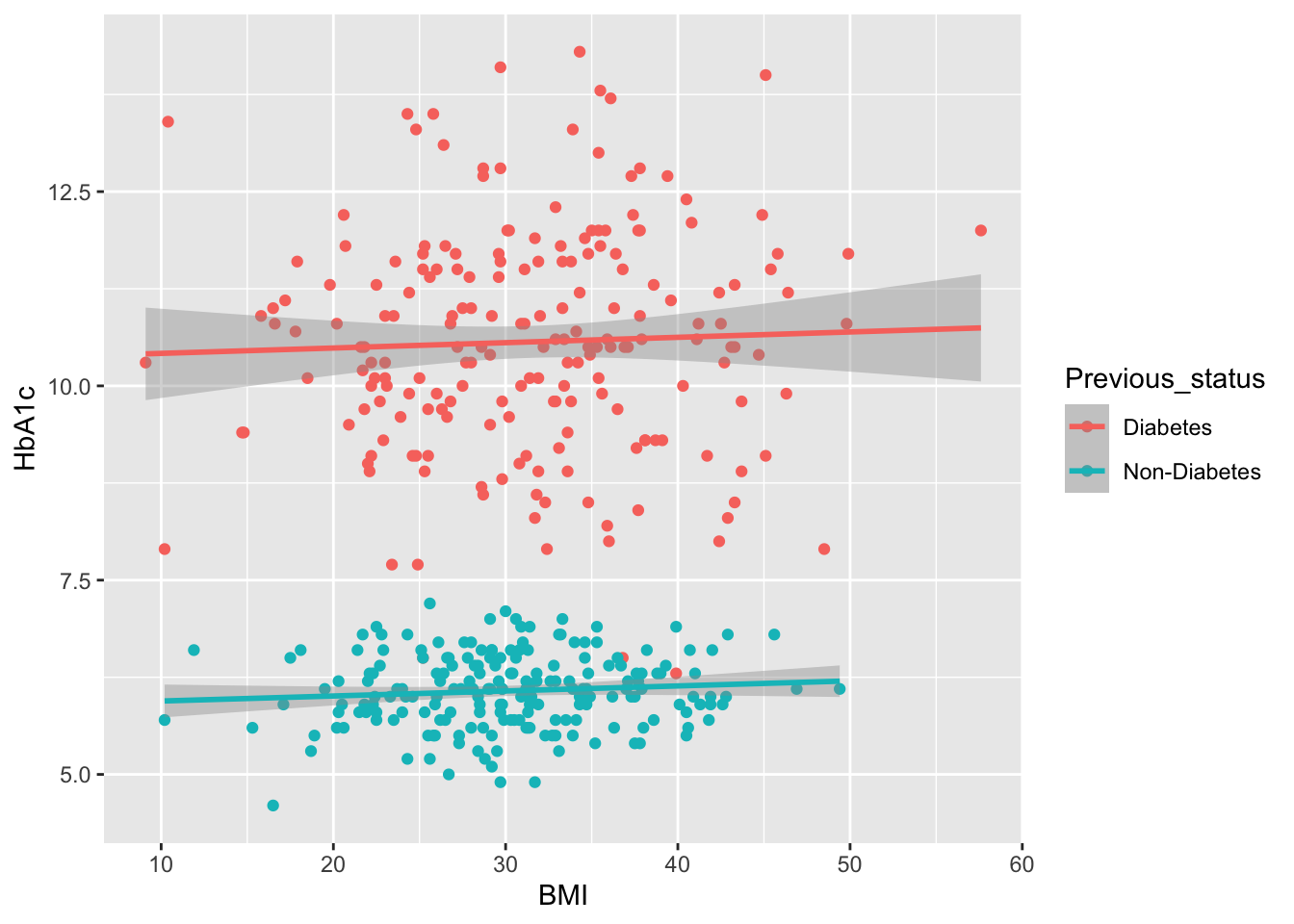
 ## Whether these BMI values are influenced by previous Disease status ?
## Whether the distribution of BMI is different in previous disbetes and previous non diabetes?
ggplot(data=df,aes(x=BMI,y=HbA1c,color=Previous_status))+
  geom_point()+
  geom_smooth(method = "lm")->g4
g4
`geom_smooth()` using formula = 'y ~ x'

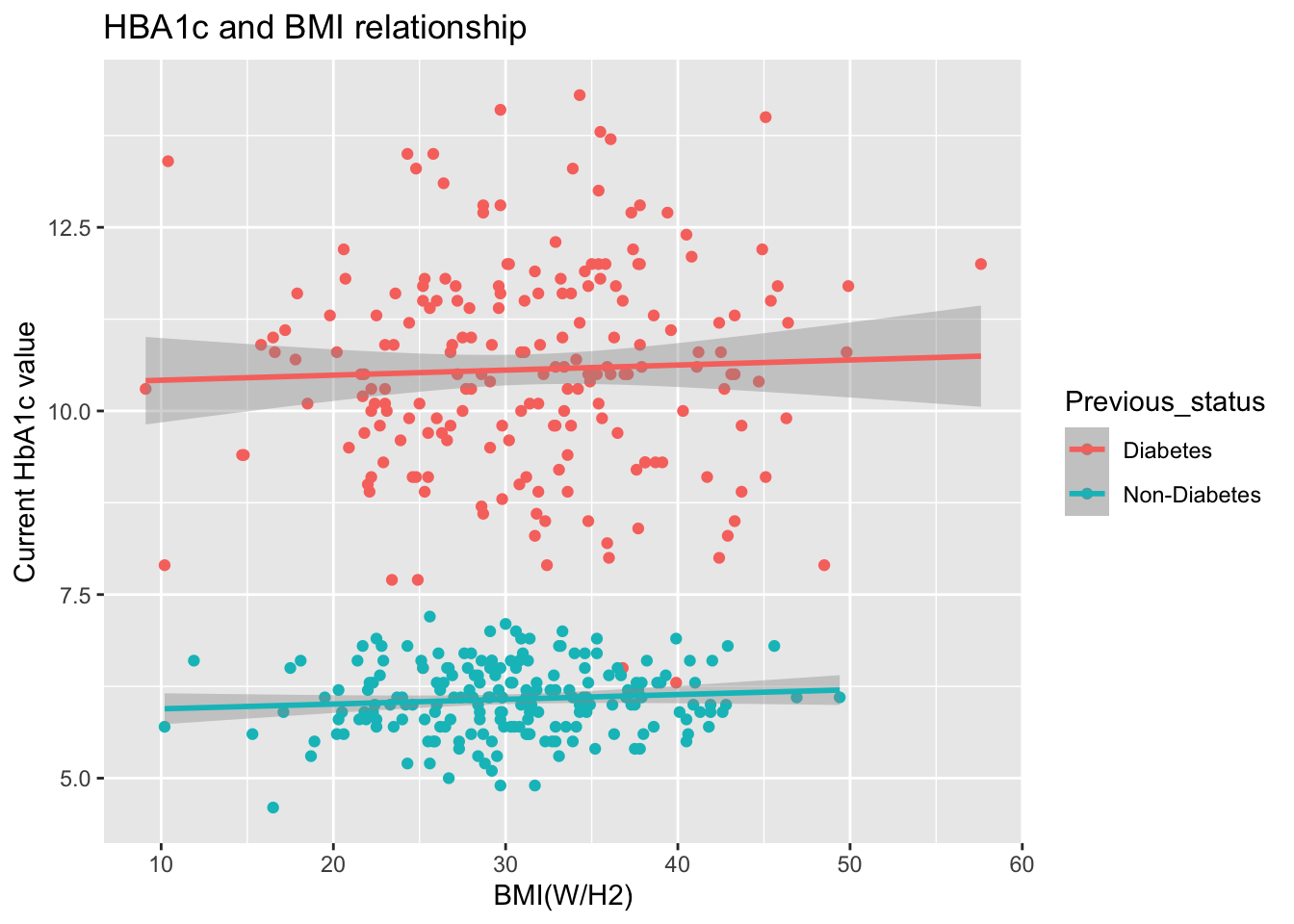
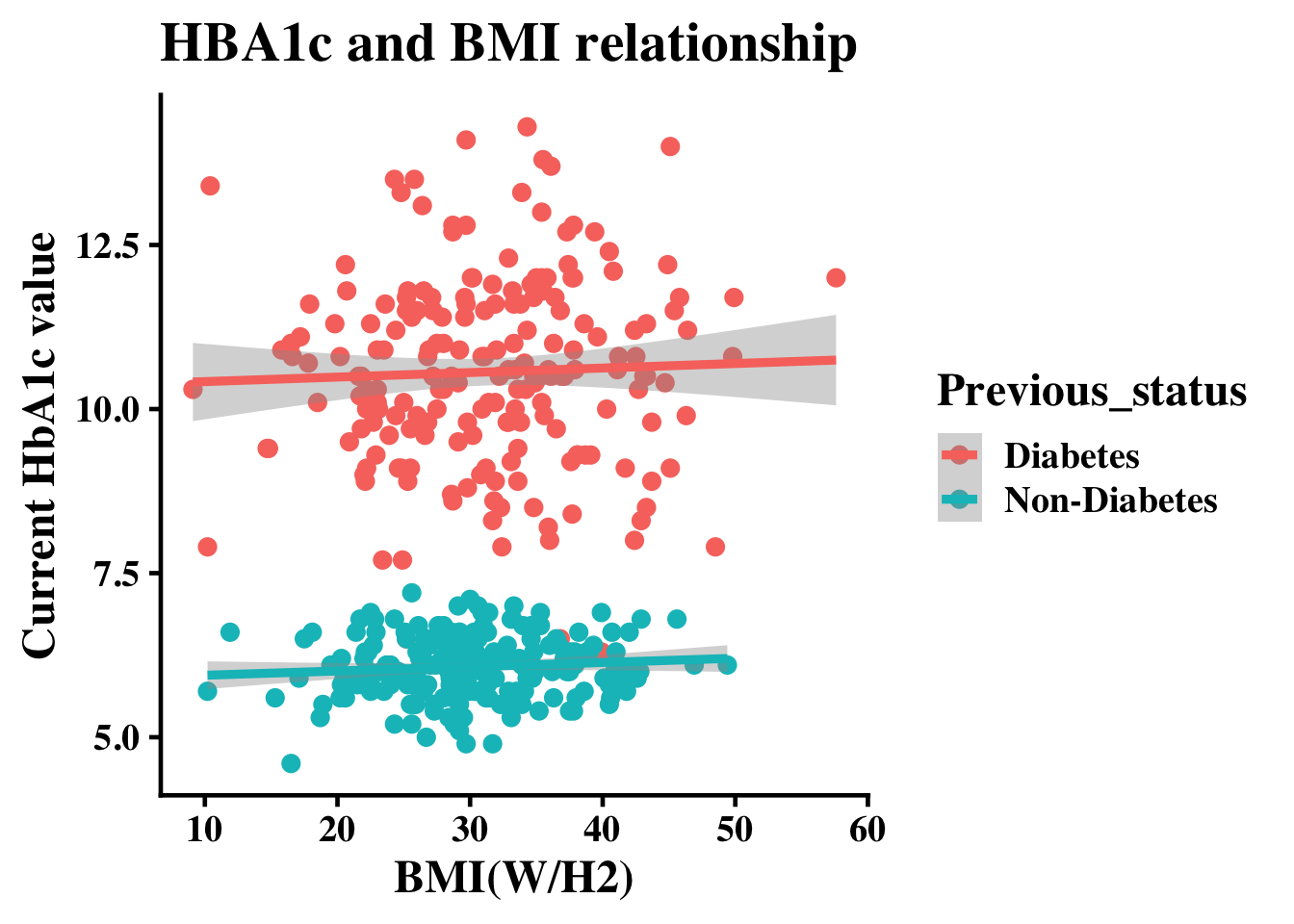
g4+xlab("BMI(W/H2)")+ ylab("Current HbA1c value")+ggtitle("HBA1c and BMI relationship")->g5
g5
`geom_smooth()` using formula = 'y ~ x'

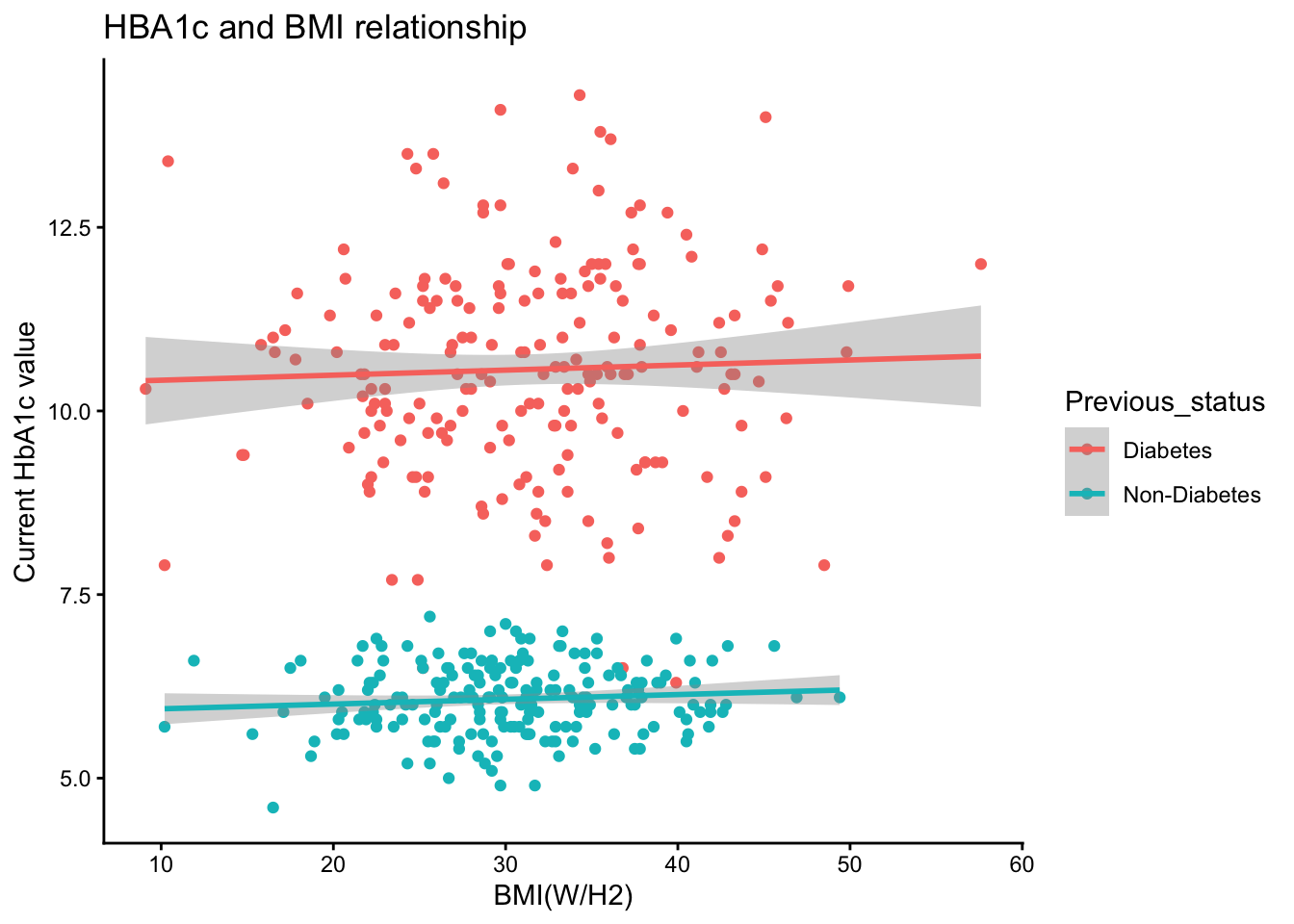
g5+theme_classic()->g6
g6
`geom_smooth()` using formula = 'y ~ x'

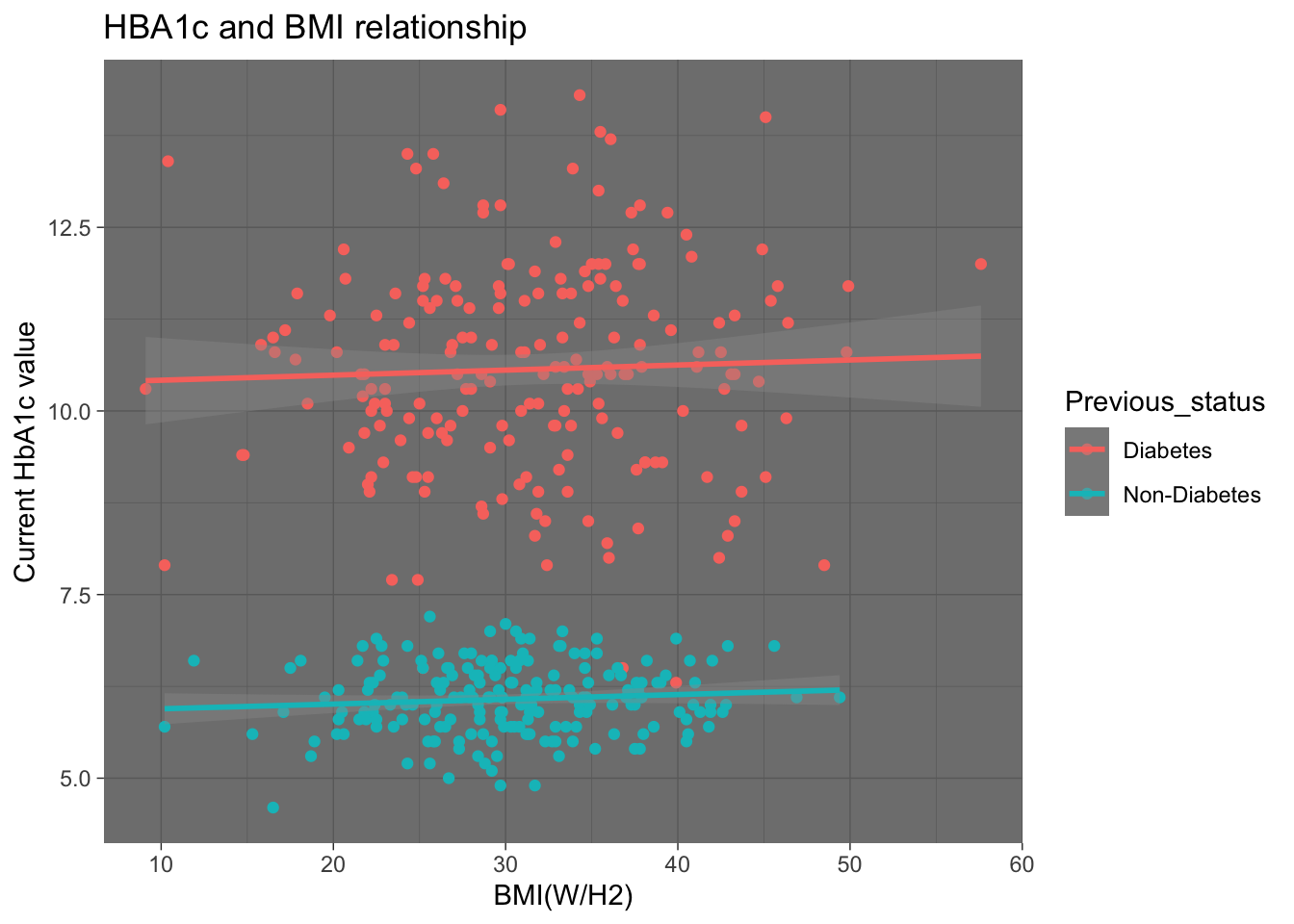
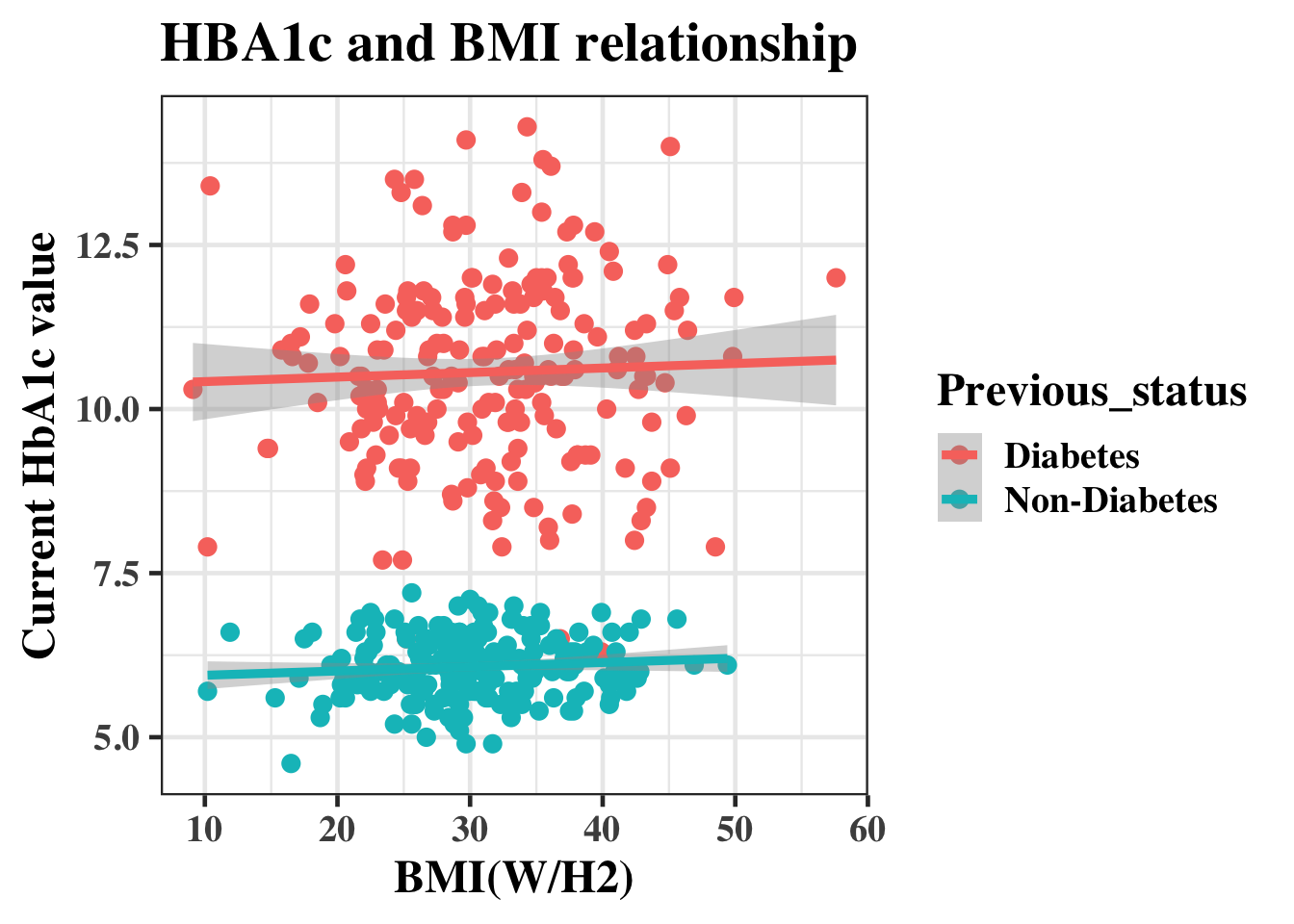
g5+theme_dark()
`geom_smooth()` using formula = 'y ~ x'

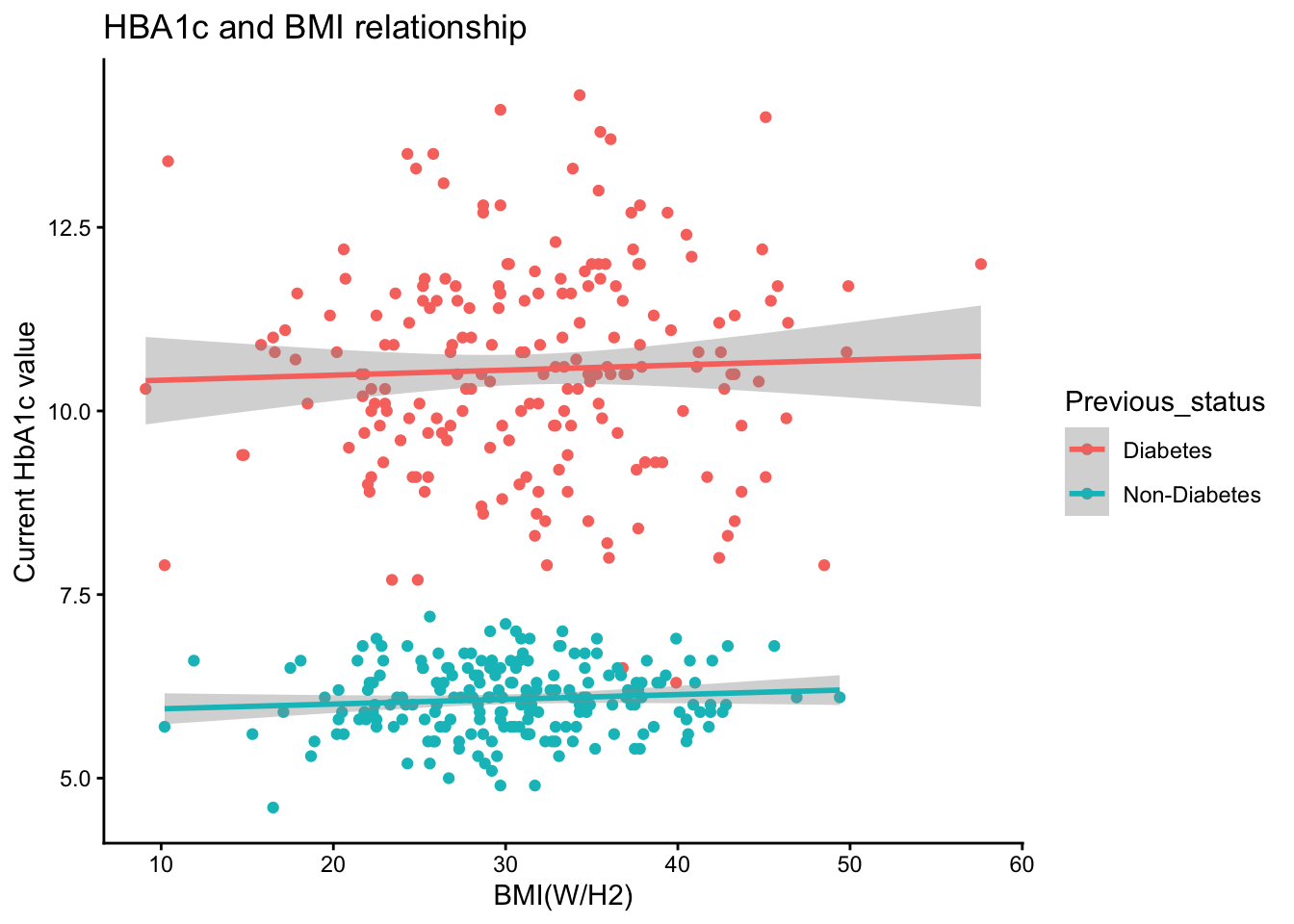
g6
`geom_smooth()` using formula = 'y ~ x'

g6+theme_classic(base_size = 18,base_family = "Times-Bold" )
`geom_smooth()` using formula = 'y ~ x'

g6+theme_bw(base_size = 18,base_family = "Times-Bold" )
`geom_smooth()` using formula = 'y ~ x'

# The labels can also be adjusted by this method 
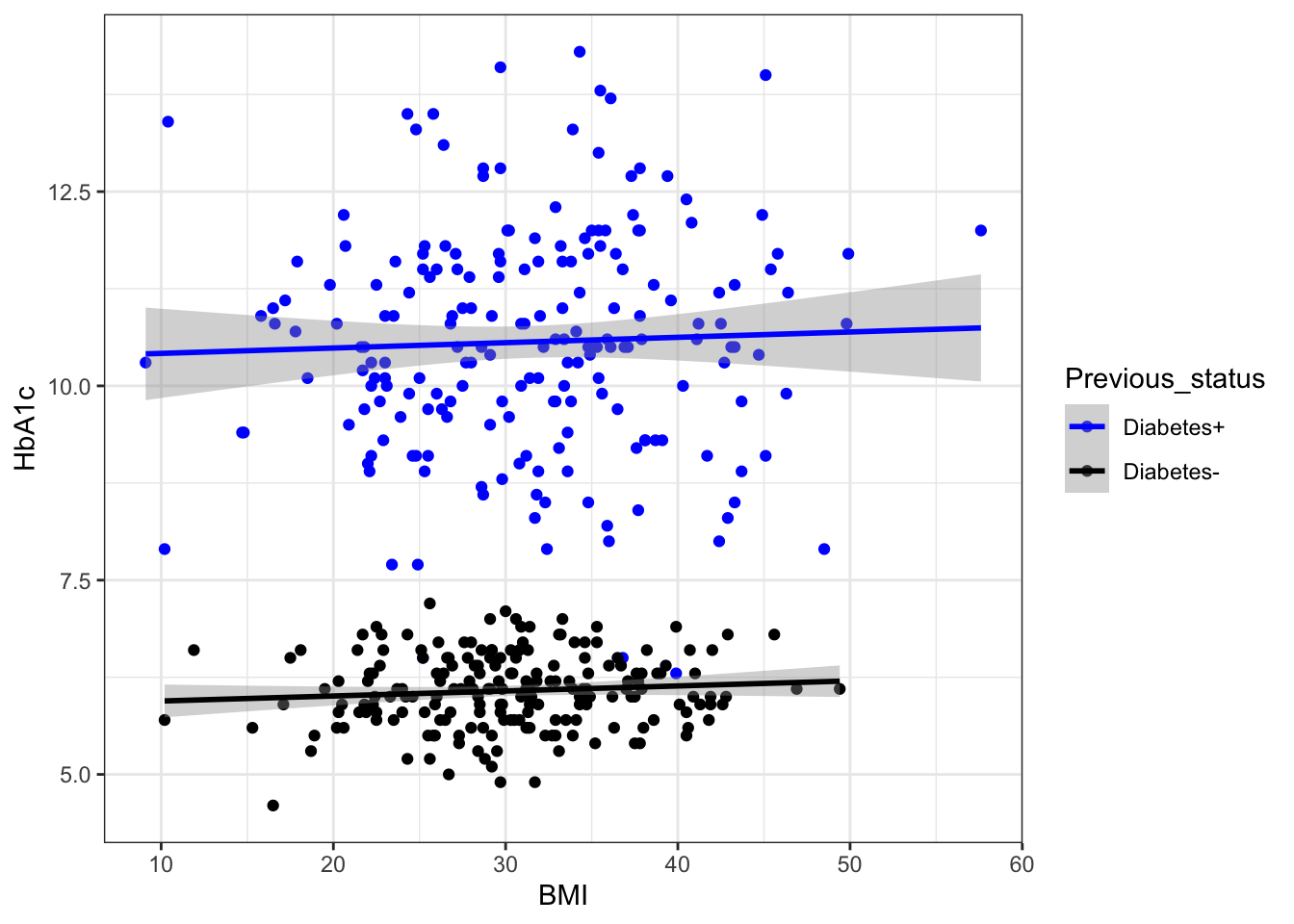
 g4+
  scale_color_manual(labels = c("Diabetes+", "Diabetes-"), values = c("blue", "black","brown"))+
 theme_bw()->g6
g6
`geom_smooth()` using formula = 'y ~ x'

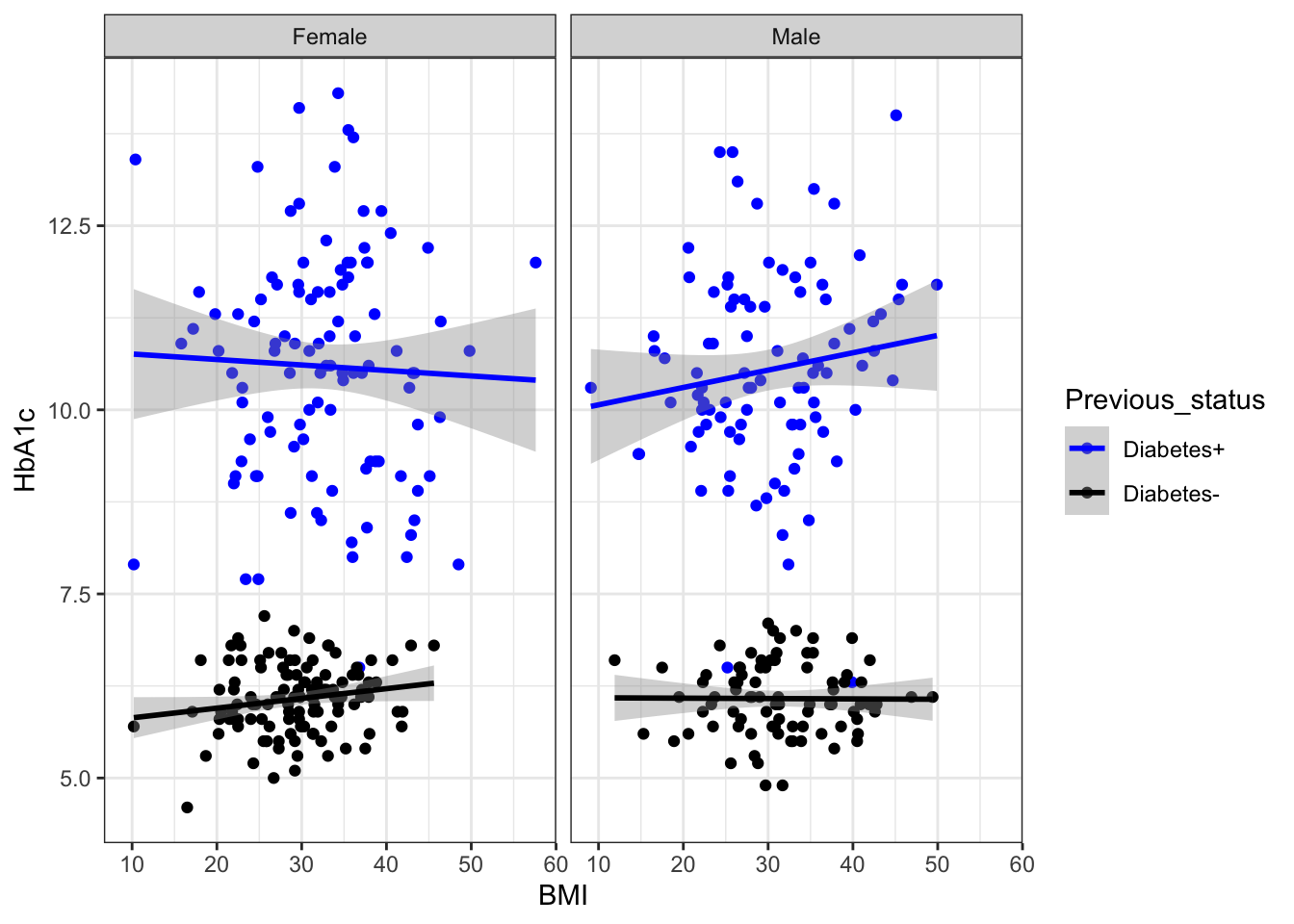
## Whether these BMI values are diffrently distributed in male and females 
g6+facet_wrap(.~Gender)->g7
g7
`geom_smooth()` using formula = 'y ~ x'

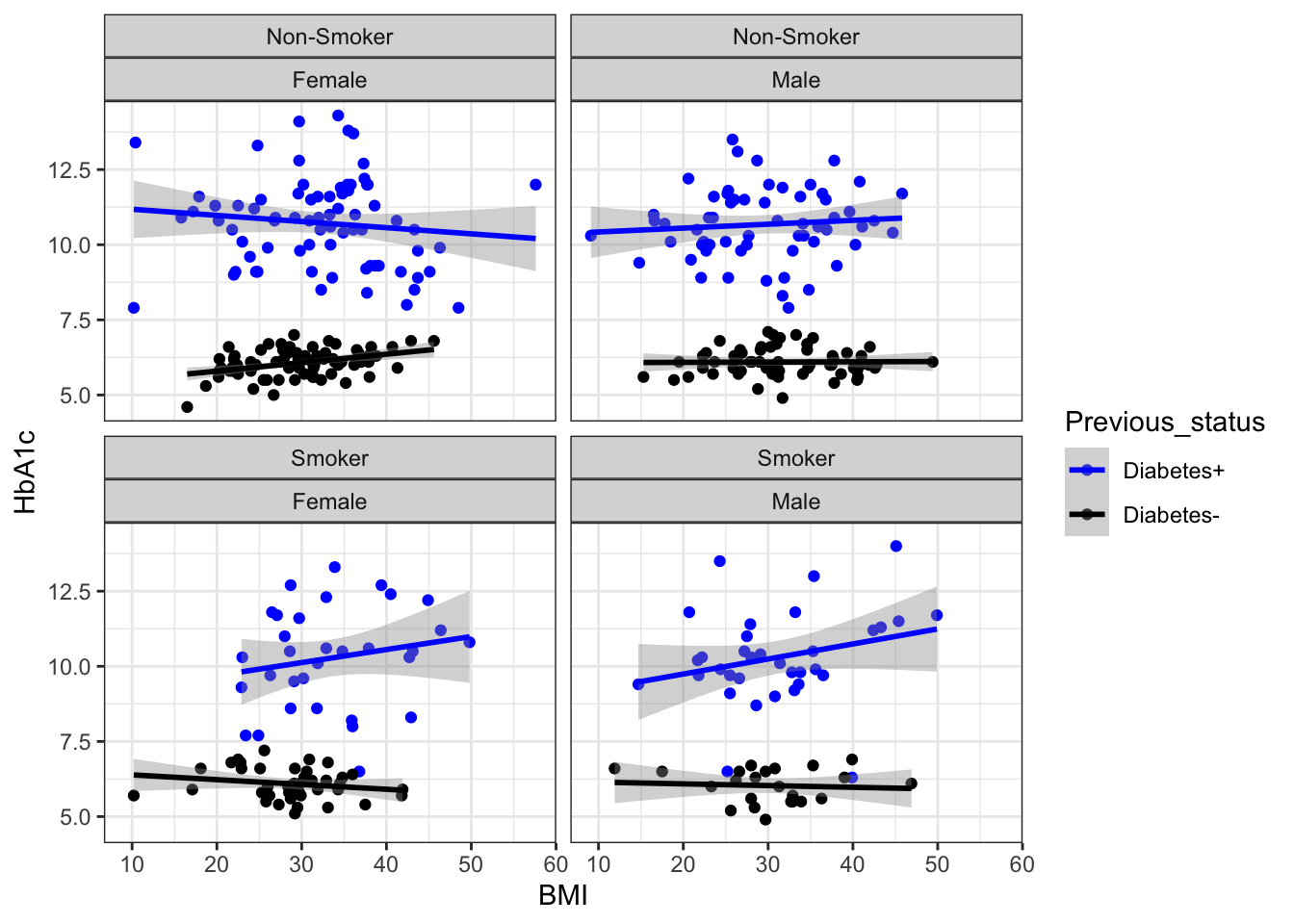
g6+facet_wrap(Smoking~Gender)
`geom_smooth()` using formula = 'y ~ x'

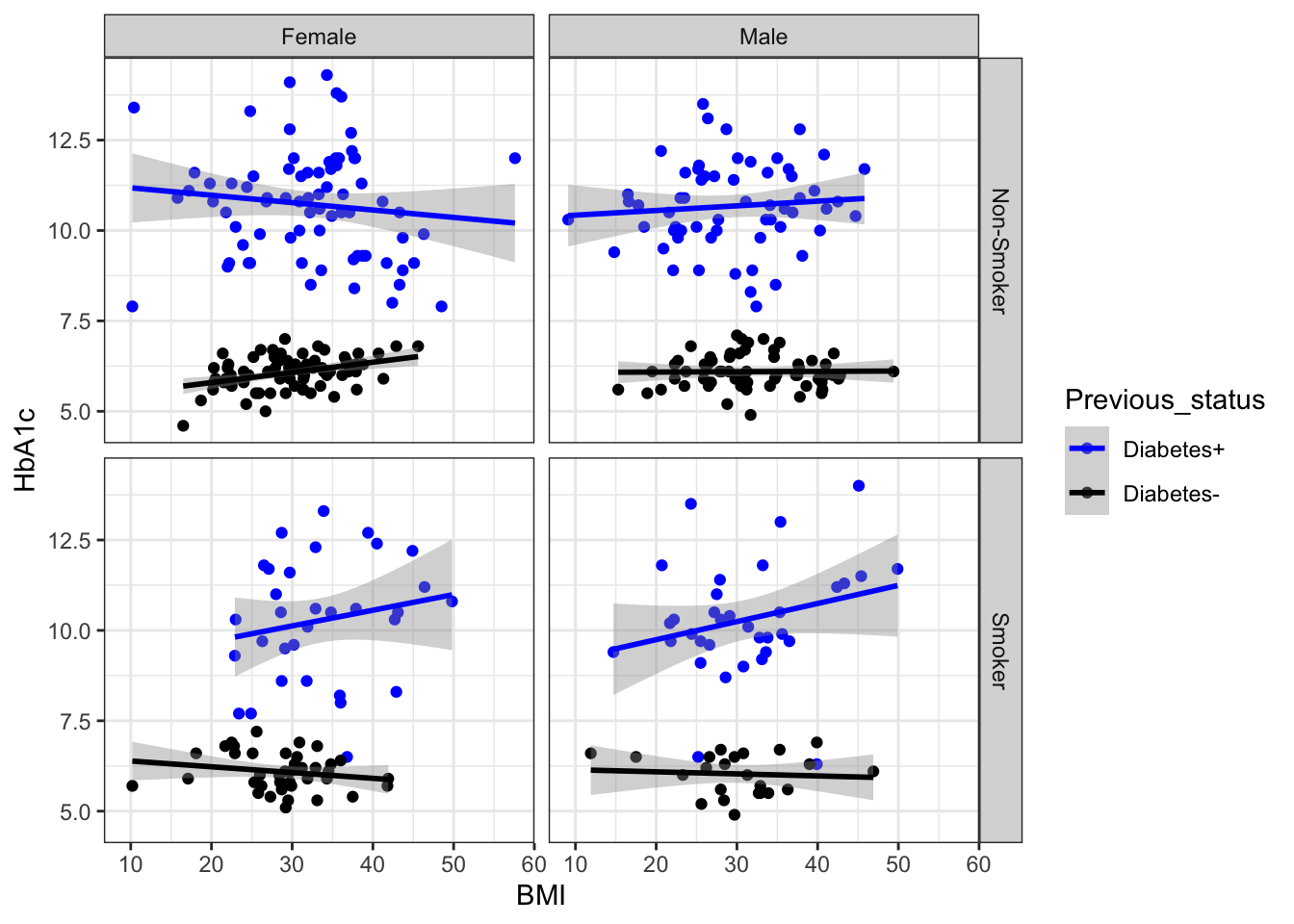
g6+facet_grid(Smoking~Gender)
`geom_smooth()` using formula = 'y ~ x'

## time to look into color , shape and size
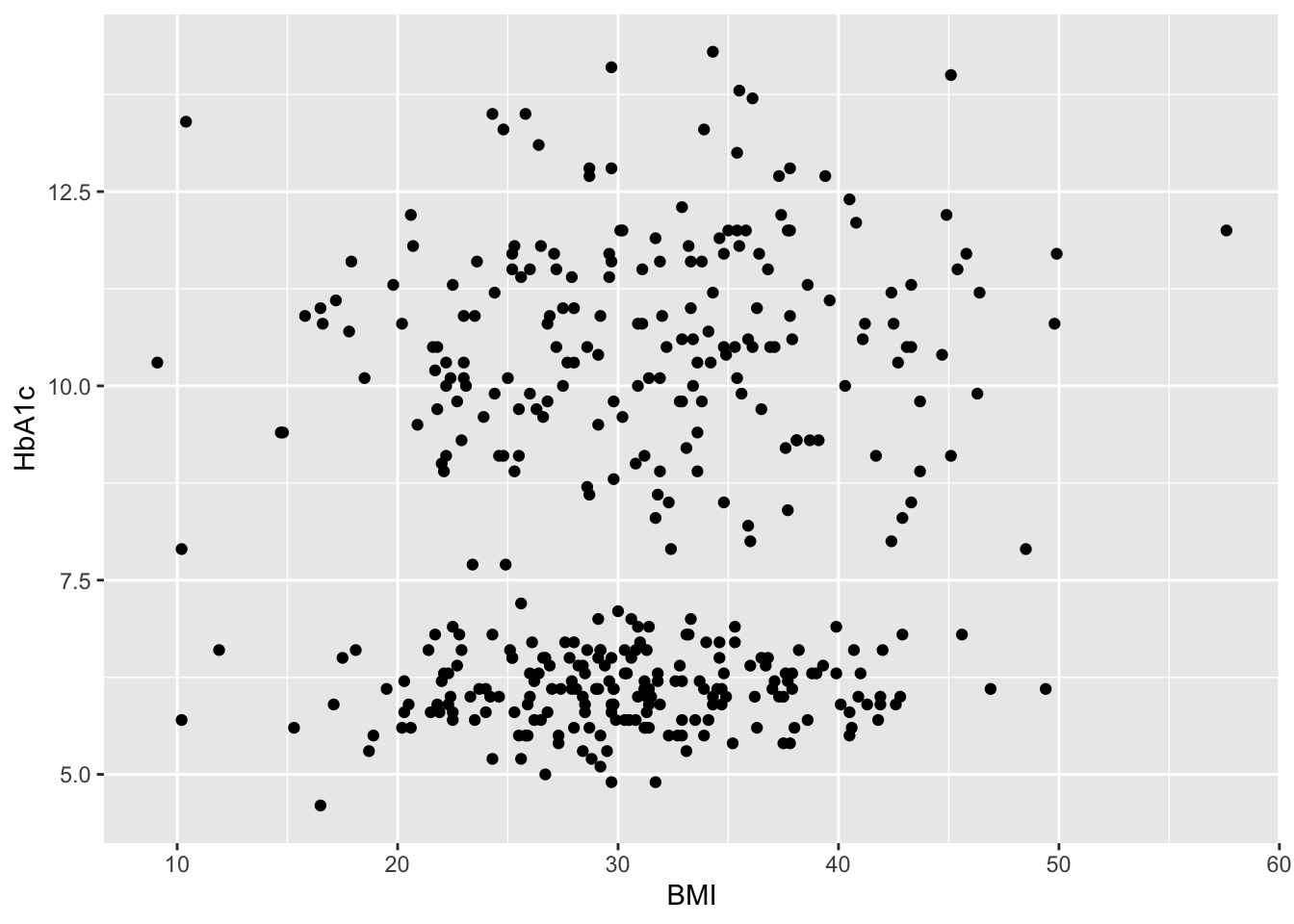
ggplot(data=df,aes(x=BMI,y=HbA1c))+geom_point()

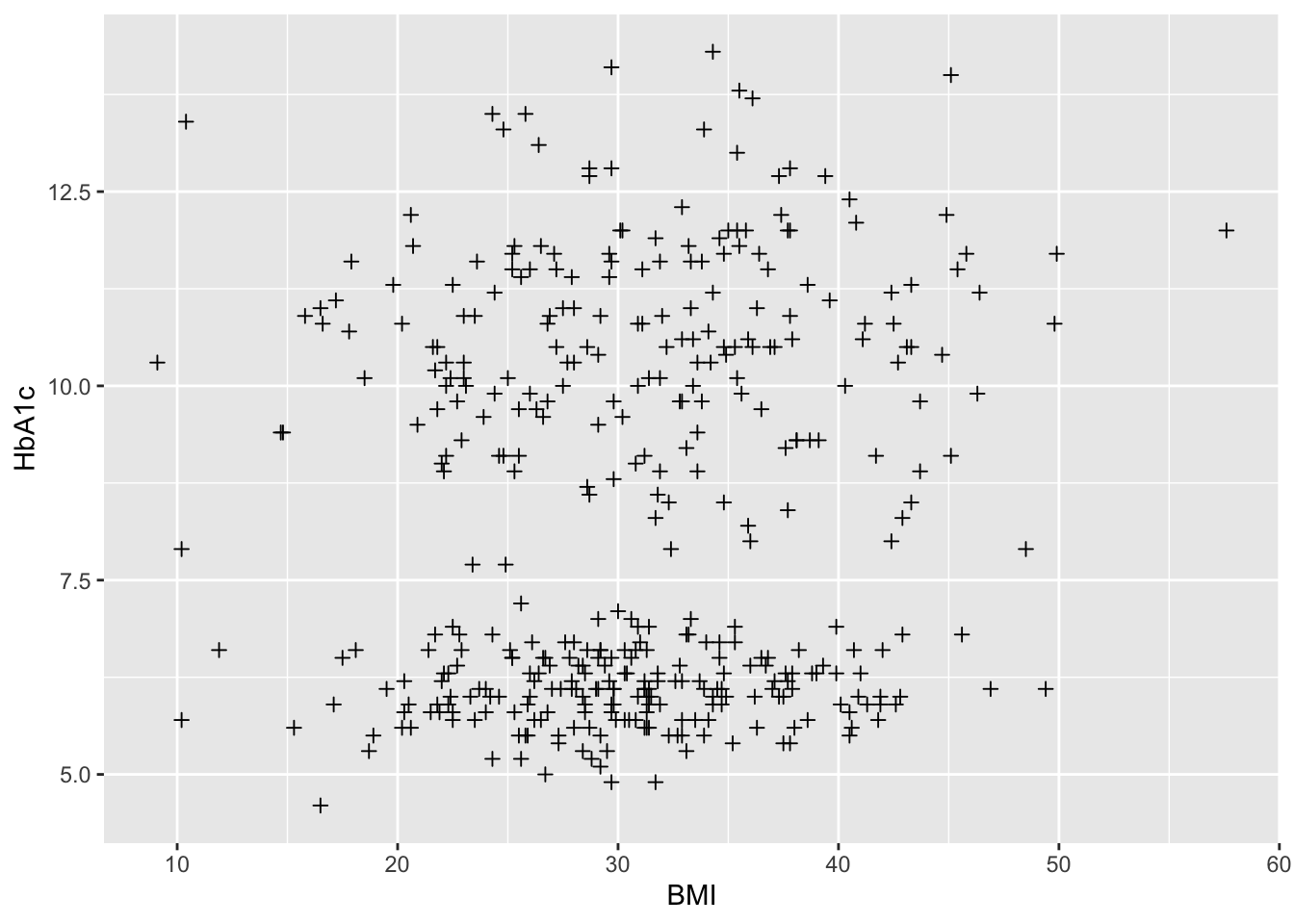
#shape
ggplot(data=df,aes(x=BMI,y=HbA1c))+           
  geom_point( shape= 3)

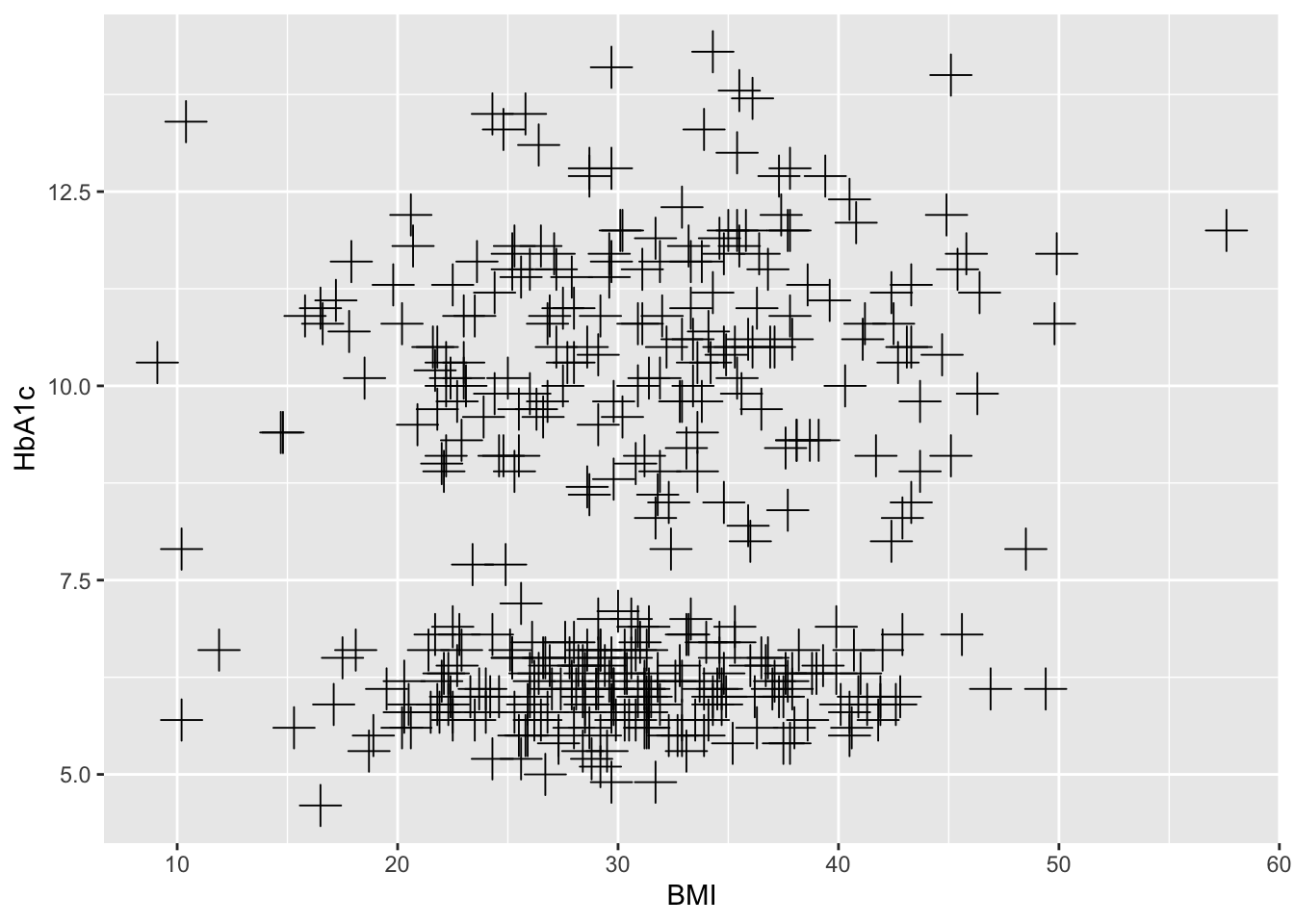
ggplot(data=df,aes(x=BMI,y=HbA1c))+  # shape and size
  geom_point( shape= 3, size= 5 )

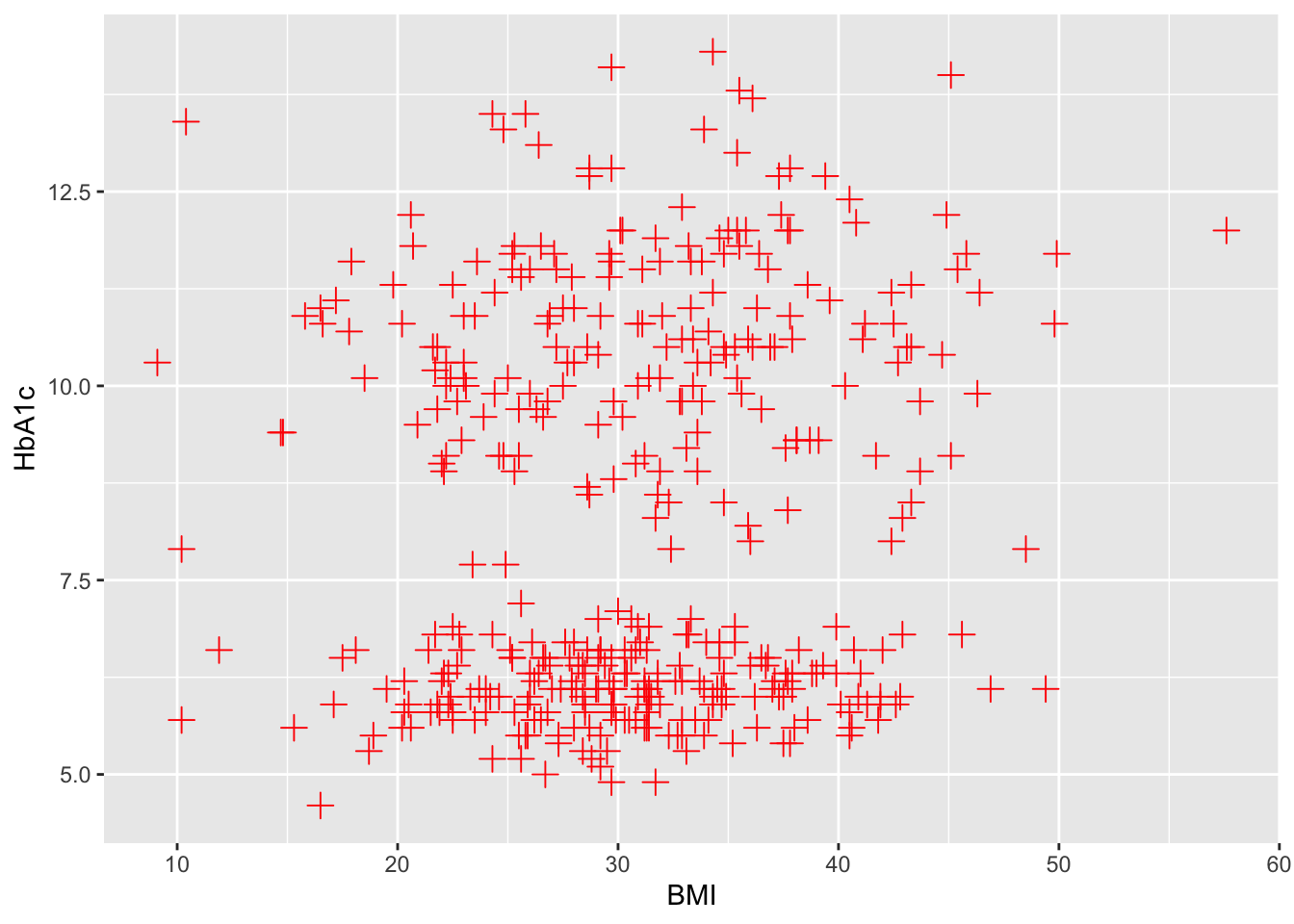
ggplot(data=df,aes(x=BMI,y=HbA1c))+ # shape size and colour
  geom_point( shape= 3, size= 3, colour="red")

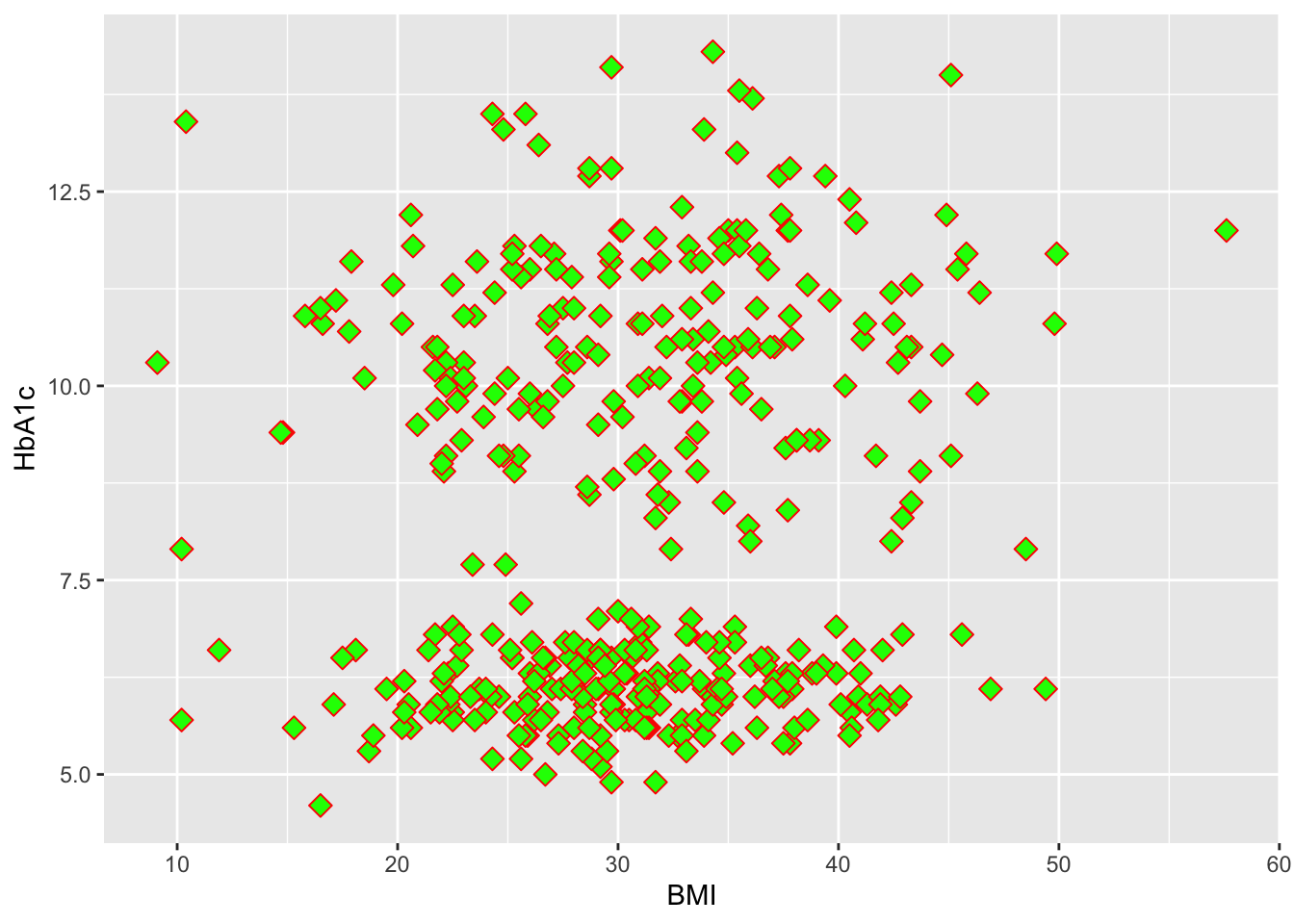
ggplot(data=df,aes(x=BMI,y=HbA1c))+ # shape,size,colour and fill
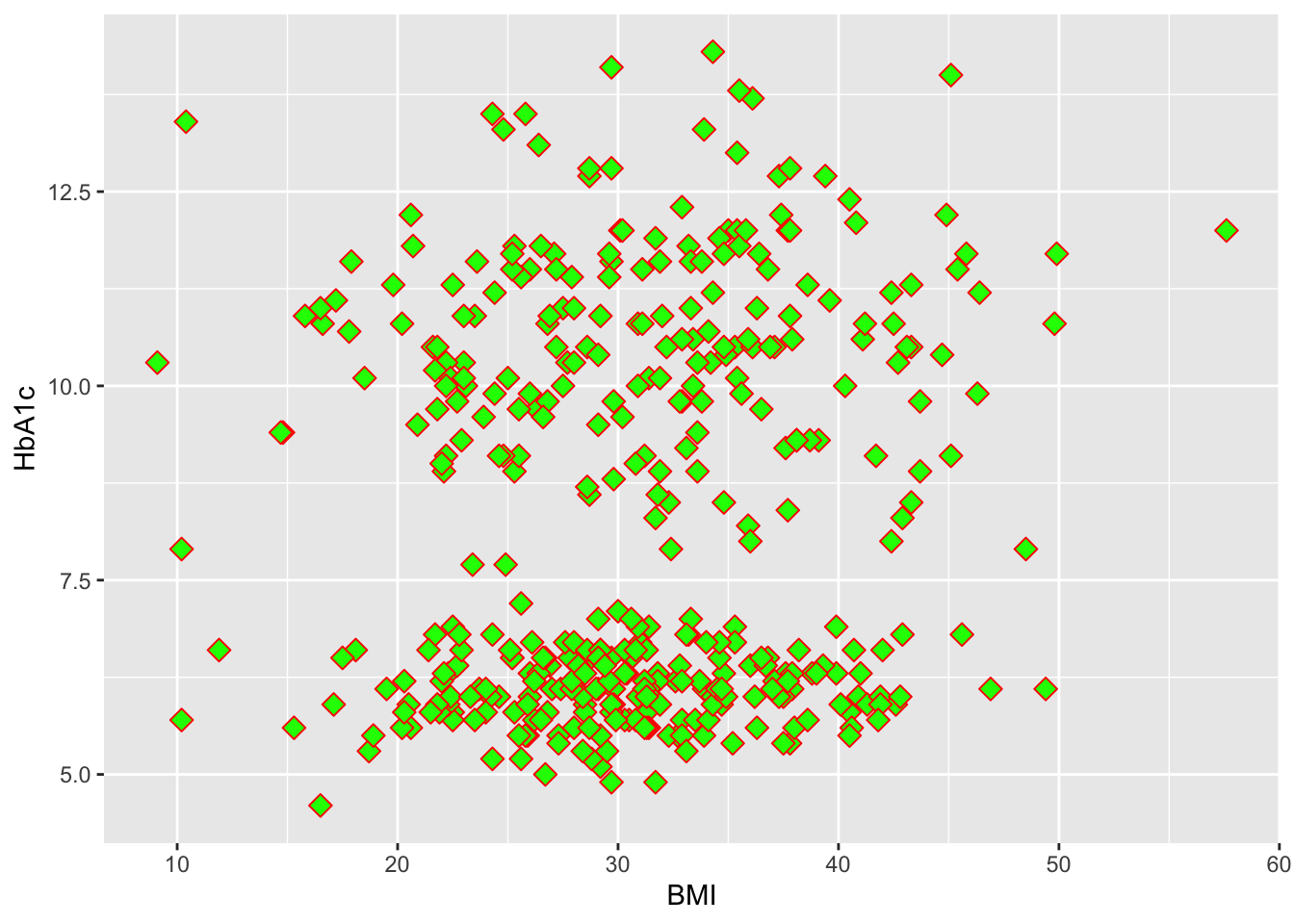
  geom_point( shape= 23, size= 3, colour="red",fill="green")

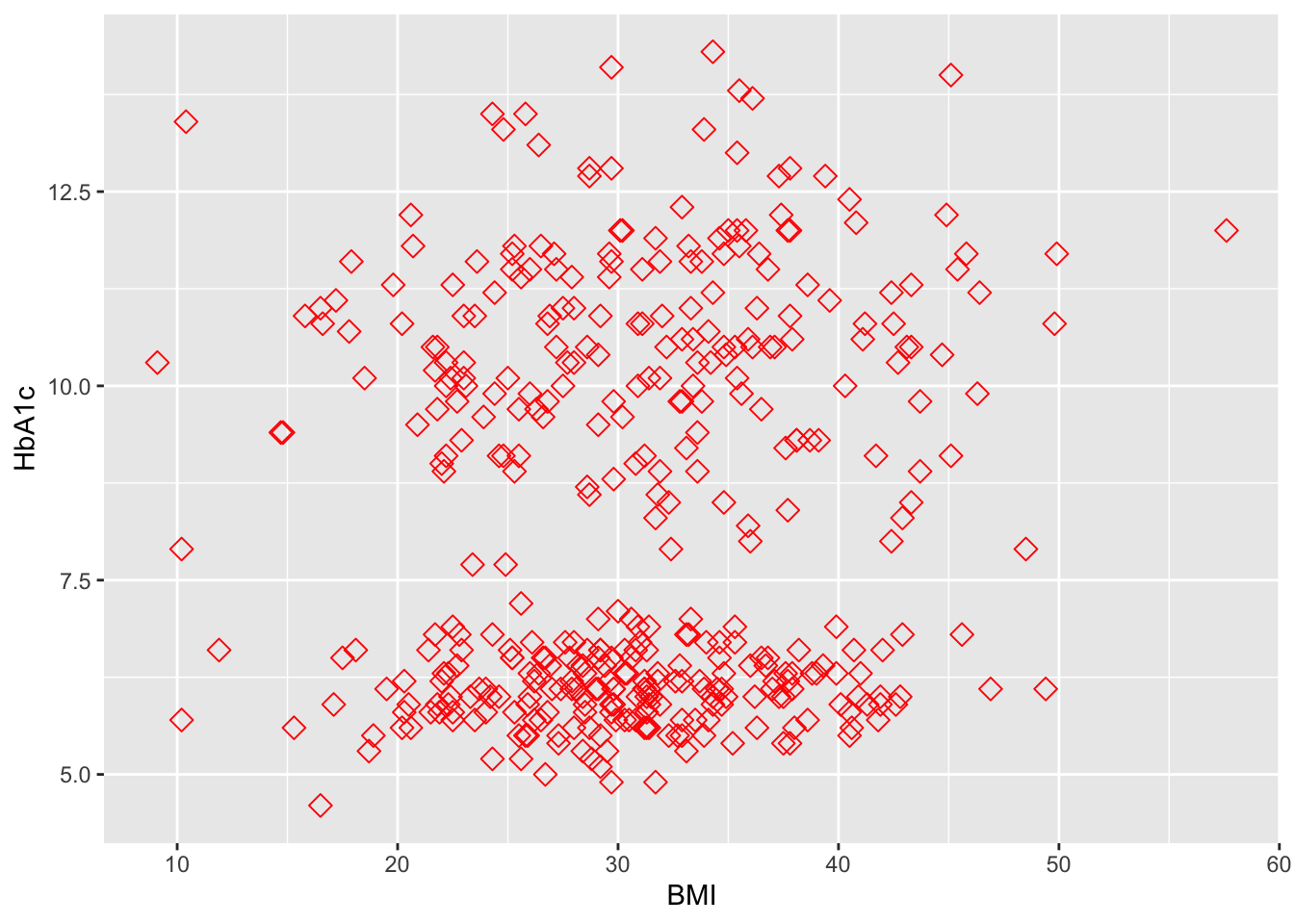
ggplot(data=df,aes(x=BMI,y=HbA1c))+ # shape,size,colour and fill
  geom_point( shape= 23, size= 3, colour="red")

## Local versus global asthethics 
ggplot(data=df,aes(x=BMI,y=HbA1c))+ # shape,size,colour and fill
  geom_point( shape= 23, size= 3, colour="red",fill="green")

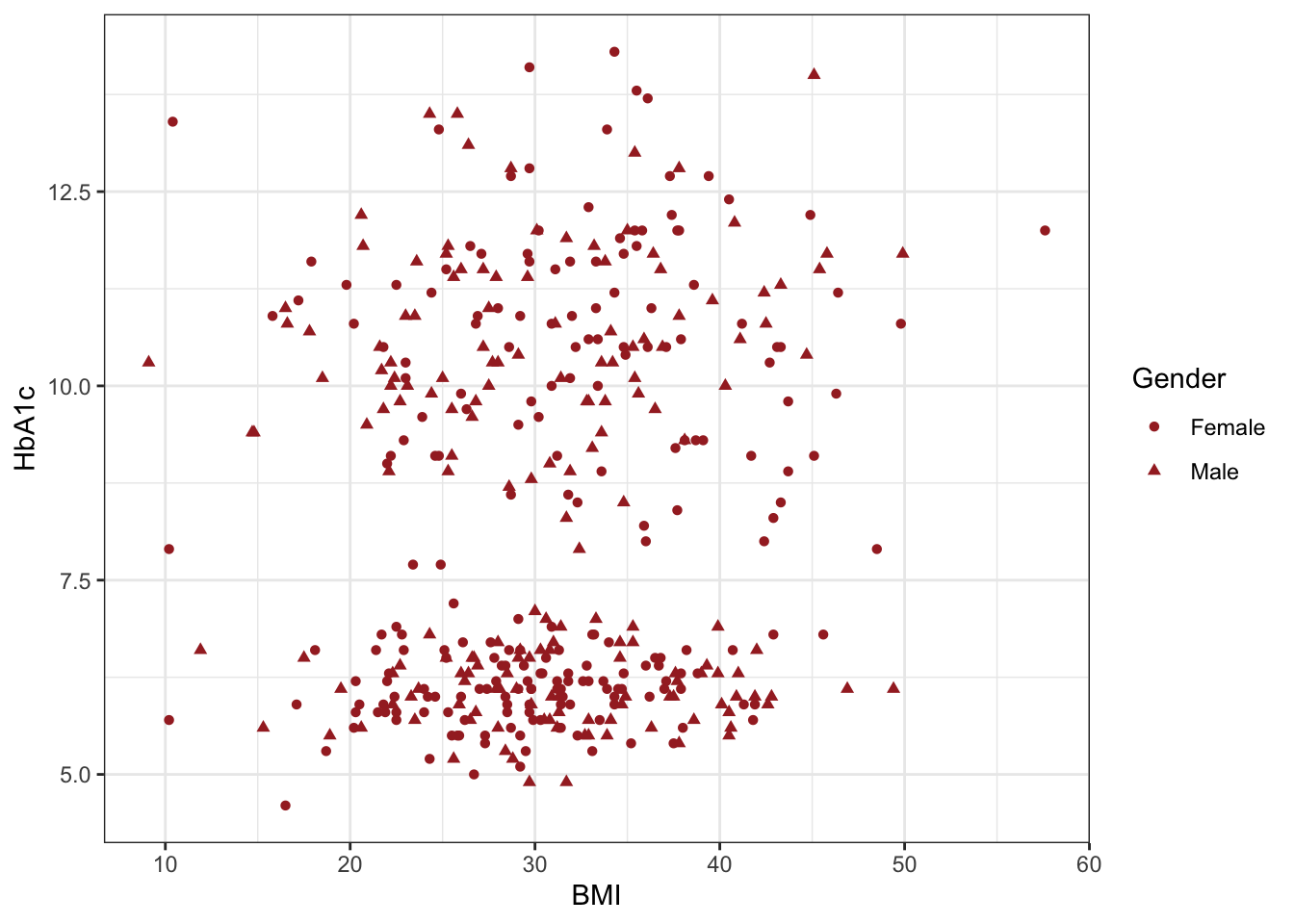
ggplot(data=df,aes(x=BMI,y=HbA1c,shape=Gender))+geom_point(colour="brown")+theme_bw()

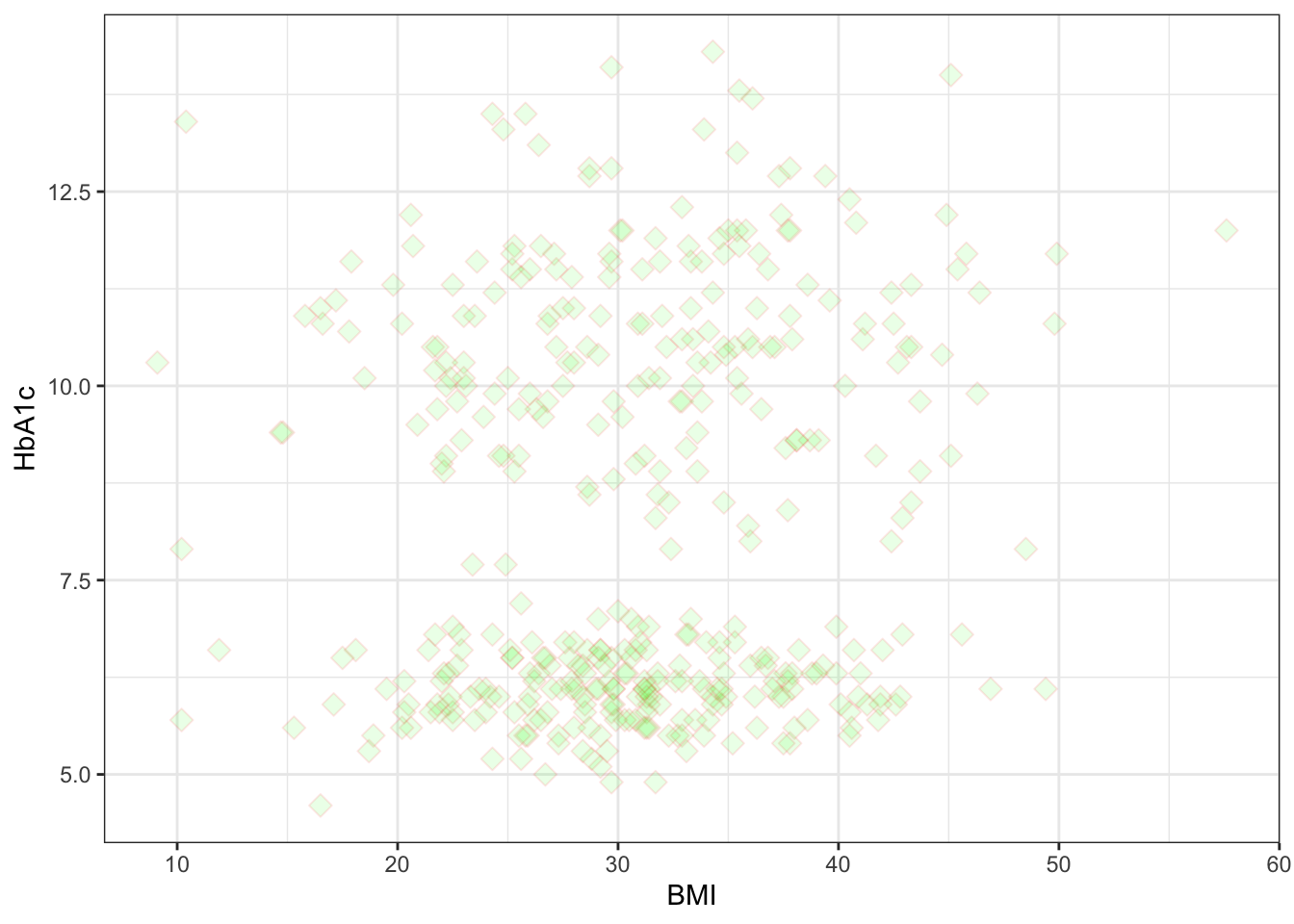
##using transparency (alpha)
ggplot(data=df,aes(x=BMI,y=HbA1c))+ # shape,size,colour and fill
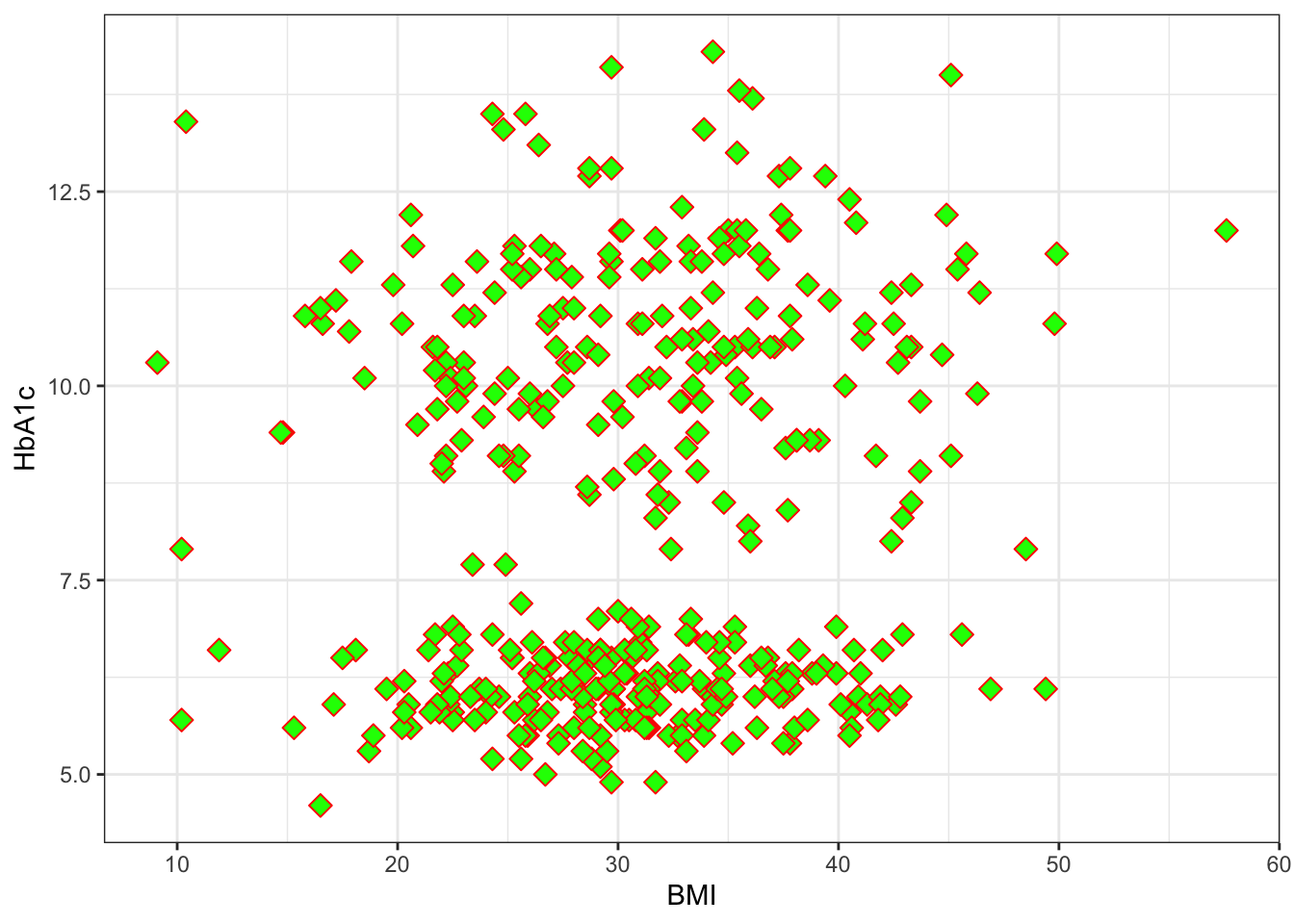
  geom_point( shape= 23, size= 3, colour="red",fill="green")+theme_bw()

ggplot(data=df,aes(x=BMI,y=HbA1c))+ # shape,size,colour and fill
  geom_point( shape= 23, size= 3, colour="red",fill="green",alpha=0.1)+theme_bw()

## annotation and geom text
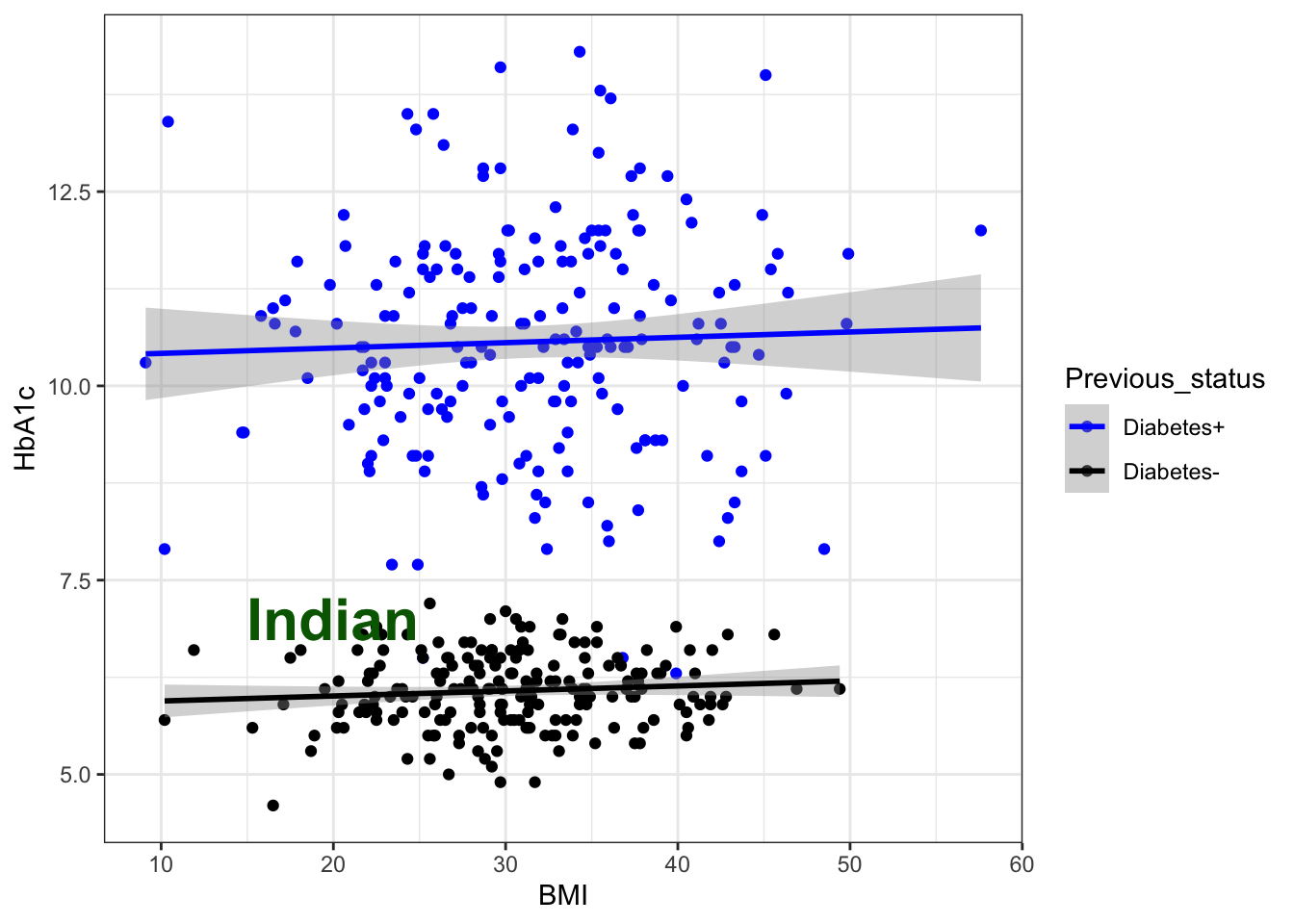
g6+annotate("text", x = 20, y = 7, label = "Indian", colour="darkgreen",size=8,fontface="bold") #teaxt
`geom_smooth()` using formula = 'y ~ x'

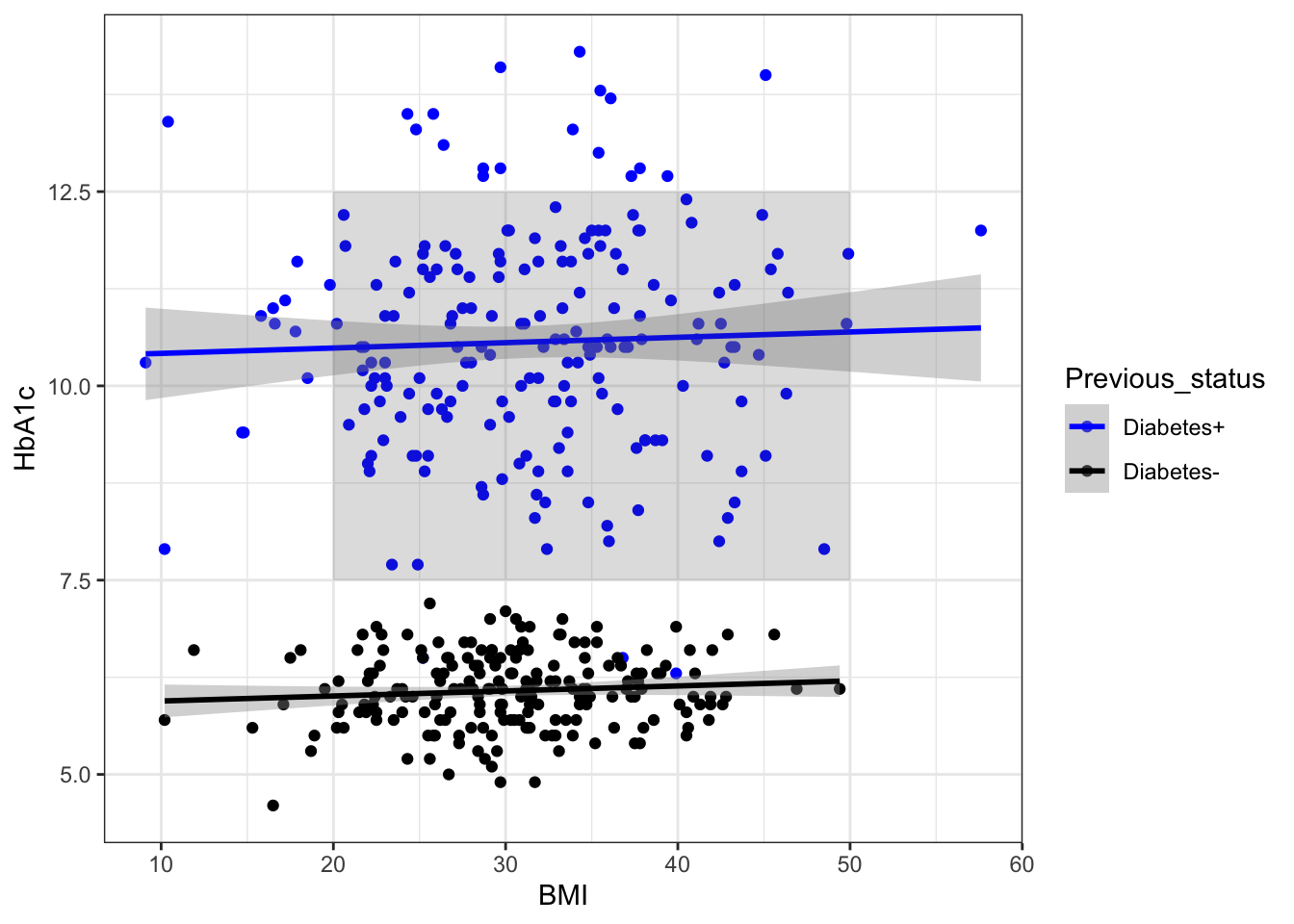
g6 + annotate("rect", xmin = 20, xmax = 50, ymin = 7.5, ymax = 12.5,
  alpha = .2) # Rectanagle
`geom_smooth()` using formula = 'y ~ x'

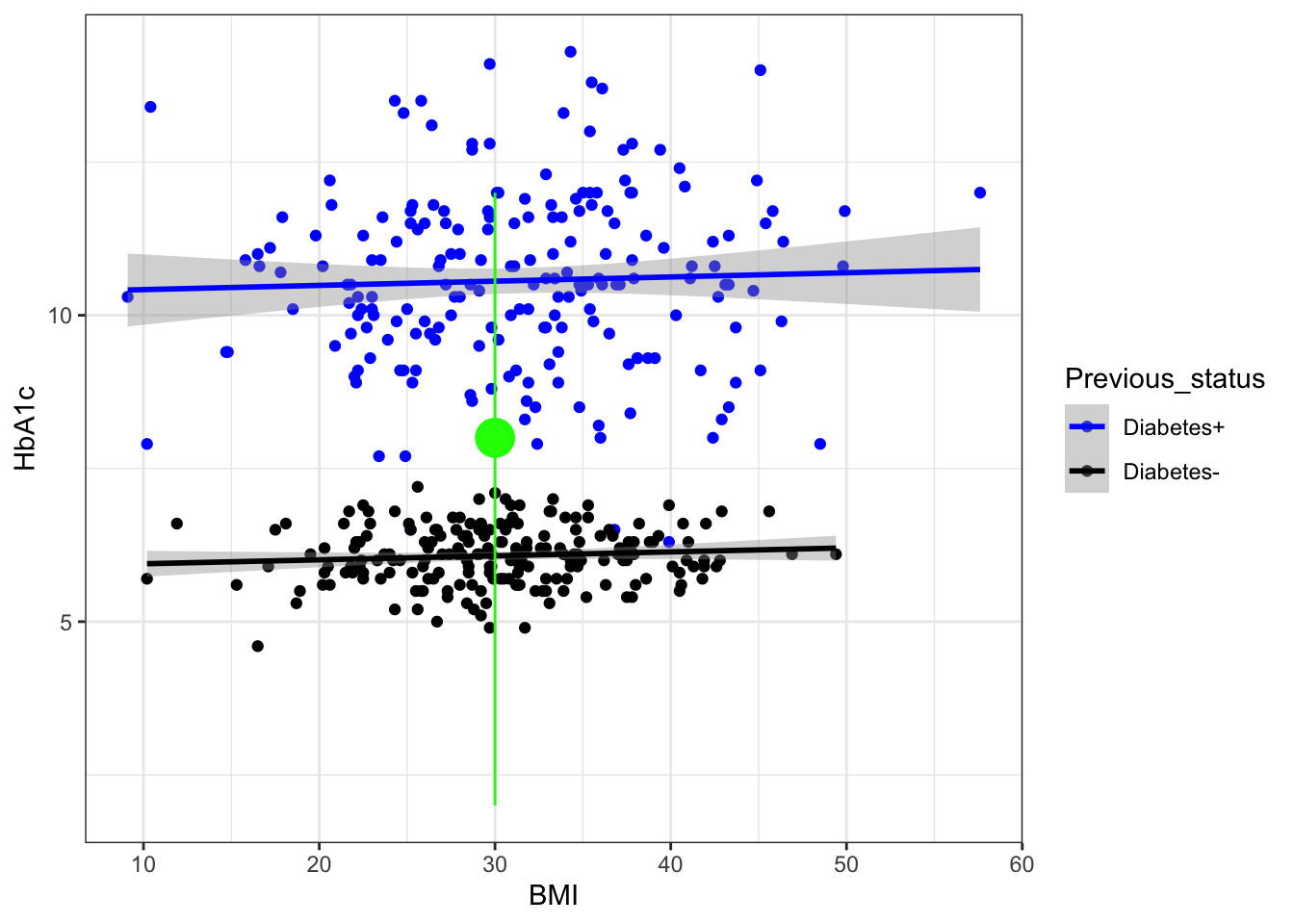
g6 + annotate("pointrange", x = 30, y = 8, ymin = 2, ymax = 12,
               colour = "green", size = 1.5) ## pointrange 
`geom_smooth()` using formula = 'y ~ x'

## label the specific values 
library(ggrepel)
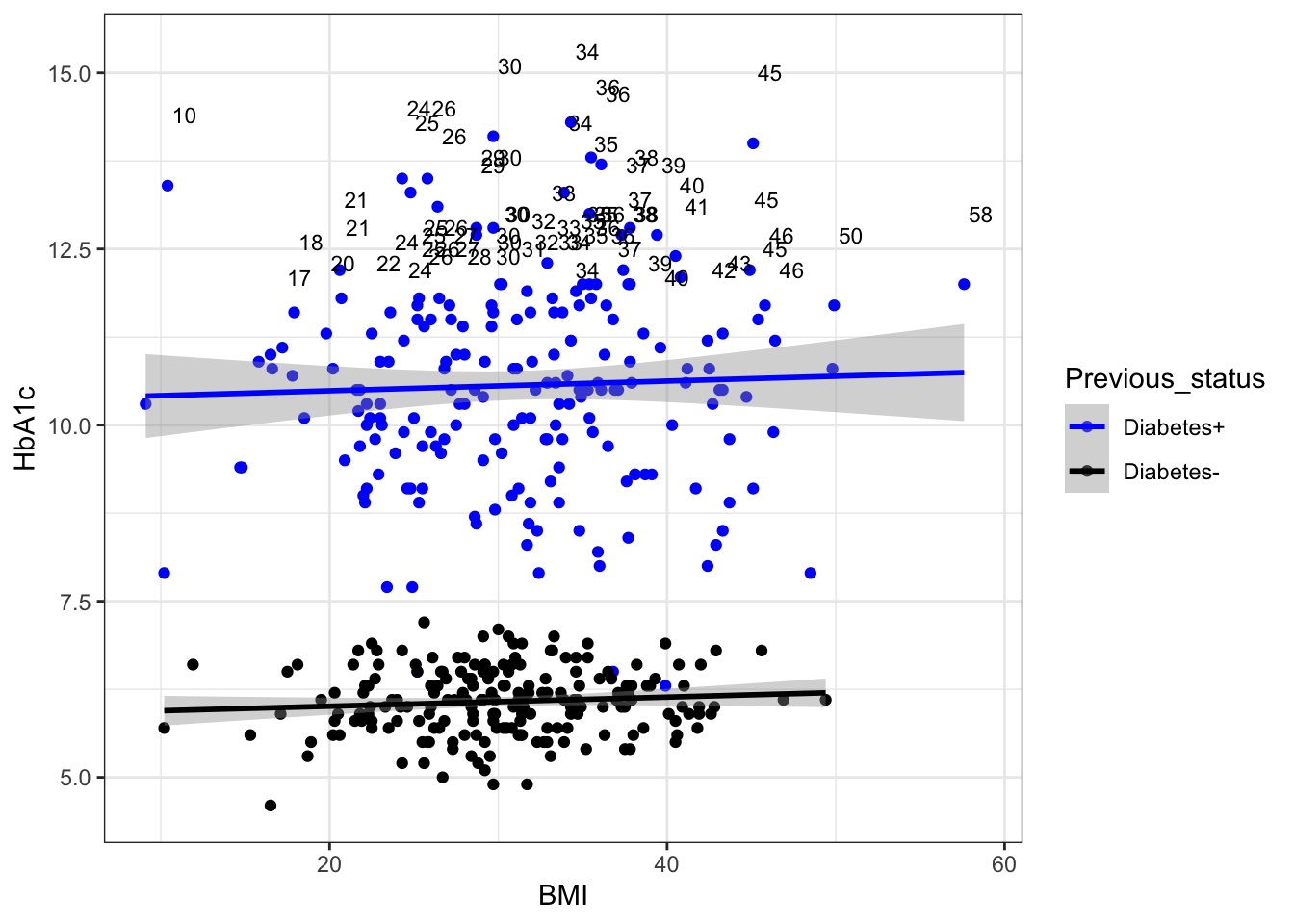
#BMI value label having hba1c>11

g6+
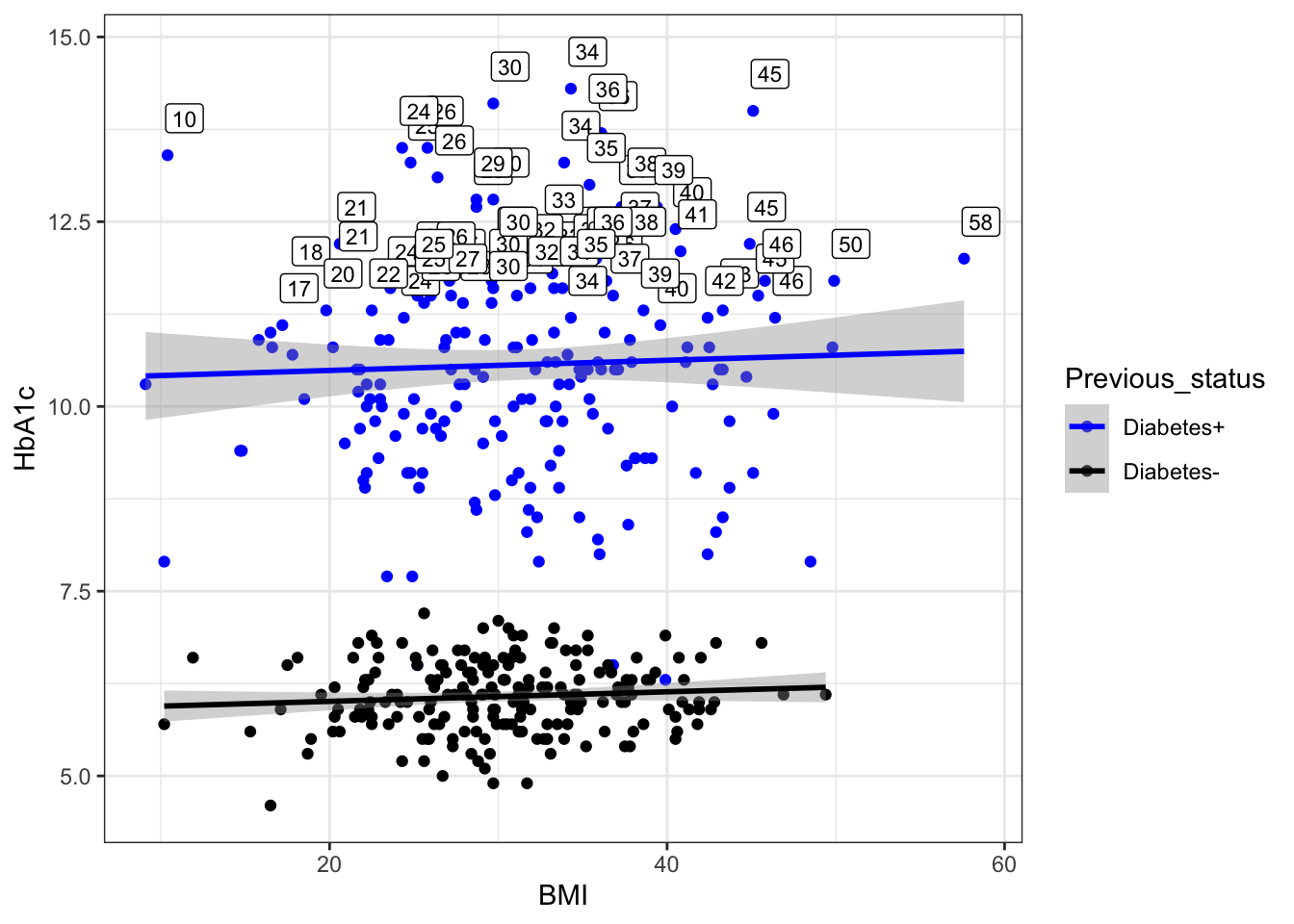
  geom_text(data=subset(df,HbA1c>11),aes(label=round(BMI)),size=3,color="black",nudge_x = 1,
  nudge_y = 1)
`geom_smooth()` using formula = 'y ~ x'

g6+
  geom_label(data=subset(df,HbA1c>11),aes(label=round(BMI)),size=3,color="black",nudge_x = 1,
  nudge_y = 0.5)
`geom_smooth()` using formula = 'y ~ x'

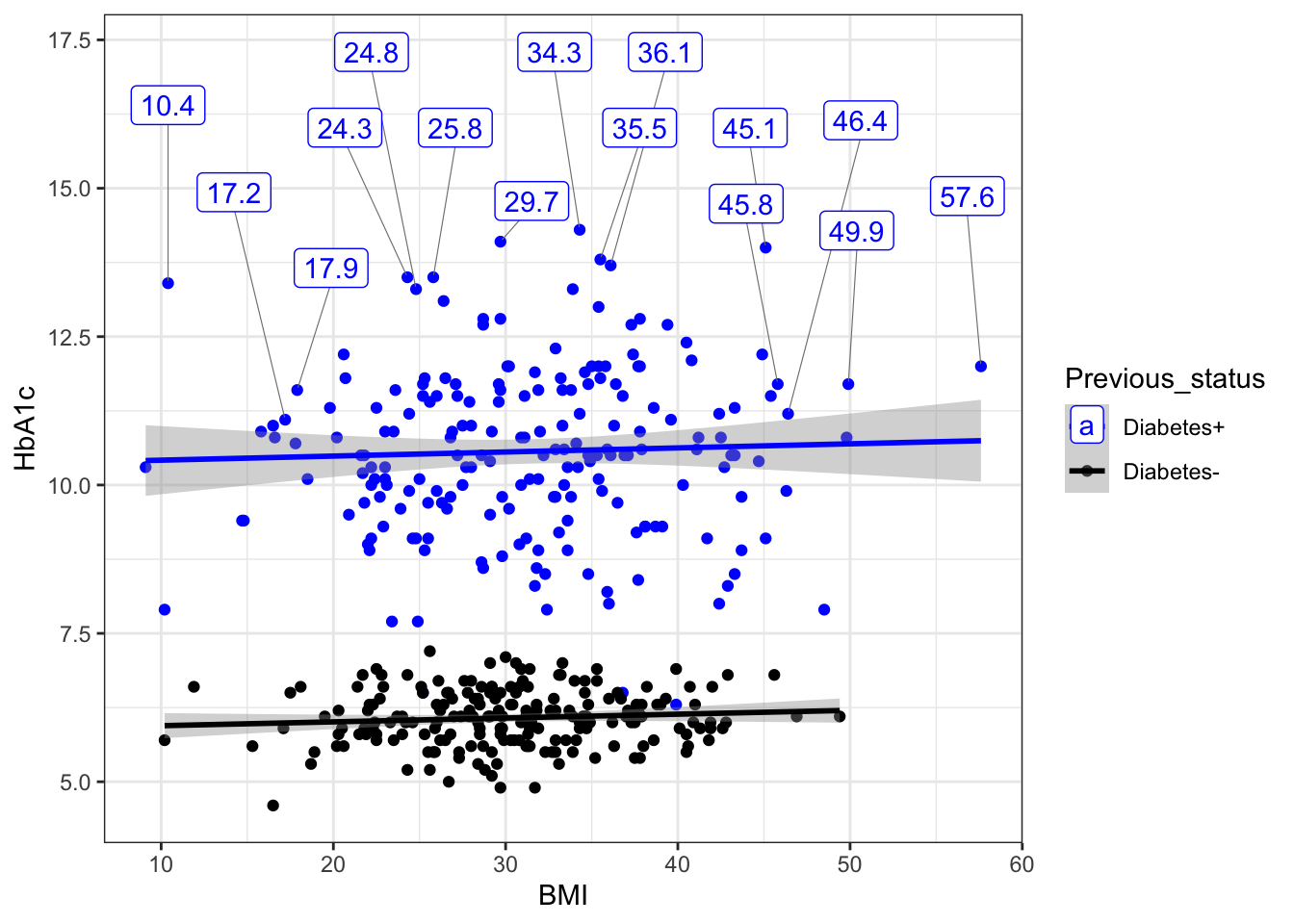
g6+geom_label_repel(data = subset(df,HbA1c>11 ), box.padding = 0.5,
                            aes(label = BMI),
                            nudge_y = 3,
                            segment.size  = 0.2,
                            segment.color = "grey50"
                            )
`geom_smooth()` using formula = 'y ~ x'
Warning: ggrepel: 56 unlabeled data points (too many overlaps). Consider
increasing max.overlaps

#text and label border color=black
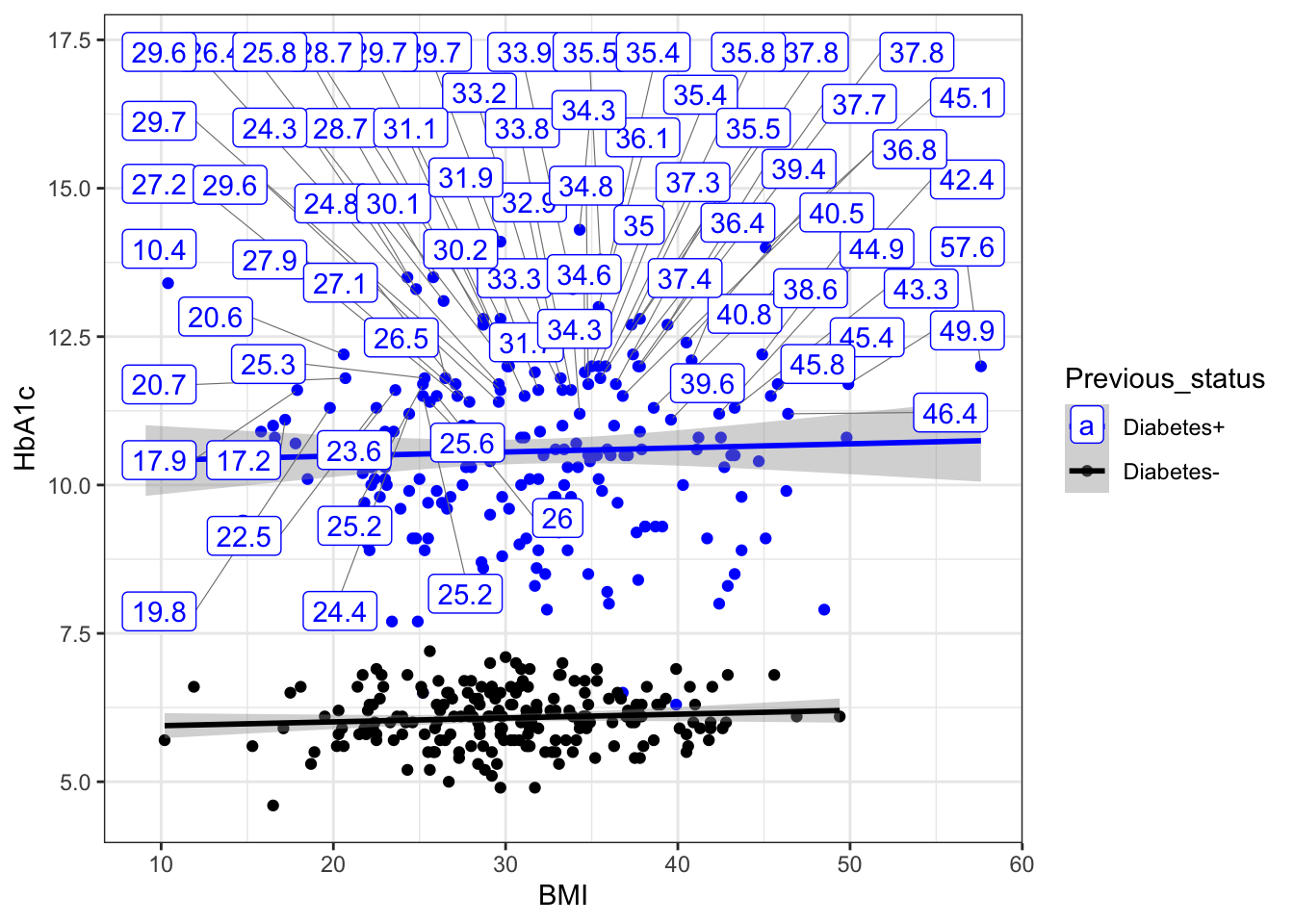
#Some text labels will be discarded if they have too many overlaps in label .so we get a Warning message:ggrepel: 45 unlabeled data points (too many overlaps). Consider increasing max.overlaps.... due to too many overlaps.to overcome it we add" max.overlaps = Inf" ...this will show all labels howsomuch overlapping is there .
g6+geom_label_repel(data = subset(df,HbA1c>11 ), box.padding = 0.5,max.overlaps = Inf,
                            aes(label = BMI),
                            nudge_y = 3,
                            segment.size  = 0.2,
                            segment.color = "grey50")
`geom_smooth()` using formula = 'y ~ x'

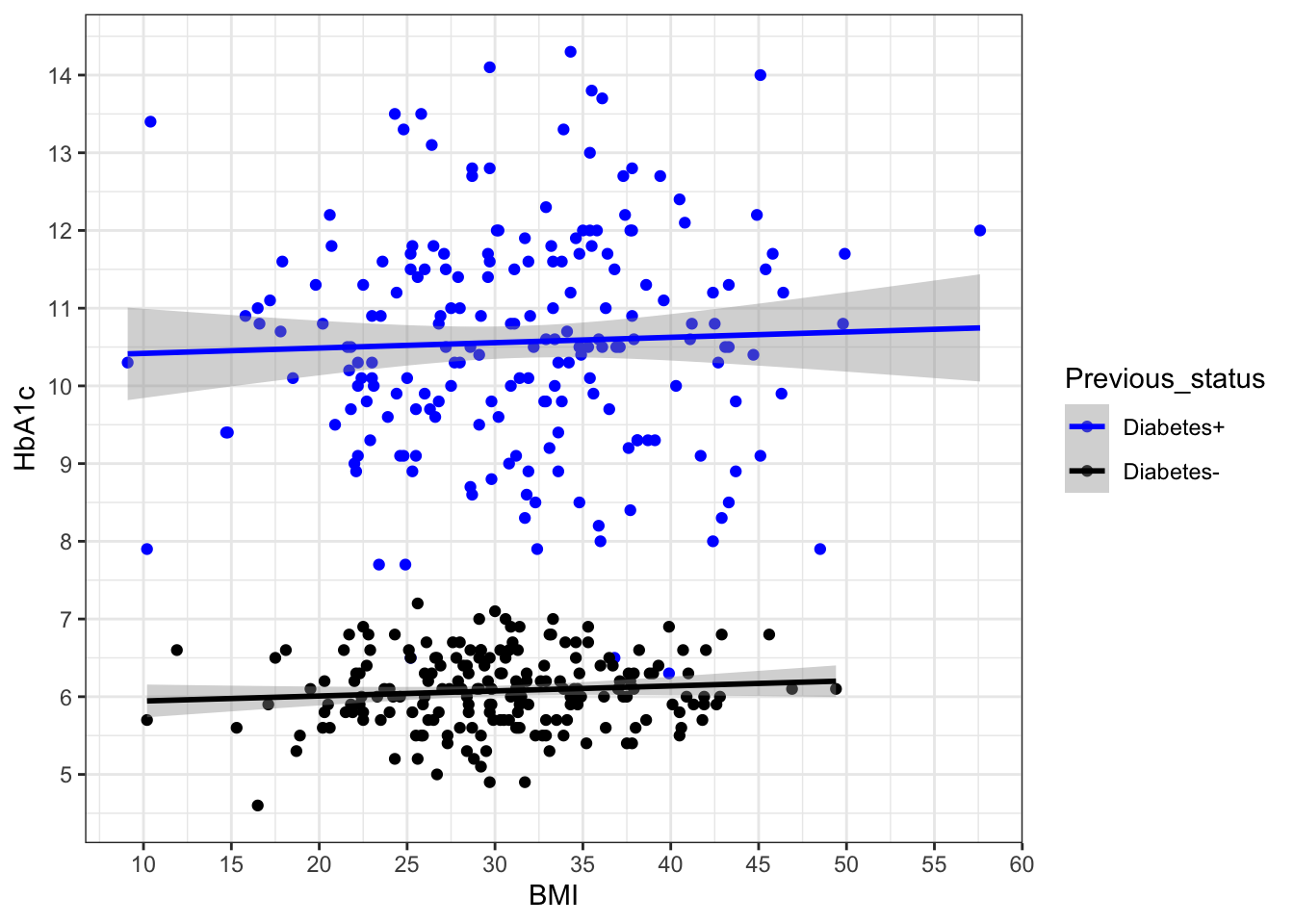
#break( how to add breaks at x and y axis ??)

g6+scale_y_continuous(breaks = c(5:14))->g7
g7+ scale_x_continuous(breaks = seq(10,60,5))
`geom_smooth()` using formula = 'y ~ x'

##geom_hline and geom_yline
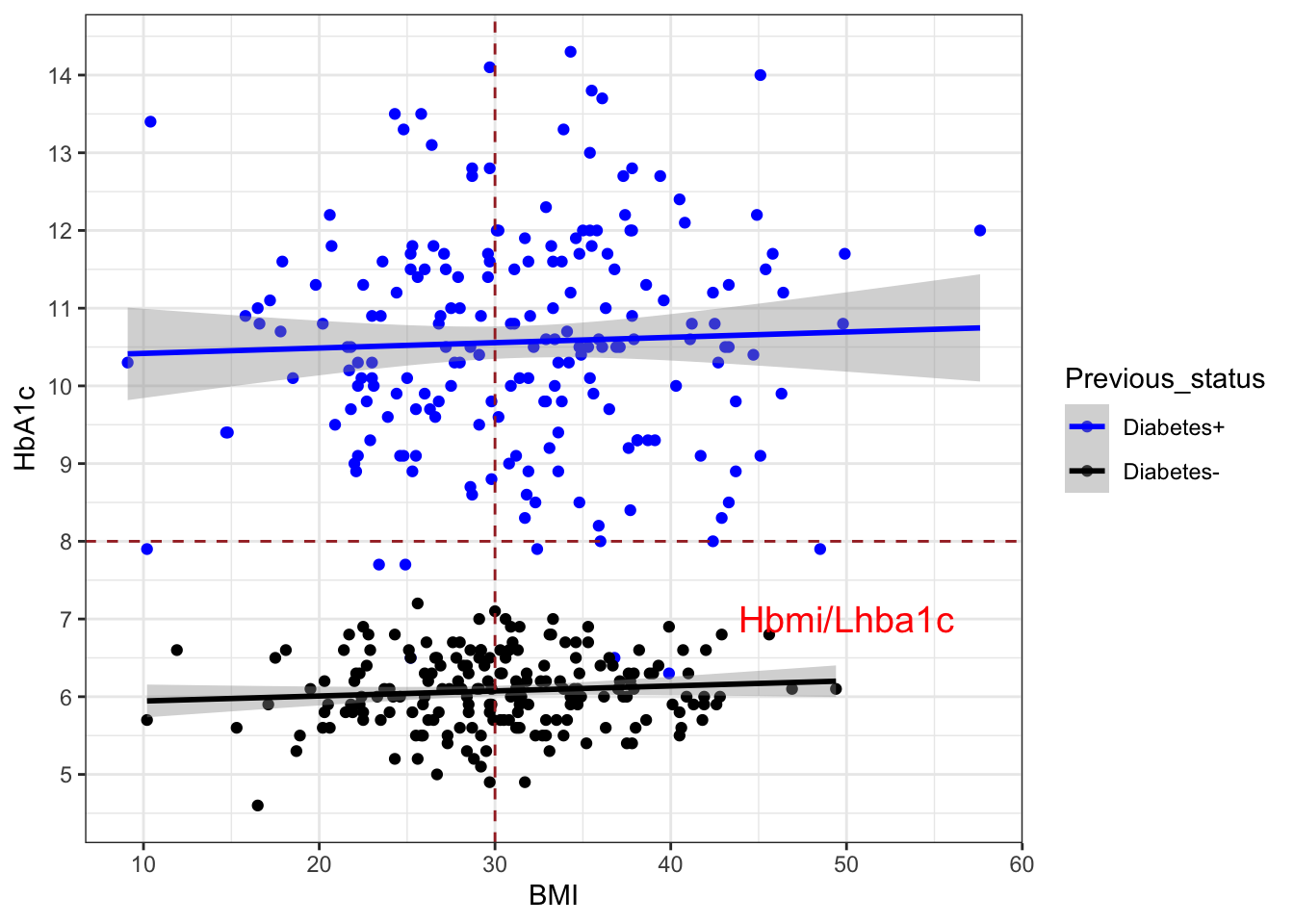
g7+geom_hline(yintercept =8,linetype="dashed",colour="brown")+
  geom_vline(xintercept =30,linetype="dashed",colour="brown")+annotate("text",x=50,y=7,label="Hbmi/Lhba1c",colour = "red", size = 5)
`geom_smooth()` using formula = 'y ~ x'

plot2 bar diagram

### Next graph ( bar diagram)
ggplot()

ggplot(df)

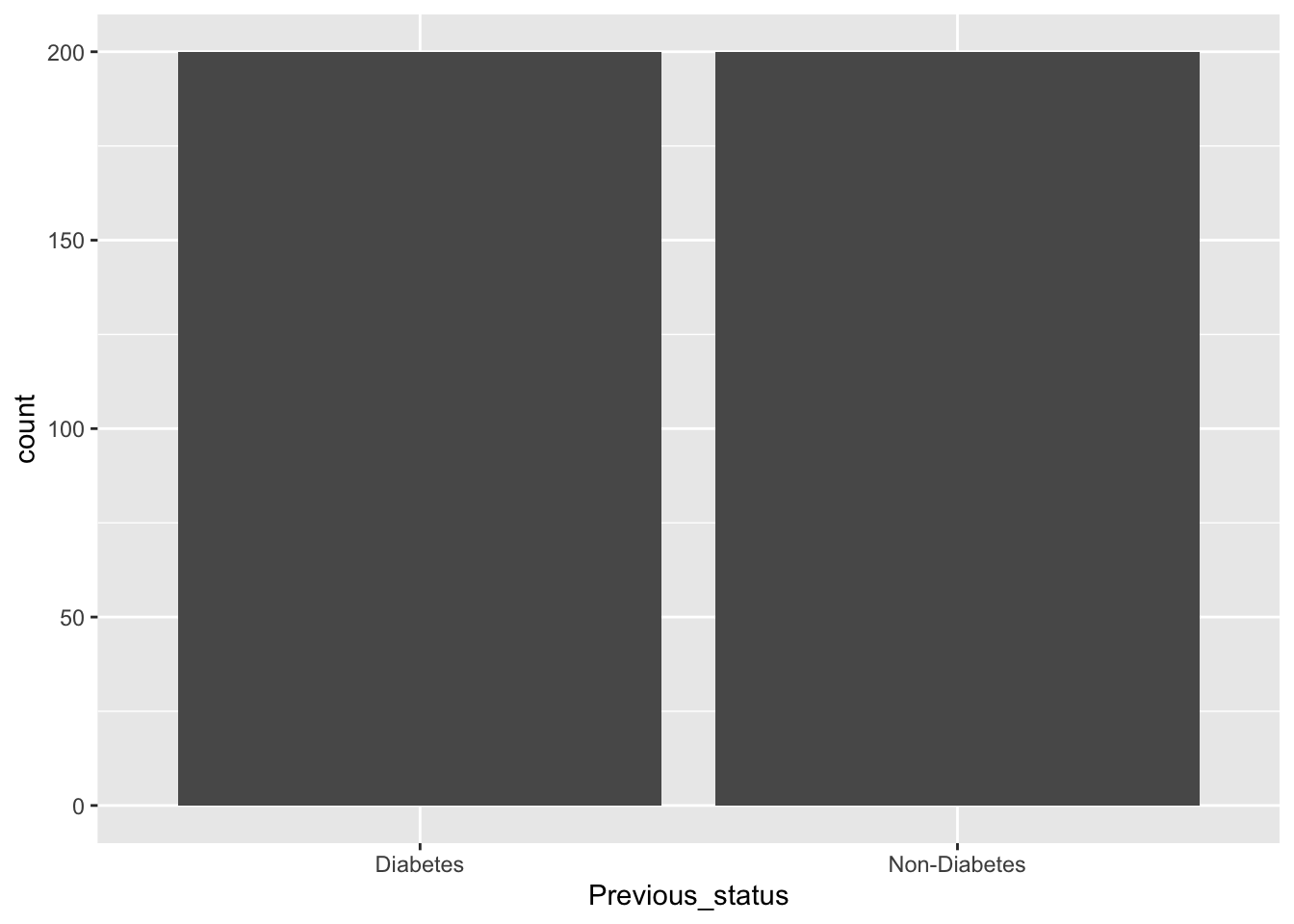
ggplot(data=df,aes(x=Previous_status))+geom_bar()

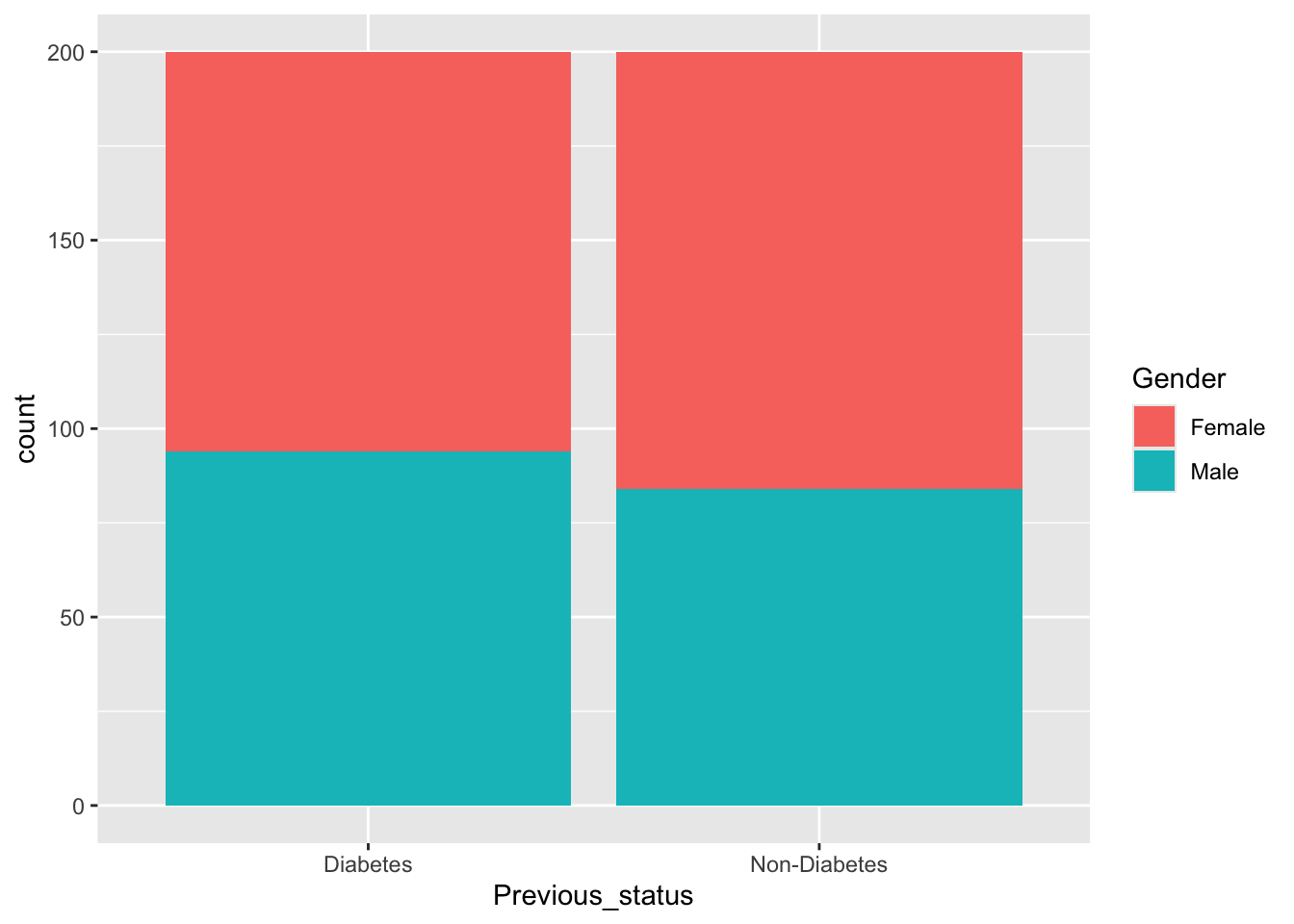
ggplot(data=df,aes(x=Previous_status,fill=Gender))+geom_bar()

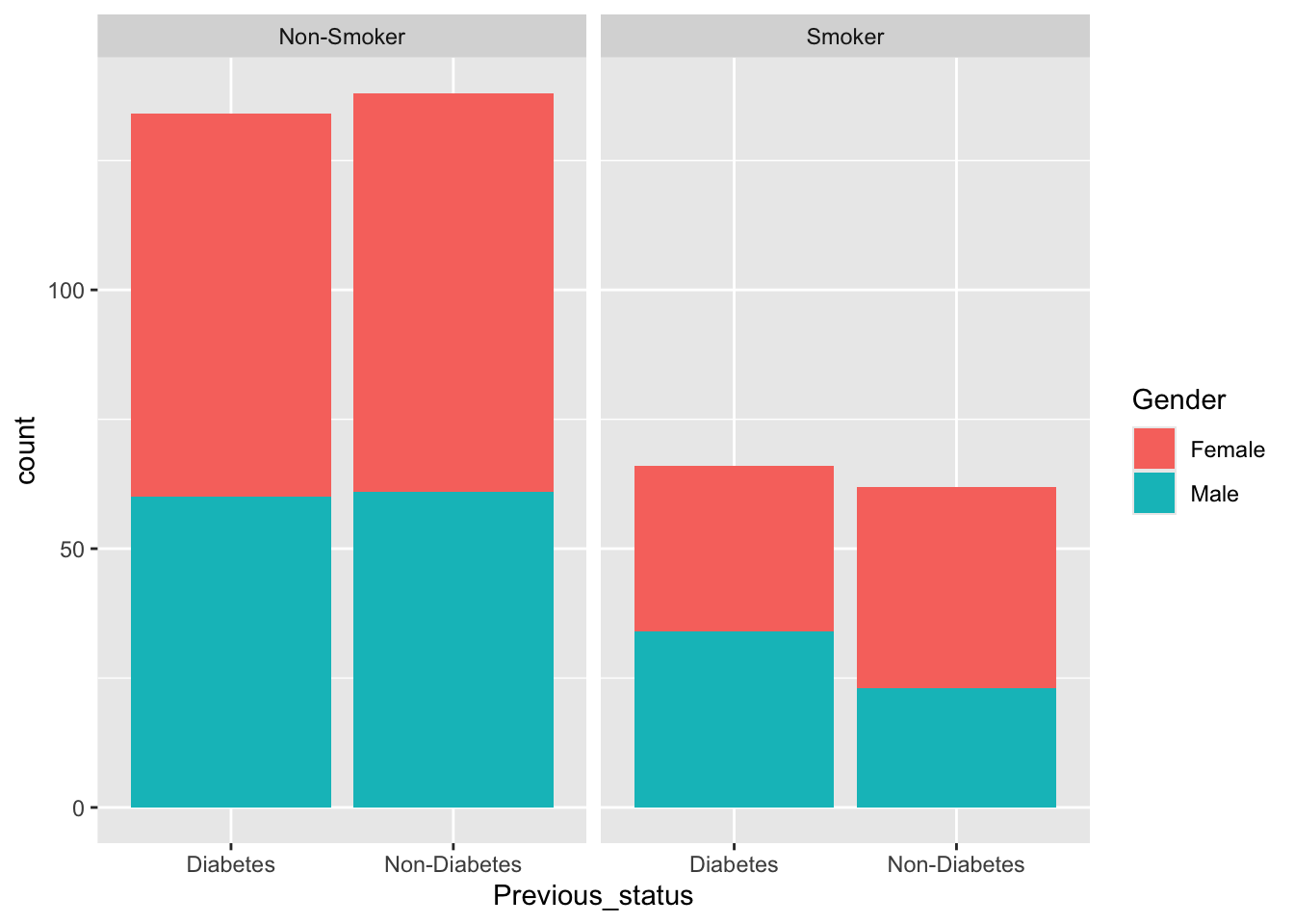
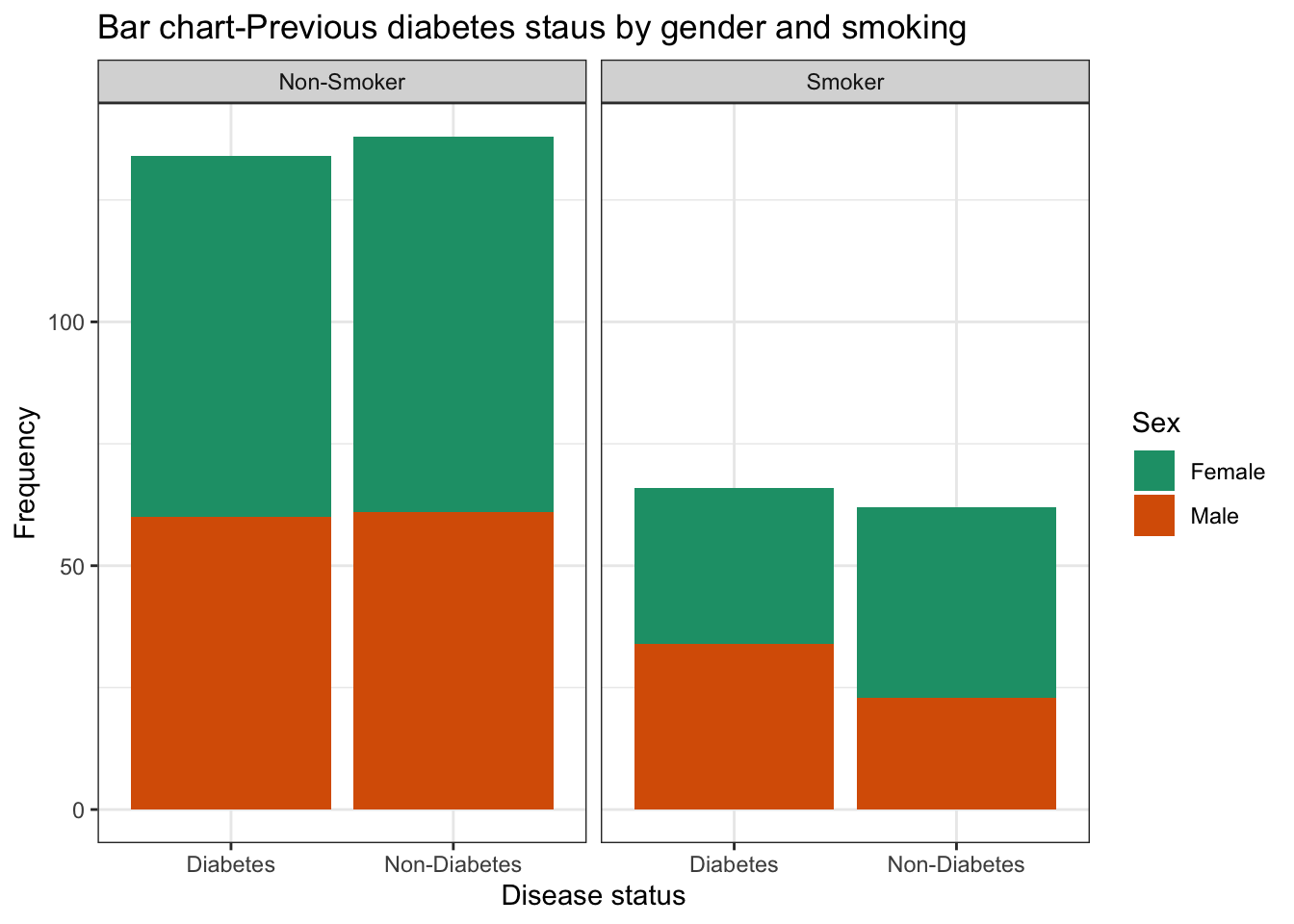
ggplot(data=df,aes(x=Previous_status,fill=Gender))+geom_bar()+facet_wrap(~Smoking)

ggplot(data=df,aes(x=Previous_status,fill=Gender))+geom_bar()+facet_wrap(~Smoking)+
  labs(title="Bar chart-Previous diabetes staus by gender and smoking",
       x="Disease status",y="Frequency",
       fill="Sex")+theme_bw()+scale_fill_manual(values=c("#999999", "#E69F00"))->bar1
bar1+scale_fill_brewer(palette="Dark2")
Scale for fill is already present.
Adding another scale for fill, which will replace the existing scale.

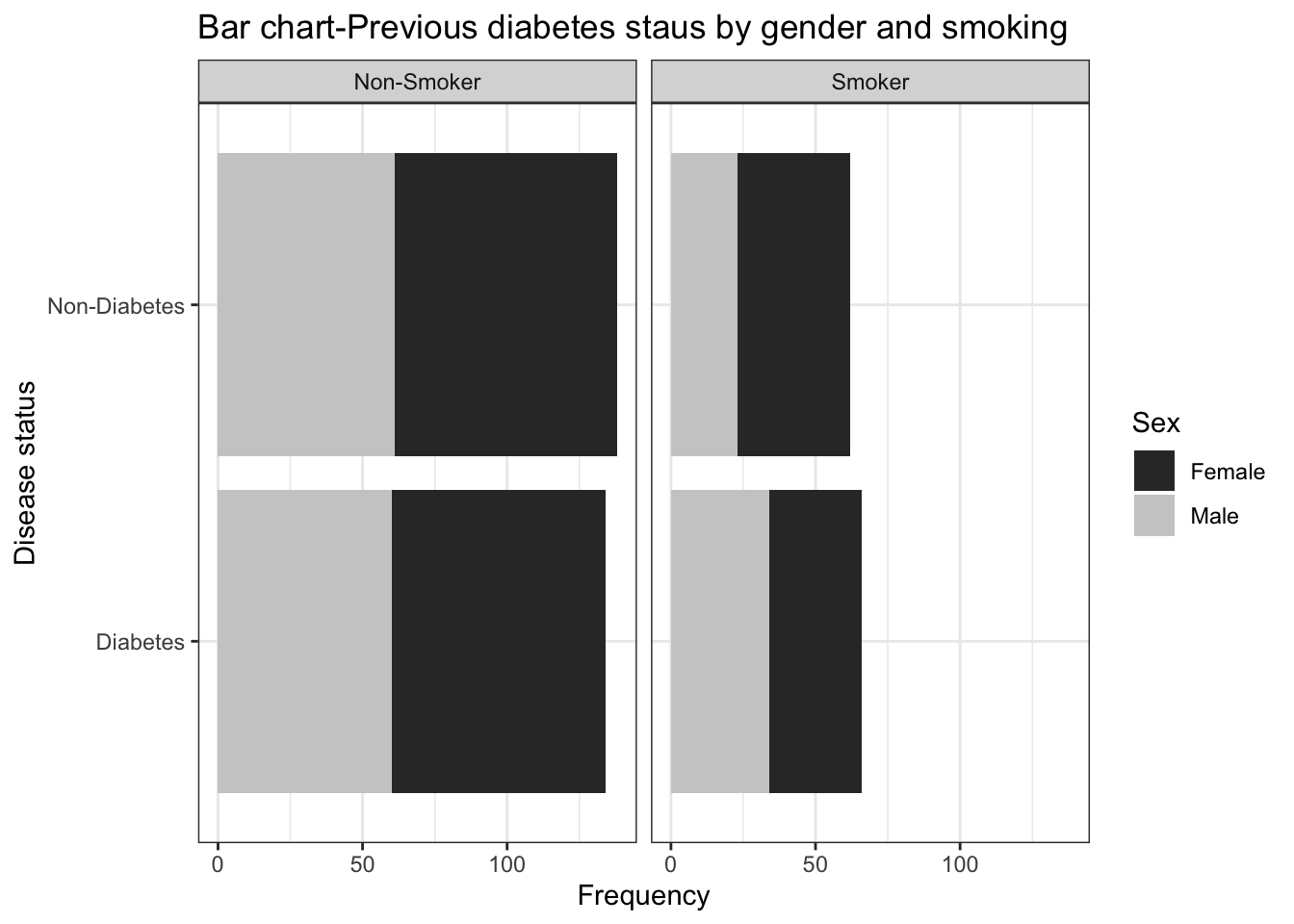
bar1+scale_fill_grey()+coord_flip()->bar2
Scale for fill is already present.
Adding another scale for fill, which will replace the existing scale.
bar2

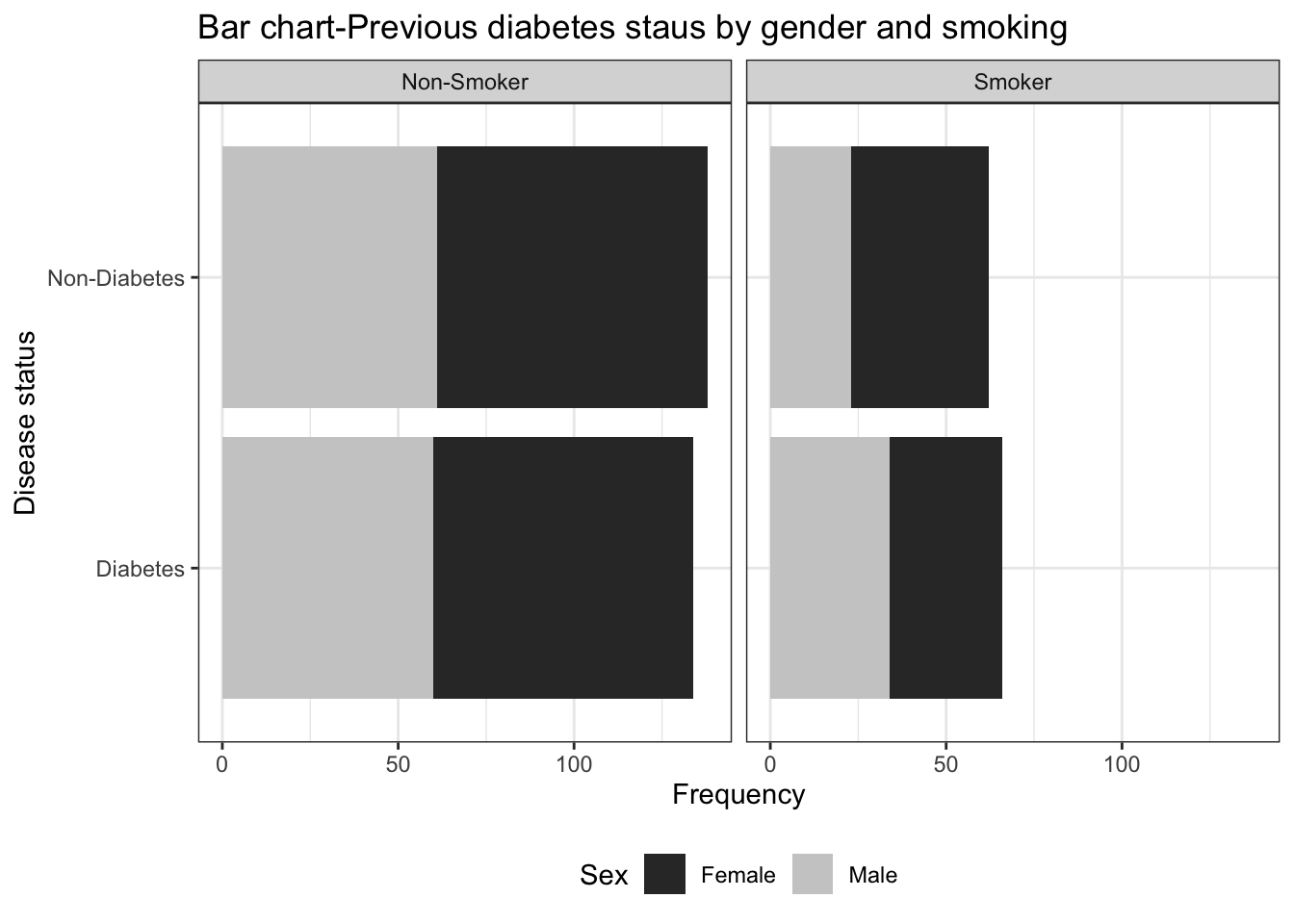
## Change legend position 
bar2+theme(legend.position="bottom")

Geom text

### Now we will use geom_text to add levels 
df %>% select("Previous_status"    ,     
              "Gender"     ,     "BMI_Cat" ) ->df.c
# Get the cumulative sum


df.c %>% group_by(Previous_status, Gender , BMI_Cat ) %>% summarise(Count=n())->sum
`summarise()` has grouped output by 'Previous_status', 'Gender'. You can
override using the `.groups` argument.
sum<- sum %>%
  group_by(Previous_status, Gender , BMI_Cat ) %>%
  mutate(label_y = cumsum(Count))

            ggplot(data=sum,aes(x=BMI_Cat,y=Count))+geom_col()

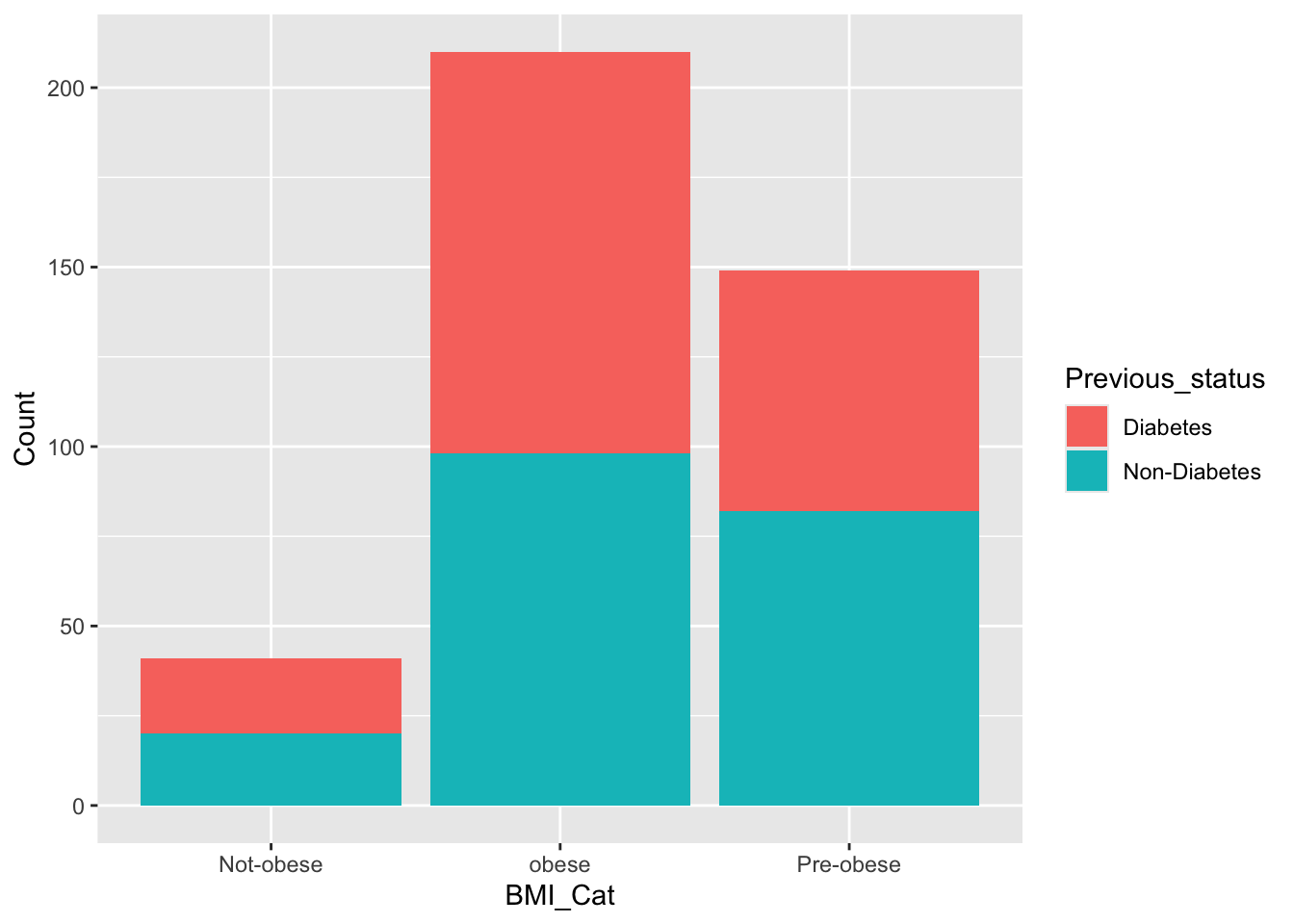
ggplot(data=sum,aes(x=BMI_Cat,y=Count,fill=Previous_status))+geom_col()

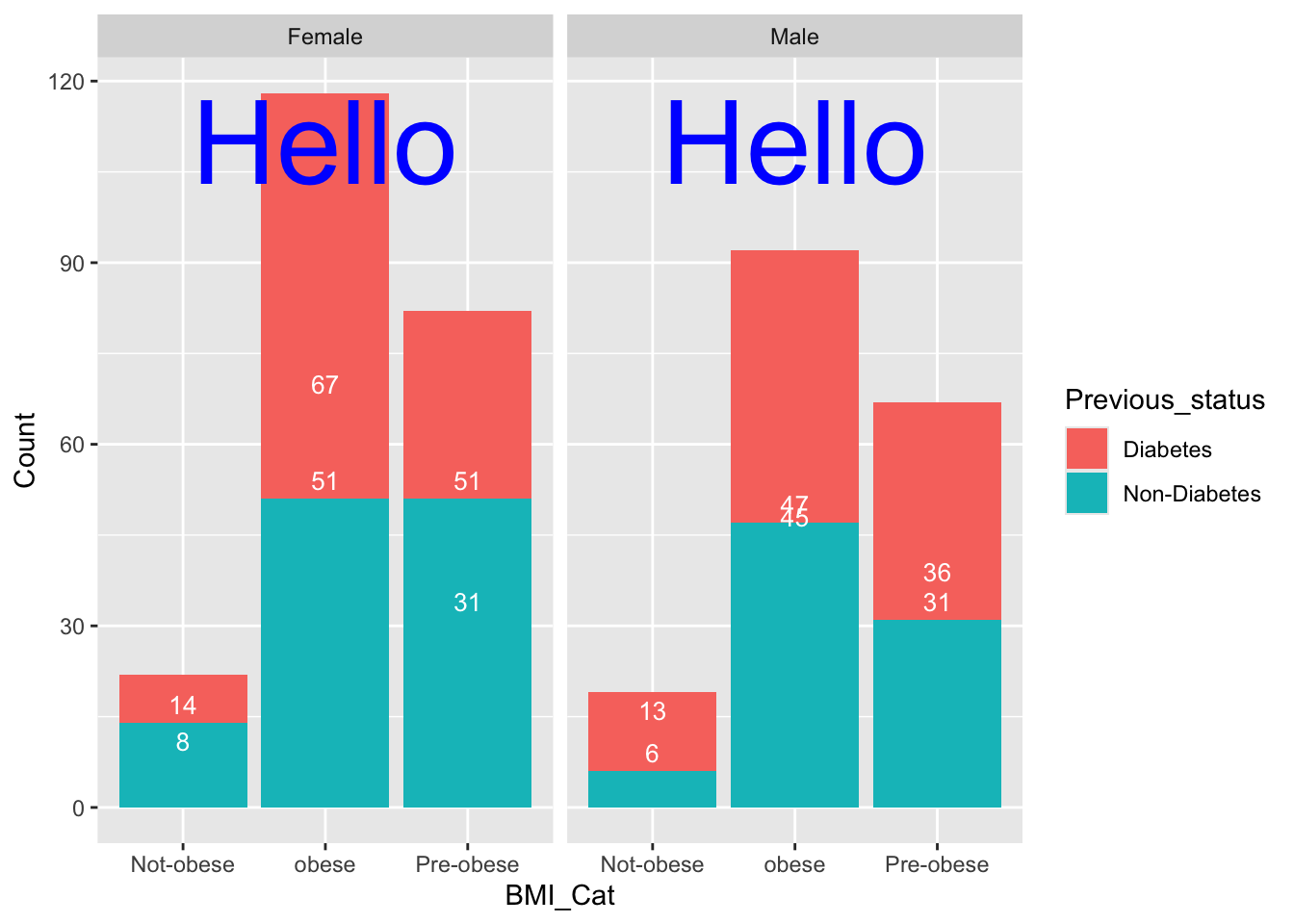
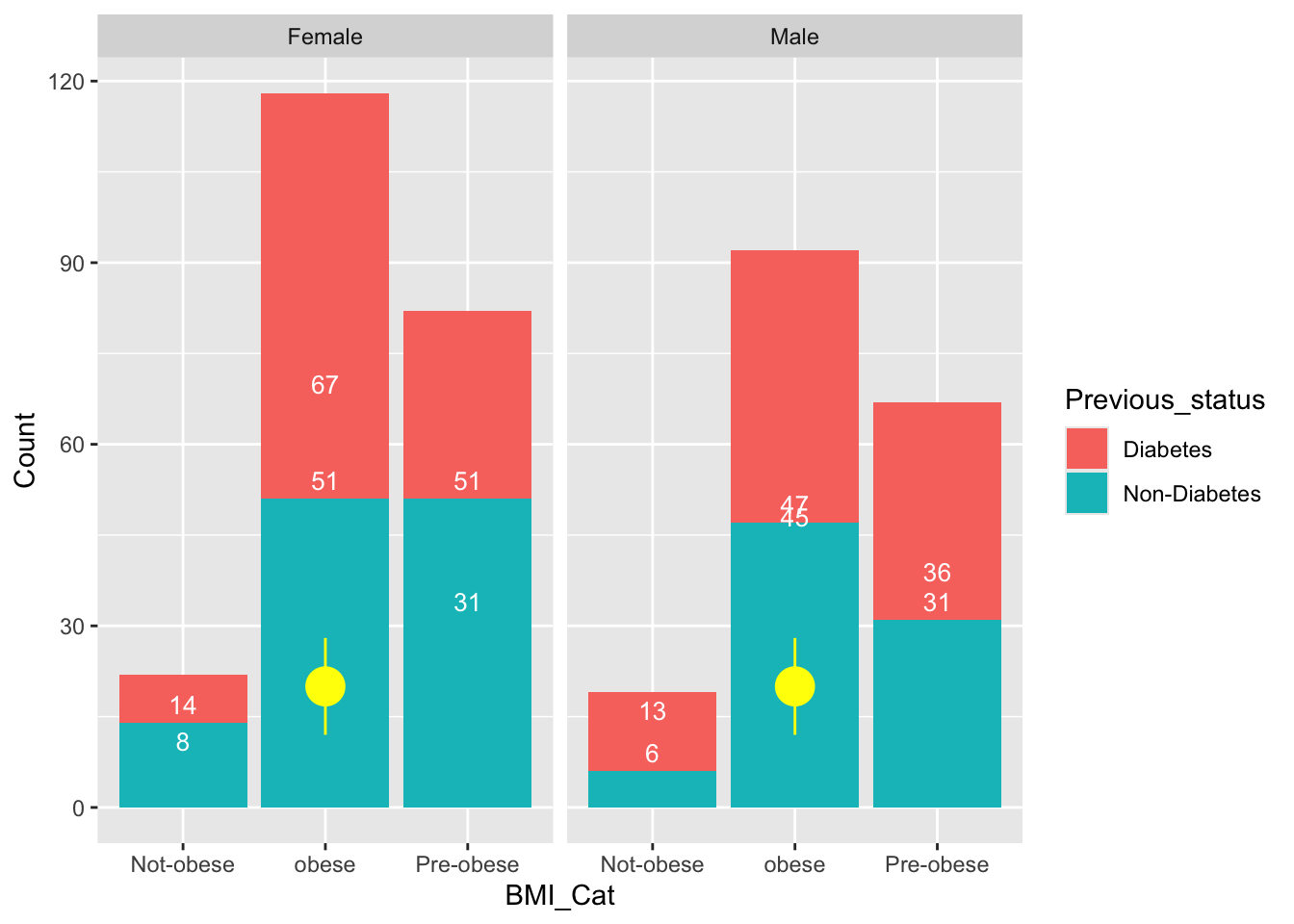
ggplot(data=sum,aes(x=BMI_Cat,y=Count,fill=Previous_status))+geom_col()+
  geom_text(aes(label=label_y), vjust=-0.5, color="white", size=3.5)+ facet_wrap(~Gender)->col1
  col1+annotate("text", x = 2, y = 110, label = "Hello", colour="blue",size=16)

                  ##annotation
  col1 + annotate("pointrange", x = 2, y = 20, ymin = 12, ymax = 28,
               colour = "yellow", size = 1.5)

Aesthetics, Themes, and Advanced Customization

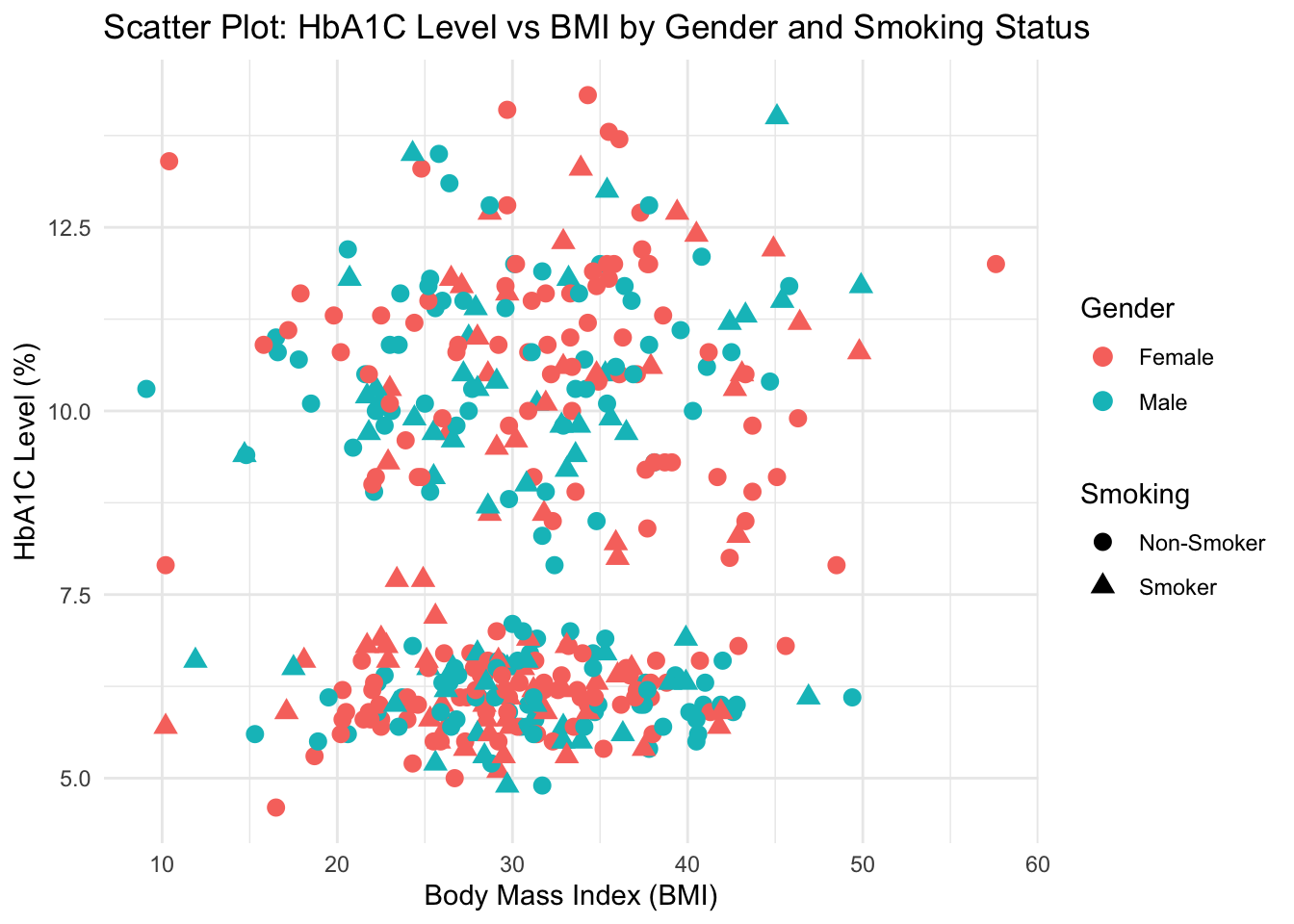
In ggplot2, the aes() function defines aesthetic mappings, determining which variables map to which visual properties such as axes, colors, shapes, and sizes.

# Example: Mapping multiple aesthetics
ggplot(df, aes(x = BMI, y = HbA1c, color = Gender, shape = Smoking)) +
  geom_point(size = 3) +
  labs(title = "Scatter Plot: HbA1C Level vs BMI by Gender and Smoking Status",
       x = "Body Mass Index (BMI)",
       y = "HbA1C Level (%)") +
  theme_minimal()

Explanation:

  • color = Gender assigns color to gender categories.
  • shape = Smoking_Status assigns different point shapes.
  • theme_minimal() gives a clean, publication-ready look.

experiment with other themes for stylistic variety

p <- ggplot(df, aes(x = BMI, y = HbA1c, color = Gender)) +
  geom_point(size = 3) +
  labs(title = "Different ggplot2 Themes Example",
       x = "BMI",
       y = "HbA1C Level")

p + theme_bw()
p + theme_classic()
p + theme_light()

Each theme controls gridlines, background, and axis appearance. Choosing a theme depends on your communication context (e.g., minimal for reports, classic for academic papers).


Faceting for Multi-Panel Visualization

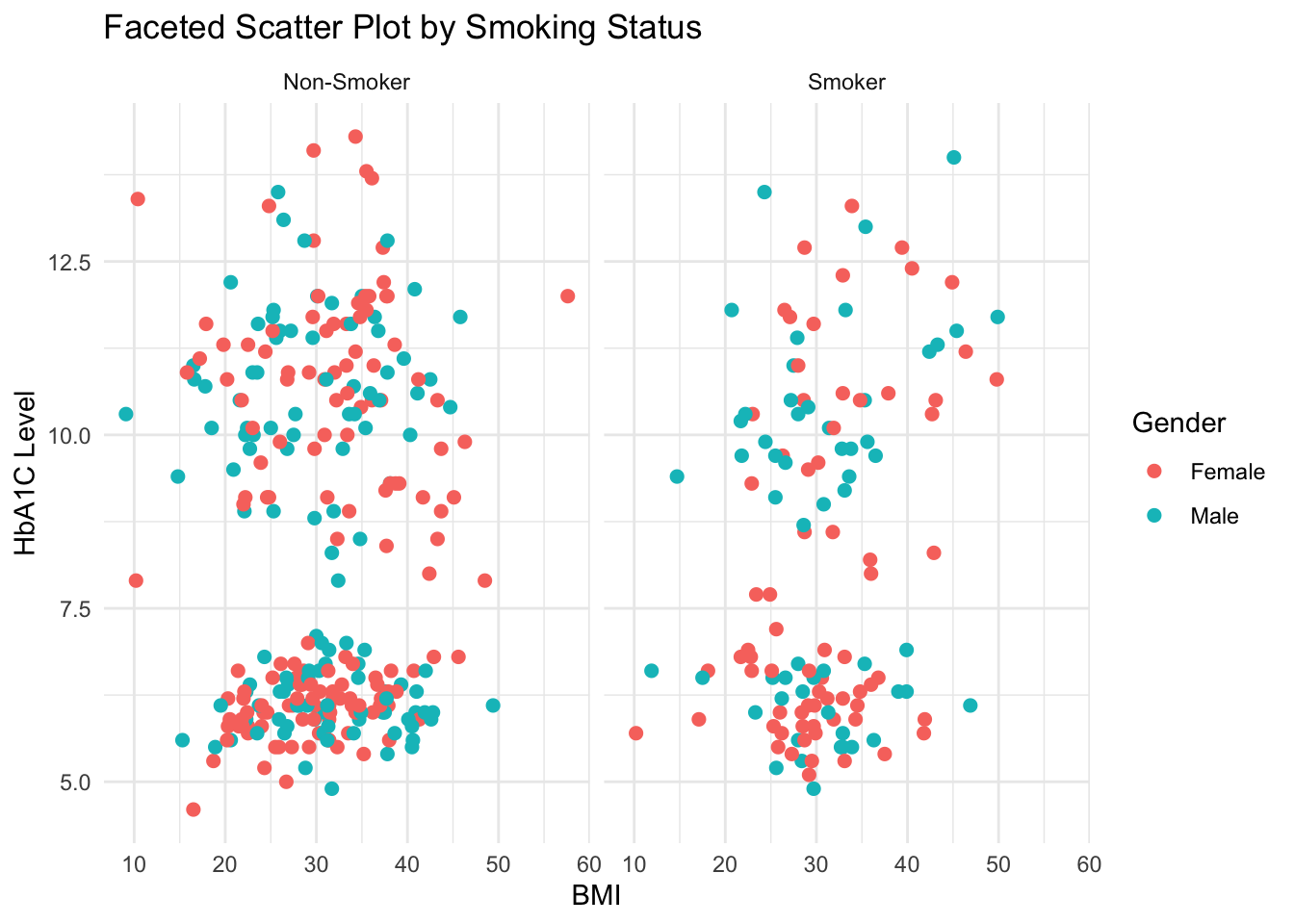
Faceting lets you create multiple plots based on a categorical variable, making subgroup comparisons intuitive.

ggplot(df, aes(x = BMI, y = HbA1c, color = Gender)) +
  geom_point(size = 2) +
  facet_wrap(~ Smoking) +
  labs(title = "Faceted Scatter Plot by Smoking Status",
       x = "BMI",
       y = "HbA1C Level") +
  theme_minimal()

Explanation:

Each panel (facet) represents one subset of data based on Smoking_Status. Faceting works beautifully for visualizing subgroup patterns.


Box Plot: Visualizing Continuous Data by Categories

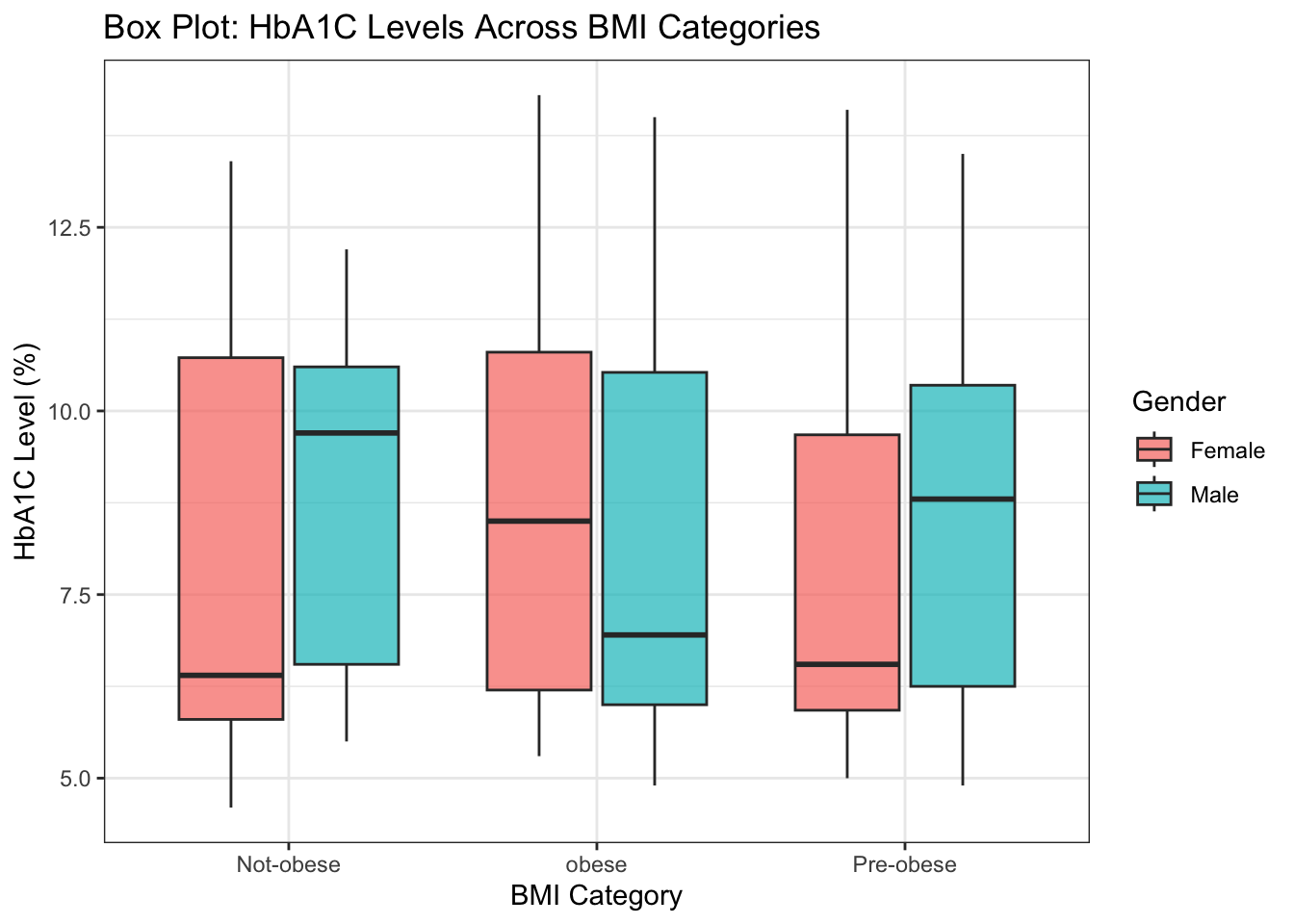
Box plots summarize data distributions through their quartiles and highlight outliers effectively.

ggplot(df, aes(x = BMI_Cat, y = HbA1c, fill = Gender)) +
  geom_boxplot(alpha = 0.7, outlier.color = "red") +
  labs(title = "Box Plot: HbA1C Levels Across BMI Categories",
       x = "BMI Category",
       y = "HbA1C Level (%)") +
  theme_bw()

Explanation:

  • The box represents the interquartile range (IQR).
  • The line inside the box shows the median.
  • Whiskers and outliers display spread and extremes.
  • fill = Gender introduces color coding.

Pie Chart: Visualizing Proportions

Pie charts are useful for visualizing simple categorical proportions. Though not always ideal for detailed comparison, they are intuitive for quick composition views.

# Calculate percentage distribution
pie_data <- df %>%
  count(Smoking) %>%
  mutate(percentage = n / sum(n) * 100,
         label = paste0(Smoking, " (", round(percentage, 1), "%)"))

ggplot(pie_data, aes(x = "", y = percentage, fill = Smoking)) +
  geom_col(width = 1, color = "white") +
  coord_polar(theta = "y") +
  labs(title = "Pie Chart: Distribution of Smoking Status",
       fill = "Smoking Status") +
  theme_void() +
  theme(legend.position = "right")

Explanation:

  • coord_polar(theta = "y") transforms bar chart into a pie chart.
  • theme_void() removes axes and grids for a clean look.
  • Useful for categorical distributions (like gender or smoking).

Saving Your Plots

Finally, to export any plot for reports or presentations:

ggsave("HbA1C_vs_BMI_plot.png", width = 7, height = 5, dpi = 300)

Tip: Always specify dpi = 300 for publication-quality resolution.


Summary

In this expanded tutorial, we explored: - Aesthetic mappings and their flexibility. - Multiple geometric objects (geom_point, geom_bar, geom_boxplot, geom_col). - Themes and styling options for professional visual output. - Faceting for subgroup comparison. - Exporting and saving visualizations.

You can combine these elements creatively to build publication-quality visualizations tailored to your analytical narrative.